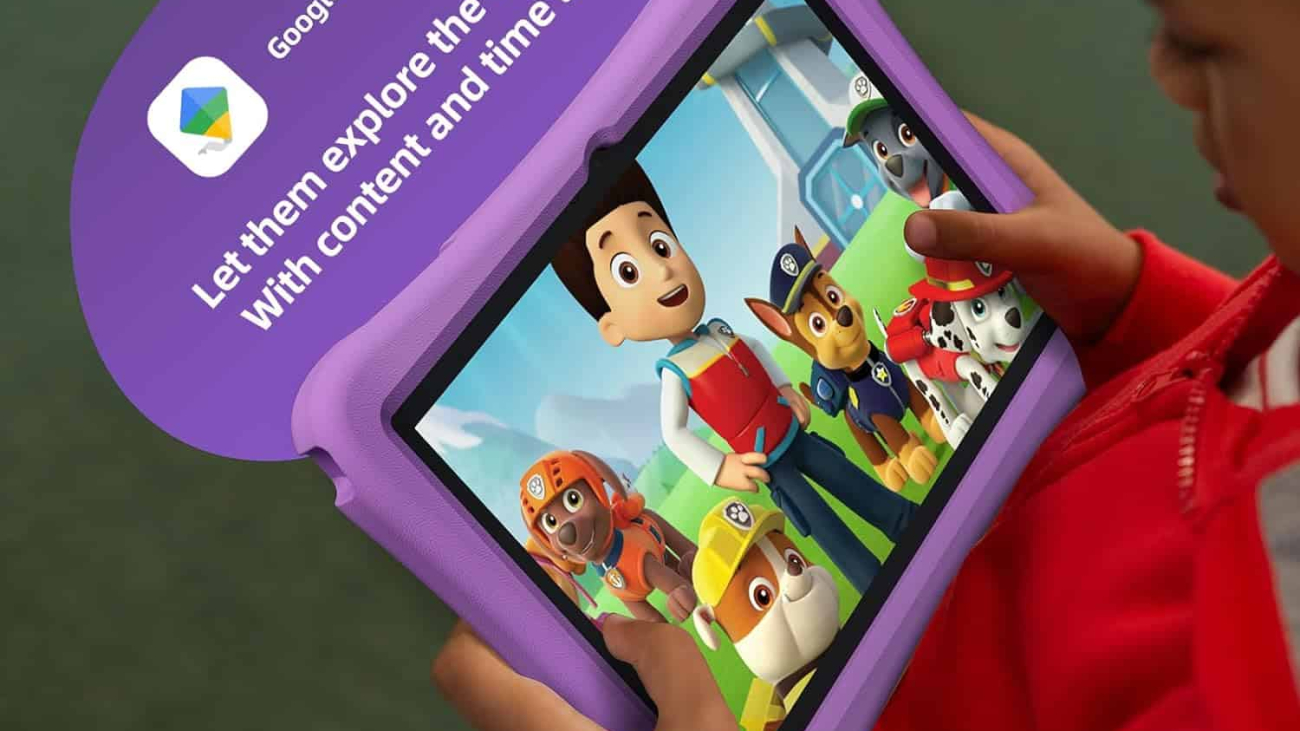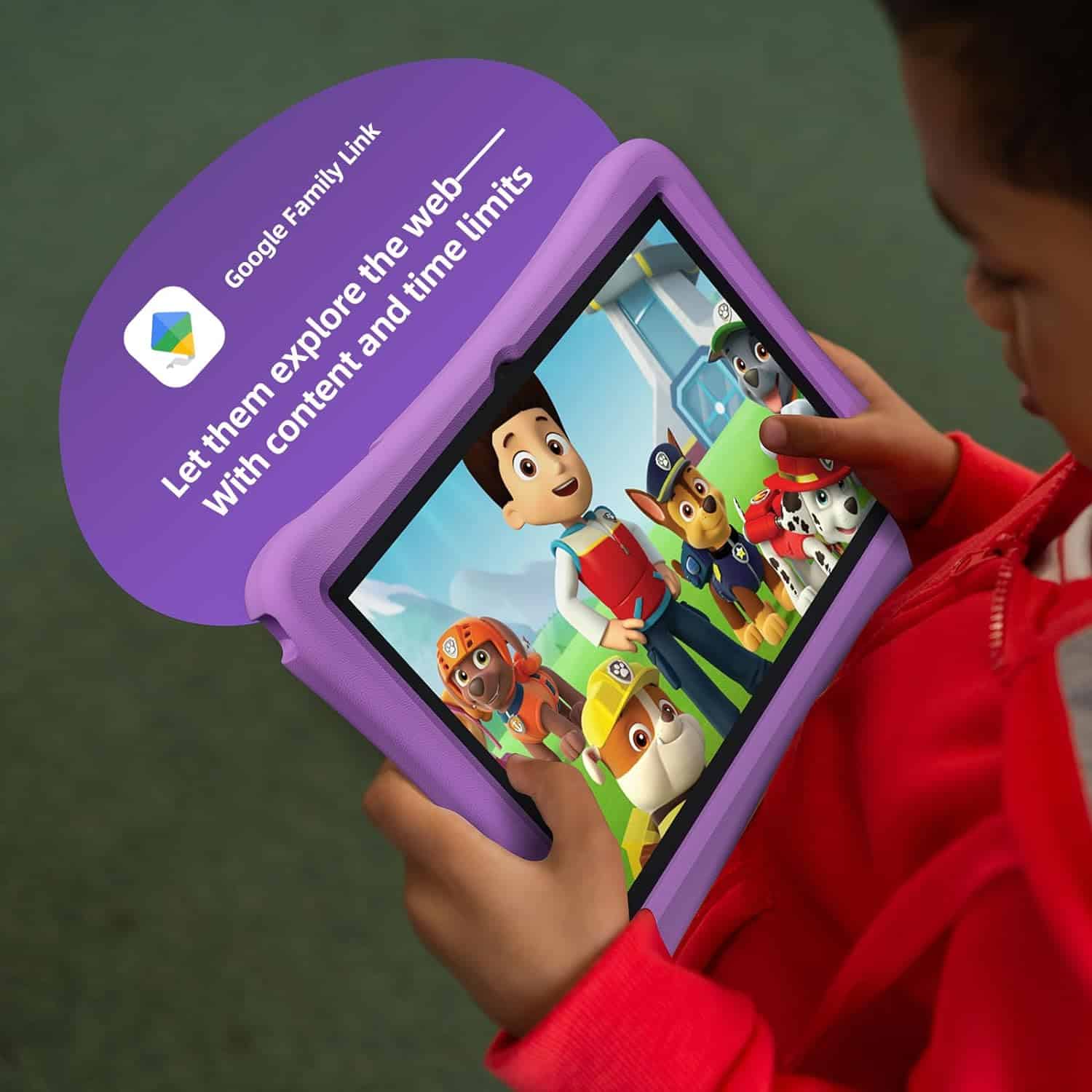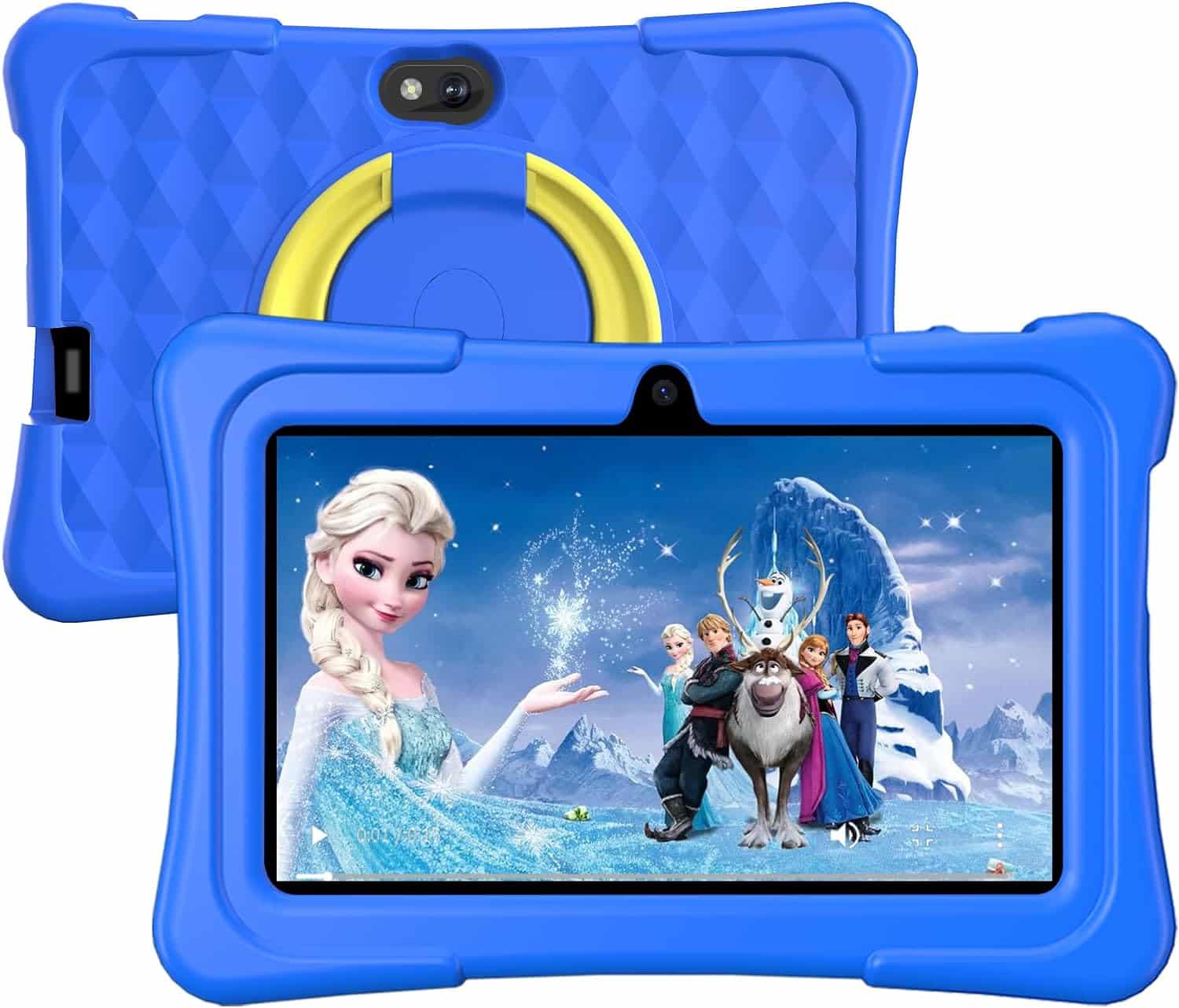
amazon fire hd 8 kids tablet

The Best Amazon Fire HD 8 Kids Tablets: Top 5 Compared for 2026

amazon fire hd 8 kids tablet

Shopping for a kids’ tablet on Amazon can feel like scrolling through an endless wall of near-identical listings, same case, different color, slightly different storage, and a price that seems to change every time you refresh the page. The Fire HD 8 Kids line is Amazon’s own answer to “give my kid a tablet without giving my kid my tablet,” and it comes in two families: the standard Fire HD 8 Kids (built for ages 3–7, with a chunky foam bumper case) and the Fire HD 8 Kids Pro (built for ages 6–12, with a slimmer, more grown-up case).

Below, we’ve rounded up five of the top-selling, top-rated Fire HD 8 Kids listings on Amazon, spanning both families and several colorways and broken down what each one actually offers, where it shines, and where it falls short. Every model shares the same core hardware DNA (8″ HD display, hexa-core processor, up to 13 hours of battery life, 2-year worry-free guarantee), so the real differences come down to age-fit, case design, storage, and color.

Quick Comparison Table

Product Name (as listed on Amazon)Typical Amazon Star RatingTypical Amazon Price
Amazon Fire HD 8 Kids tablet, 32GB, Blue (ages 3–7)~4.6–4.7 (tens of thousands of ratings)~$95–$150
Amazon Fire HD 8 Kids tablet, 64GB, Blue, newest model (ages 3–7)~4.6–4.7~$110–$160
Amazon Fire HD 8 Kids tablet, 32GB, Disney Princess (ages 3–7)~4.6–4.7~$100–$155
Amazon Fire HD 8 Kids Pro tablet, 32GB, Hello Teal (ages 6–12)~4.6–4.8~$95–$150
Amazon Fire HD 8 Kids Pro tablet, 32GB, Rainbow Universe (ages 6–12)~4.6–4.8~$95–$150

Prices and ratings fluctuate with Amazon’s frequent promotions (Prime Day, Black Friday, Spring Sale); always check the live listing.


1. Amazon Fire HD 8 Kids Tablet, 32GB, Blue (Ages 3–7)

View on Amazon

Amazon Product Specifications

  • Display: 8″ HD (1280 x 800)
  • RAM: 2 GB
  • Storage: 32 GB (expandable up to 1 TB via microSD)
  • Processor: Hexa-core, up to 30% faster than the prior generation
  • Battery: Up to 13 hours
  • Included: Kid-Proof Case with built-in stand/handle, USB-C charging cable, power adapter, 1 year of Amazon Kids+
  • Age range: 3–7

Features Turned Into Benefits

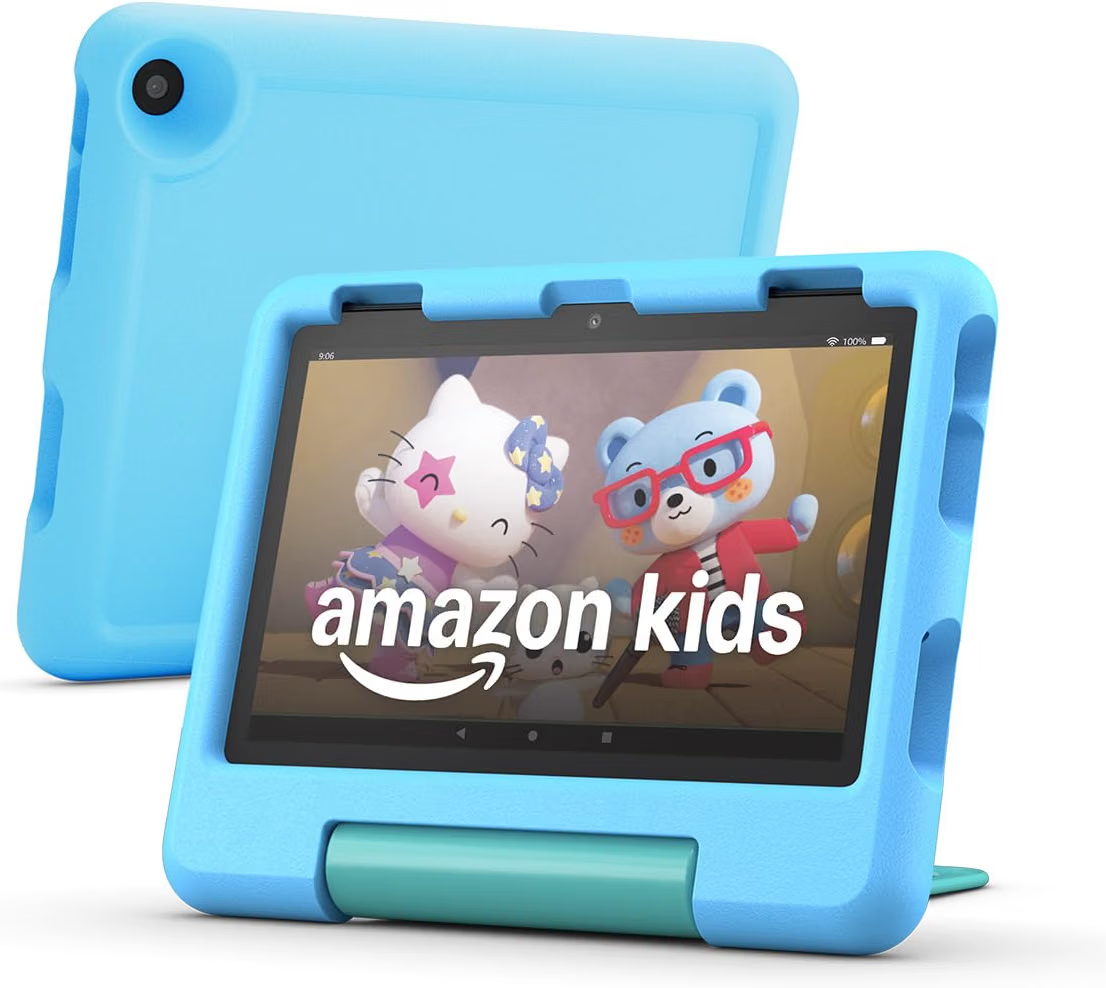
The thick, rubberized Kid-Proof Case isn’t just padding, it means a tablet dropped off a couch, a high chair, or the back seat of a car survives, which translates directly into fewer replacement purchases and less parental anxiety about handing it over. The bundled year of Amazon Kids+ turns the tablet from a blank slate into a ready-to-use library the moment it’s unboxed, so there’s no scrambling to find age-appropriate apps on day one. And because content and app access run through the Amazon Kids+ ecosystem rather than the open web, parents get a genuinely closed environment rather than a stripped-down version of a regular tablet.

Real-World Use Case

For a family with a preschooler who wants to watch the same three shows on repeat during a road trip, this tablet’s case doubles as a stand, so it can prop itself up on a car seat tray without extra accessories, useful shorthand for “entertainment that survives a bumpy drive.”

Pros

  • Sturdy case built specifically for toddlers and preschoolers
  • 2-year worry-free replacement guarantee if it breaks
  • Robust Parent Dashboard for content filters, time limits, and educational goals
  • 13-hour battery comfortably covers a full day out

Cons

  • 2 GB of RAM can feel sluggish with several apps open at once, closing background apps regularly helps
  • No Google Play Store; app selection is limited to the Amazon Appstore, so some popular apps won’t be available, check the Amazon Kids+ catalog for your child’s favorite titles before buying

2. Amazon Fire HD 8 Kids Tablet, 64GB, Blue (Newest Model, Ages 3–7)

View on Amazon

Amazon Product Specifications

  • Display: 8″ HD (1280 x 800)
  • RAM: 2 GB
  • Storage: 64 GB (expandable up to 1 TB)
  • Processor: Hexa-core
  • Battery: Up to 13 hours
  • Included: Kid-Proof Case, charging cable, power adapter, 1 year of Amazon Kids+
  • Age range: 3–7

Features Turned Into Benefits

This is essentially the same tablet as the 32GB Blue model above, but with double the on-device storage. For a family that downloads a lot of shows for offline flights or car rides, rather than streaming everything live, the extra 32 GB means fewer “delete something to make room” prompts and less need to rely on a microSD card at all.

Real-World Use Case

A family planning a long flight can pre-download several movies, a season of a show, and a handful of games without worrying about running out of space mid-download, handy shorthand for “set it and forget it” before a trip.

Pros

  • Same durable case and 2-year guarantee as the 32GB version
  • Extra storage reduces reliance on microSD expansion
  • Same all-day battery life
  • Straightforward setup through the Parent Dashboard app

Cons

  • The storage bump adds to the price versus the 32GB model, so it’s worth deciding whether your child actually downloads enough content to need it
  • Same RAM ceiling as the 32GB version, so heavier multitasking still isn’t its strong suit

3. Amazon Fire HD 8 Kids Tablet, 32GB, Disney Princess Edition (Ages 3–7)

View on Amazon

Amazon Product Specifications

  • Display: 8″ HD (1280 x 800)
  • RAM: 2 GB
  • Storage: 32 GB (expandable up to 1 TB)
  • Processor: Hexa-core
  • Battery: Up to 13 hours
  • Included: Themed Kid-Proof Case, charging cable, power adapter, 1 year of Amazon Kids+
  • Age range: 3–7

Features Turned Into Benefits

Hardware-wise, this is identical to the standard Blue model, the difference is entirely in the themed case design. For families whose child has a strong character preference, a themed case can make the tablet feel like “their” device rather than a shared gadget, which in practice can mean less fighting over whose tablet is whose in a multi-kid household.

Real-World Use Case

In a household with siblings sharing devices, giving each child a differently themed edition (Disney Princess, Disney Pixar Cars, etc.) makes it easy to tell tablets apart at a glance, no labels or stickers needed.

Pros

  • Fun, recognizable design that appeals directly to younger kids
  • Identical durability and guarantee to the standard model
  • Full access to the same Amazon Kids+ content library
  • Good gifting option for birthdays

Cons

  • Character-themed editions can sell out or rotate seasonally, so availability varies, have a backup color in mind
  • No functional upgrade over the plain-color version, so you’re paying for design, not performance

4. Amazon Fire HD 8 Kids Pro Tablet, 32GB, Hello Teal (Ages 6–12)

View on Amazon

Amazon Product Specifications

  • Display: 8″ HD (1280 x 800), strengthened aluminosilicate glass
  • RAM: 3 GB
  • Storage: 32 GB (expandable up to 1 TB)
  • Processor: Hexa-core
  • Battery: Up to 13 hours
  • Included: Slim Kid-Friendly Case with adjustable stand, charging cable, power adapter, 1 year of Amazon Kids+
  • Age range: 6–12

Features Turned Into Benefits

The Kids Pro line trades the bulky foam bumper for a slimmer case built for kids who no longer need (or want) something that looks like a toy. The extra 1 GB of RAM over the standard Kids model helps apps and browsing feel noticeably snappier, which matters more for older kids running homework apps or slightly heavier games. The adjustable stand built into the case also means hands-free video calls or recipe-following without extra accessories.

Real-World Use Case

A 9-year-old using the tablet for a school reading app alongside a couple of casual games will notice less lag switching between them compared to the 2 GB standard model, a small but real quality-of-life difference for daily use.

Pros

  • Slimmer, more mature case design that older kids are less likely to be embarrassed by
  • Strengthened glass screen adds durability without the bulky bumper
  • Noticeably smoother multitasking thanks to the extra RAM
  • Same 2-year worry-free guarantee and Parent Dashboard controls as the standard line

Cons

  • Amazon Appstore’s app catalog is still smaller than Google Play, sideloading the Play Store is technically possible but voids the warranty and can break parental controls, so it’s not something we’d recommend for most families
  • Real-world battery testing tends to land a bit under the advertised 13 hours during heavy gaming (closer to 6–7 hours), so plan charging accordingly on demanding days

5. Amazon Fire HD 8 Kids Pro Tablet, 32GB, Rainbow Universe (Ages 6–12)

Amazon Product Specifications

  • Display: 8″ HD (1280 x 800), strengthened aluminosilicate glass
  • RAM: 3 GB
  • Storage: 32 GB (expandable up to 1 TB)
  • Processor: Hexa-core
  • Battery: Up to 13 hours
  • Included: Slim Kid-Friendly Case, charging cable, power adapter, 1 year of Amazon Kids+
  • Age range: 6–12

Features Turned Into Benefits

Same Pro-line hardware as the Hello Teal model, just in a different colorway. For families who want the mature case design and the RAM bump of the Pro line but a livelier look than teal or blue, this is a straightforward color pick with zero functional trade-off.

Real-World Use Case

For an older sibling who wants their tablet to look visibly different from a younger sibling’s standard Fire HD 8 Kids tablet, choosing a distinct Pro colorway like Rainbow Universe makes ownership obvious without needing a case swap.

Pros

  • Identical performance and durability to the Hello Teal Pro model
  • Distinct look that’s easy to tell apart from a sibling’s tablet
  • Same 2-year guarantee and full Amazon Kids+ library access
  • Slim case works well for backpacks and school bags

Cons

  • Colorway availability and discount depth can vary by sale event, so pricing may differ slightly from other Pro colors at any given time
  • Shares the same Appstore limitations and real-world battery caveats as the Hello Teal version

Analysis: Which Fire HD 8 Kids Tablet Fits Which Family?

The single biggest decision point isn’t color, it’s age and case style. If your child is under 7, the standard Fire HD 8 Kids line’s thick foam bumper case is worth the slightly bulkier feel; it’s built to survive exactly the kind of drops that come with a toddler’s grip. Once a child hits roughly 6–12 and starts caring about how “babyish” their gadgets look, the Fire HD 8 Kids Pro line’s slimmer case and extra RAM make daily use noticeably smoother, at a similar price point.

Storage matters most for families who download content instead of streaming it, frequent flyers, road-trippers, or households with unreliable Wi-Fi. Everyone else can generally get by on 32 GB, especially since every model supports microSD expansion up to 1 TB.

Color and character editions are purely cosmetic. They’re a reasonable way to reduce sibling squabbling over whose tablet is whose, but they don’t change performance, battery life, or durability.

All five of these Fire HD 8 Kids tablets share the same core strengths that make the line a consistently popular pick on Amazon: a genuinely kid-proof or kid-friendly case, a 2-year no-questions replacement guarantee, robust parental controls, and a full year of ad-free content included in the box. The 32GB Blue Fire HD 8 Kids and Disney Princess edition are best suited to younger children who need maximum drop protection, the 64GB Blue model is worth the upgrade for families that download a lot of offline content, and the Hello Teal and Rainbow Universe Kids Pro tablets are the better fit once a child outgrows the bulkier toddler case and wants something that feels a bit more grown-up. Compare the specs and current Amazon pricing for each above to find the closest match for your child’s age and how the tablet will actually be used day to day.


READ ALSO: Best Tablets for Kids: Safe, Durable, and Fun Devices

[slick-slider]
supersonic kids tablet

Supersonic Kids Tablet: What Parents Should Know

supersonic kids tablet

Choosing the right supersonic kids tablet feels overwhelming today. The market offers dozens of options. However, not every device suits a young user. Therefore, parents need clear guidance before buying. This article breaks down what truly matters.

Why a Supersonic Kids Tablet Works Well for Children

A supersonic kids tablet offers flexibility that many parents appreciate. For instance, it supports a wide range of educational apps. Additionally, prices vary greatly across models. As a result, families can find an option that fits any budget. Meanwhile, its parental control tools continue improving each year.

Most importantly, a supersonic kids tablet adapts to different age groups. A toddler needs simple, durable hardware. A pre-teen, on the other hand, wants more storage and speed. Consequently, this broad product range covers both needs comfortably.

Key Features to Look For in a Supersonic Kids Tablet

Screen durability matters most for younger children. Kids drop devices often, so shock resistance counts. Look for a supersonic kids tablet with a rubberized case or built-in bumpers. Furthermore, a scratch-resistant screen extends the device’s lifespan significantly.

Battery life also plays a crucial role. Long car rides and travel days demand reliable power. Ideally, choose a supersonic kids tablet that lasts eight hours or more. Otherwise, you’ll face constant charging interruptions during outings.

Parental controls deserve close attention too. Built-in family management tools let you manage screen time remotely. You can also filter content, block apps, and monitor activity. This feature alone can prevent countless headaches down the road.

Storage capacity shouldn’t be overlooked either. Apps, games, and videos consume space quickly. Therefore, pick a supersonic kids tablet with at least 32GB of storage. Expandable microSD support adds even more flexibility later.

Top Considerations by Age Group

Toddlers, aged two to four, need simplicity above all. A basic interface with large icons works best on a supersonic kids tablet. Bright colors and sturdy cases also help at this stage. Meanwhile, screen time limits should stay strict and consistent.

School-age kids, roughly five to ten, benefit from more advanced features. Educational apps become increasingly important here. Consequently, look for a supersonic kids tablet with app curation tools built in. Some bundles even include subscriptions with pre-loaded learning content.

Pre-teens, ages eleven and up, often want a tablet similar to an adult device. Faster processors and better cameras matter more now. Nevertheless, parental oversight remains essential during this transition period.

What Sets a Supersonic Kids Tablet Apart

A well-built supersonic kids tablet stands out through its balance of durability, speed, and safety features. Many bundles include a protective case, a warranty, and pre-loaded kid-friendly software. This combination reduces the guesswork parents usually face when comparing devices.

Storage, display quality, and battery life vary between bundles. Consequently, comparing specs side by side helps narrow the choice. Some packages emphasize content curation and screen-time guarantees. Others focus on raw performance for older, more demanding users.

Ultimately, your choice depends on your family’s specific priorities. Budget-conscious parents may prioritize affordability first. Families that value strict content control might lean toward a curated supersonic kids tablet bundle instead. Those needing top performance could choose a higher-spec configuration.

Setting Up Safe Usage Habits

Buying the right supersonic kids tablet solves only half the problem. Establishing healthy usage habits matters just as much. Set clear daily time limits from the start. Additionally, designate tech-free zones like bedrooms or dinner tables.

Review app permissions regularly as your child grows. What suited a six-year-old may not suit a nine-year-old. Consequently, revisit parental control settings every few months. This ongoing adjustment keeps the experience age-appropriate.

Encourage a balance between screen time and other activities. Outdoor play, reading, and family time remain irreplaceable. A supersonic kids tablet should complement childhood, not replace it entirely.

Final Thoughts for Parents

Selecting the best supersonic kids tablet requires balancing several factors. Durability, battery life, storage, and parental controls all matter significantly. Meanwhile, age-appropriate features ensure the device grows alongside your child.

No single supersonic kids tablet suits every family perfectly. Nevertheless, understanding these core criteria simplifies the decision considerably. Take time to compare models against your specific needs. Your child’s safety, learning, and enjoyment depend on that careful choice.


READ ALSO: Best Tablets for Kids: Safe, Durable, and Fun Devices

[slick-slider]
Android Tablet for Kids

iPad vs. Android Tablet for Kids: Which Should You Choose?

Android Tablet for Kids

Choosing a tablet for your child is not a small decision. It shapes how they play, learn, and explore technology. Two names dominate this market: Apple’s iPad and the wide range of Android tablets. Each option offers real strengths. However, the right pick depends on your budget, your family’s existing devices, and your child’s age.

This guide breaks down the key differences. As a result, you can make a confident, informed choice.

Build Quality and Durability

Kids drop things. Therefore, durability matters more than almost any other factor.

iPads use premium materials and consistently strong build quality across models. Even the budget iPad performs reliably for years. Screens resist scratches well, and the hardware feels solid in small hands.

Android tablets vary widely. Some brands, like Samsung and Lenovo, build sturdy devices. Others cut corners to hit lower price points. Consequently, research matters a lot here. Look for models with reinforced corners or bundled protective cases designed specifically for children.

Parental Controls and Safety Features

Safety features often decide this debate for many parents.

Apple’s Screen Time tool is deeply integrated into iOS. It lets you set app limits, filter content, and schedule downtime with minimal setup. Additionally, Apple’s ecosystem keeps these settings consistent across every Apple device your family owns.

Android counters with Google’s Family Link. This app also offers strong controls, including app approval, screen time limits, and location tracking. Meanwhile, several Android tablets—especially those from Amazon and Samsung—include dedicated “kids mode” interfaces. These modes wall off adult content automatically. Thus, both platforms handle safety well, though Apple’s system feels slightly more polished.

App Selection and Educational Content

Educational apps drive much of a tablet’s value for young users.

The App Store maintains strict review standards. Therefore, iPad users often find higher-quality, well-designed educational apps. Many top-tier learning platforms launch on iOS first.

Google Play, on the other hand, offers a larger overall app library. However, quality varies more. Fortunately, Google Play’s dedicated “Kids” section curates age-appropriate, teacher-reviewed content. This makes finding safe apps much easier than browsing the full store.

Price and Value for Money

Budget often settles this decision quickly.

iPads sit at a premium price point, even the entry-level models. That said, their long software support lifespan adds value over time. Many iPads receive updates for five years or more.

Android tablets span every price range. Budget options from Amazon or Lenovo cost a fraction of an iPad. Consequently, families can buy a device for younger kids without worrying much about breakage. However, cheaper Android tablets often stop receiving updates sooner, which shortens their useful life.

Ecosystem and Compatibility

Your existing tech setup matters too.

If your family already uses iPhones or MacBooks, an iPad integrates seamlessly. Photos, messages, and files sync automatically through iCloud. Similarly, features like AirDrop and Handoff simplify daily use.

Conversely, if your household relies on Android phones or Chromebooks, an Android tablet fits more naturally. Google Drive, Gmail, and Chrome sync effortlessly across devices. Therefore, matching your child’s tablet to your family’s existing ecosystem saves considerable hassle.

Screen Time Tools for Different Age Groups

Younger children need simpler, more restrictive environments. Older kids need flexibility alongside safety.

For toddlers and early elementary students, Amazon Fire Kids tablets or basic Android kids’ editions work well. These devices launch directly into a locked, colorful interface. Meanwhile, older children benefit from the broader app ecosystems that both iPad and premium Android tablets provide.

Ultimately, matching the device to your child’s developmental stage improves the experience for everyone.

Battery Life and Everyday Usability

Long battery life prevents mid-activity meltdowns.

iPads typically deliver excellent, consistent battery performance across the lineup. Android battery life varies by manufacturer and price tier. Premium Android tablets often match or exceed iPad performance. Budget models, however, may fall short during heavy use.

Final Verdict: Which Should You Choose?

There is no universal answer here. Instead, the right choice depends on your priorities.

Choose an iPad if you want top-tier build quality, polished parental controls, and long-term software support—and you don’t mind paying more upfront.

Choose an Android tablet if you want flexible pricing, a device tailored to your child’s exact age, and easy integration with an existing Android household.

Whichever you choose, pair the device with a solid protective case and clear screen-time rules. That combination matters more than the brand printed on the box.


READ ALSO: Best Tablets for Kids: Safe, Durable, and Fun Devices

[slick-slider]
kids tablet

Best Tablets for Kids: Safe, Durable, and Fun Devices

kids tablet

Choosing a tablet for your child can feel overwhelming. Options flood the market every year. However, not every device fits a child’s needs. Therefore, parents must weigh durability, safety features, and educational value before buying. This guide breaks down what truly matters when picking the best tablets for kids.

Why Kids Need a Different Kind of Tablet

Children are rough on electronics. Standard tablets rarely survive daily drops and spills. Kid-focused tablets solve this problem. They include reinforced cases, shatterproof screens, and simplified interfaces. Additionally, they offer parental controls that adult tablets often lack. As a result, parents gain peace of mind while kids explore safely.

Key Features to Look For

Not all kids’ tablets are equal. Some prioritize entertainment. Others focus on learning. Still, certain features remain essential across the board.

Durability matters most. Look for rubberized bumpers and drop protection ratings. Meanwhile, screen quality should resist scratches from small fingers.

Parental controls come next. Good tablets let you set screen time limits. They also allow content filtering by age group. Furthermore, some models include activity reports so you can track usage.

Battery life deserves attention too. Long car rides and quiet afternoons demand hours of uninterrupted play. Consequently, a weak battery quickly becomes frustrating.

Educational content rounds out the list. The best devices come preloaded with age-appropriate apps, books, and games. Thus, screen time doubles as learning time.

Top Picks for Different Age Groups

Every child has unique needs based on age. Therefore, matching the tablet to the right stage makes a real difference.

Toddlers (Ages 2–4)

Toddlers need simplicity above all. Large icons and one-touch navigation work best. Moreover, tablets built for this age group often skip web browsers entirely. This prevents accidental access to inappropriate content. Look for models with soft, chewable edges and extra-thick cases. Screen brightness controls also protect young eyes.

Amazon pick: The Amazon Fire 7 Kids Tablet fits this age group well. It ships with a thick, toddler-proof case, a two-year worry-free guarantee, and a full year of Amazon Kids+ content included. Its compact 7-inch screen and simple interface suit small hands and short attention spans.

Young Children (Ages 5–8)

At this stage, kids start reading and problem-solving independently. Tablets should support this growth. Look for devices with built-in learning apps covering math, reading, and science. Meanwhile, parental dashboards become more important. Parents can now approve specific apps and monitor progress remotely.

Amazon pick: The Amazon Fire HD 8 Kids Tablet works well here. It offers a sharper 8-inch HD display, expandable storage, and a rugged kid-proof case. Parental controls let you set daily limits and approve new apps, making it a solid fit as reading and schoolwork ramp up.

Older Kids (Ages 9–12)

Older children want more freedom and functionality. Consequently, tablets for this age group resemble standard devices more closely. However, safety features remain critical. Look for social media restrictions and app-download approval systems. Additionally, better processors support gaming and video calls with friends or family.

Amazon pick: The Amazon Fire HD 10 Kids Pro Tablet suits this age range best. Its larger 10-inch screen, faster processor, and more grown-up interface handle gaming, video calls, and homework with ease. Its parental dashboard scales down restrictions gradually, giving older kids more independence while parents stay in control.

Balancing Fun and Learning

Screen time sparks debate among parents. Nevertheless, the right tablet can turn passive scrolling into active learning. Many devices now include coding games, creative drawing tools, and interactive storybooks. As a result, children build skills while having fun. Setting daily limits still helps maintain balance. Combining screen time with outdoor play and reading keeps development well-rounded.

Budget Considerations

Price ranges vary widely. Entry-level tablets cost less but may sacrifice durability or storage. Premium options offer better cameras, faster processors, and longer warranties. Therefore, consider how often your child will use the device. A daily-use tablet justifies a higher investment. Meanwhile, occasional use may only require a basic model.

Storage and Connectivity

Storage space fills up quickly with apps, games, and videos. Consequently, choose a tablet with expandable storage options. A microSD slot adds flexibility without extra cost. Wi-Fi connectivity suffices for most households. However, some parents prefer cellular models for tracking location during outings.

Safety Beyond the Screen

Physical safety matters just as much as digital safety. Look for tablets certified free of harmful chemicals. Additionally, check for rounded edges and lightweight designs. Kids carry these devices everywhere. Therefore, comfort and portability count too.

Final Thoughts on Choosing the Best Tablet

Selecting the best tablet for your child comes down to balance. Durability protects your investment. Parental controls protect your child. Meanwhile, educational content turns screen time into growth time. Ultimately, the right choice depends on your child’s age, habits, and your family’s priorities. With careful research, you can find a device that entertains, educates, and lasts.


READ ALSO: ASUS Zenbook 14 Laptop (2026) Review: OLED Performance for Designers and Professionals

[slick-slider]
Fire 7 Kids Tablet

Amazon Fire 7 Kids Tablet: What Parents Really Think

Fire 7 Kids Tablet

Parents want devices that entertain without causing stress. The Amazon Fire 7 Kids Tablet promises exactly that. However, does it truly deliver on this promise? Let’s explore what real parents say about this budget-friendly tablet.

A Budget-Friendly Option for Busy Families

Many parents choose the Fire 7 Kids Tablet because of its low price. Consequently, it appeals to families who want durability without overspending. The tablet includes a sturdy case designed to survive drops and spills. As a result, parents feel confident handing it to toddlers and young children. Additionally, the two-year worry-free guarantee reassures buyers. If the tablet breaks, Amazon replaces it for free. Therefore, this feature alone convinces many hesitant parents to try it.

Kids-Friendly Content and Parental Controls

The tablet comes preloaded with Amazon Kids+, a subscription service offering books, games, and videos. Meanwhile, parents can filter content based on age and educational value. This flexibility helps caregivers curate appropriate material for different children. Furthermore, the parental dashboard allows screen time limits and bedtime schedules. Parents can also block specific apps or websites instantly. Because of these controls, many reviewers praise the tablet for reducing screen-time battles. Nevertheless, some parents mention that navigating the settings takes a bit of practice initially.

Performance: Good Enough, Not Great

Speed remains a common concern among reviewers. The Fire 7 Kids Tablet uses budget-tier hardware, so performance feels noticeably slower than premium tablets. Loading apps sometimes takes longer than expected. Similarly, multitasking can feel sluggish during heavier use. Still, most parents note that basic tasks work smoothly. Watching videos, reading books, and playing simple games rarely cause frustration. Therefore, casual users often overlook these minor performance dips. On the other hand, parents seeking a device for demanding apps may feel disappointed.

Battery Life That Matches Active Households

Battery performance receives largely positive feedback. The tablet typically lasts around seven hours with mixed usage. Consequently, parents appreciate not having to recharge constantly during road trips or long afternoons. Moreover, the included kid-proof case doesn’t interfere with charging convenience. Overall, battery reliability ranks among the tablet’s strongest selling points.

Display Quality: Functional but Basic

The seven-inch screen offers modest resolution. Colors appear decent, though not vibrant compared to higher-end tablets. Text remains readable, and videos display clearly enough for young viewers. However, some parents note that outdoor visibility suffers under bright sunlight. Despite this limitation, most reviewers accept the tradeoff given the affordable price point.

Durability Built for Real Kids

Reviewers frequently highlight the tablet’s rugged design. The protective case absorbs shocks effectively, even during accidental drops. Additionally, the case resists smudges and minor scratches well. Parents with toddlers especially value this resilience, since young children rarely handle devices gently. Because durability plays such a major role in kids’ tech, this feature earns consistent praise across reviews.

Ease of Use for Children and Parents Alike

Simplicity stands out as another strength. Children navigate the kid-friendly interface with minimal guidance. Icons appear large and colorful, making selection intuitive. Meanwhile, parents find the setup process straightforward, even without technical expertise. As a result, many reviewers describe the tablet as ideal for first-time users. Grandparents and less tech-savvy caregivers also appreciate this simplicity.

Common Complaints Worth Noting

No product earns universal praise, and this tablet is no exception. Some parents criticize the built-in advertisements promoting Amazon Kids+ subscriptions. Others mention limited storage space, especially after installing several apps. Additionally, a few reviewers wish the tablet supported more third-party apps beyond the Amazon ecosystem. Despite these drawbacks, most complaints remain minor compared to the tablet’s overall value.

Final Verdict: Is It Worth Buying?

Overall, parents view the Fire 7 Kids Tablet as a reliable, affordable choice. It balances durability, parental controls, and ease of use effectively. Although performance and display quality feel modest, most families accept these limitations given the price. Therefore, if you want a budget-friendly tablet built specifically for young children, this option deserves serious consideration. Ultimately, real-world feedback confirms it delivers solid value for everyday family use.


READ ALSO: How to Choose a Tablet: Complete Checklist Before You Buy

[slick-slider]
Plimpton Kids Tablet

Plimpton 2024 Kids Tablet Review: The Ultimate 10-Inch Android 13 Tablet for Kids

View at Amazon

Looking for a reliable and feature-rich tablet for your child? The Plimpton 2024 Upgraded Kids Tablet is a 10-inch Android 13 device that combines safety, education, and entertainment. With robust parental controls, a durable EVA shockproof case, and pre-installed Google Kids Space, it’s the ideal gadget for young learners and adventurers.


A tablet that balances education, entertainment, and safety for children is crucial. The Plimpton 2024 Upgraded Kids Tablet stands out with its advanced features and user-friendly design, tailored specifically for young users. This review explores why the Plimpton Kids Tablet is a top choice for parents and children alike.

Product Information:

The Plimpton 2024 Upgraded Kids Tablet boasts a 10.1-inch HD IPS glass screen with a 1280 x 800 resolution. It runs on Android 13, powered by a 2.0GHz octa-core processor, with 4GB RAM and 64GB storage, expandable up to 1TB. Key features include WiFi connectivity, Google Kids Space, parental controls, and a rugged EVA shockproof case with a 360° rotatable bracket.


Why People Prefer This Product:

Parents and children prefer the Plimpton Kids Tablet for its comprehensive suite of features that cater to both safety and fun. Google Kids Space offers a variety of educator-endorsed apps, ensuring an engaging and educational experience. The robust parental controls provide peace of mind, allowing parents to filter content, set educational goals, and manage screen time.

Features:

  • Newest Android 13 with 8-Core Processor: Delivers a user-friendly interface, privacy protection, and efficient performance with 4GB RAM and 64GB storage, expandable to 1TB.
  • Google Kids Space + Parental Control: Pre-installed Google Kids Space offers a range of educational activities, with parental controls to manage content and screen time.
  • 10.1″ HD IPS Glass Screen + Eye Protection Mode: Features a high-resolution screen with low blue light technology and automatic brightness adjustment to reduce eye strain.

Additional Features:

  • Rugged Anti-drop EVA Protective Case: Environmentally friendly, odorless, and durable, providing superior impact resistance and a comfortable grip.
  • 360° Rotatable Bracket: Allows for optimal viewing angles, making it convenient for children to use without holding the tablet.
  • Comprehensive Connectivity: WiFi for seamless internet access.

Warranty & Service:

The Plimpton Kids Tablet comes with a 2-year warranty and a 30-day worry-free return and replacement policy. Plimpton’s dedicated customer service team is available to address any concerns promptly.

Other Users’ Opinions:

Users have praised the Plimpton Kids Tablet for its durability, extensive parental controls, and the variety of educational content available through Google Kids Space. Parents appreciate the robust design and the engaging learning experiences it offers their children.

Our Verdict:

The Plimpton 2024 Upgraded Kids Tablet stands out as an exceptional device for children. Its blend of educational apps, safety features, and durable design make it a valuable investment for parents seeking a reliable tablet for their kids.

Pros and Cons:

Pros:

  • Advanced parental controls
  • Educational and entertaining content via Google Kids Space
  • Durable, shockproof EVA case
  • High-resolution screen with eye protection
  • Excellent customer service

Cons:

  • Screen resolution could be higher
  • Limited to Android apps only


Overall, the Plimpton 2024 Upgraded Kids Tablet is an outstanding choice for parents looking to provide their children with a safe, educational, and entertaining digital experience. Its features, durability, and excellent customer support make it a standout option in the market.

See More Information and Buy on Amazon:

Buy the Plimpton 2024 Upgraded Kids Tablet on Amazon


REVIEW: LeapFrog LeapPad Academy Kids’ Learning Tablet Review: A Fun and Educational Device for Young Minds

Read our reviews that will provide insights into the real-world performance and reliability of computers and laptops.


REVIEWS: Gaming

[slick-slider]
Aiprotablet Kids Tablet

Kids Tablet Review: A Comprehensive Guide to the Aiprotablet Kids Tablet

View at Amazon

The Aiprotablet Kids Tablet emerges as a top contender, offering a blend of advanced features, safety controls, and durability. This review delves into what makes the Aiprotablet Kids Tablet a must-have for parents and children alike.

Product Information:

The Aiprotablet Kids Tablet is designed with young users in mind. It features a 7-inch 1024×600 IPS touchscreen, runs on Android 11 OS, and is powered by a quad-core processor. With 6GB (2+4) RAM and 32GB ROM, expandable up to 128GB, this tablet ensures smooth performance and ample storage. Additional features include Bluetooth, WiFi, dual 2MP cameras, FM radio, and GPS. The tablet also comes with a durable, shockproof silicone case and a 360-degree rotatable stand.


Why People Prefer This Product:

Parents and children prefer the Aiprotablet Kids Tablet for its comprehensive suite of features that cater to both safety and fun. The parental control mode allows customization of content, ensuring a safe browsing environment. The iWawa application provides a variety of educational and entertaining content, making learning enjoyable.

Features:

  • Parental Control: Customize profiles, set screen time limits, and control app access to ensure a safe online experience.
  • Educational and Entertainment Apps: Pre-installed iWawa app offers games, media, e-books, and drawing tools.
  • High Performance: Powered by a quad-core processor with 6GB RAM and 32GB ROM, expandable to 128GB.

Additional Features:

  • Durable Design: Shockproof silicone case protects against drops and bumps.
  • Versatile Stand: 360-degree rotatable stand for comfortable viewing and usage.
  • Connectivity: Bluetooth, WiFi, and GPS for versatile connectivity options.
  • Dual Cameras: 2MP front and rear cameras for video calls and photos.
  • Battery Life: Upgraded battery ensures long hours of use.

Warranty & Service:

The Aiprotablet Kids Tablet comes with a 1-year warranty. In case of any issues, the device will be replaced for free. Customer service is available 24/7 to address any concerns.

Other Users’ Opinions:

Many users have praised the Aiprotablet Kids Tablet for its durability, ease of use, and extensive parental controls. Parents appreciate the educational content available through the iWawa app, while kids enjoy the games and interactive features.

Our Verdict:

The Aiprotablet Kids Tablet stands out as an excellent device for children. Its combination of educational apps, safety features, and robust design make it a great investment for parents seeking a reliable tablet for their kids.

Pros and Cons:

Pros:

  • Comprehensive parental controls
  • Educational and entertaining content
  • Durable, shockproof design
  • Long battery life
  • Excellent customer service

Cons:

  • Screen resolution could be higher
  • Limited to Android apps only


Overall, the Aiprotablet Kids Tablet is a fantastic option for parents looking to provide their children with a safe and educational digital experience. Its features, durability, and customer support make it a standout choice in the market.

See More Information and Buy on Amazon:

Buy the Aiprotablet Kids Tablet on Amazon


REVIEW: LeapFrog LeapPad Academy Kids’ Learning Tablet Review: A Fun and Educational Device for Young Minds

Read our reviews that will provide insights into the real-world performance and reliability of computers and laptops.


REVIEWS: Gaming

[slick-slider]
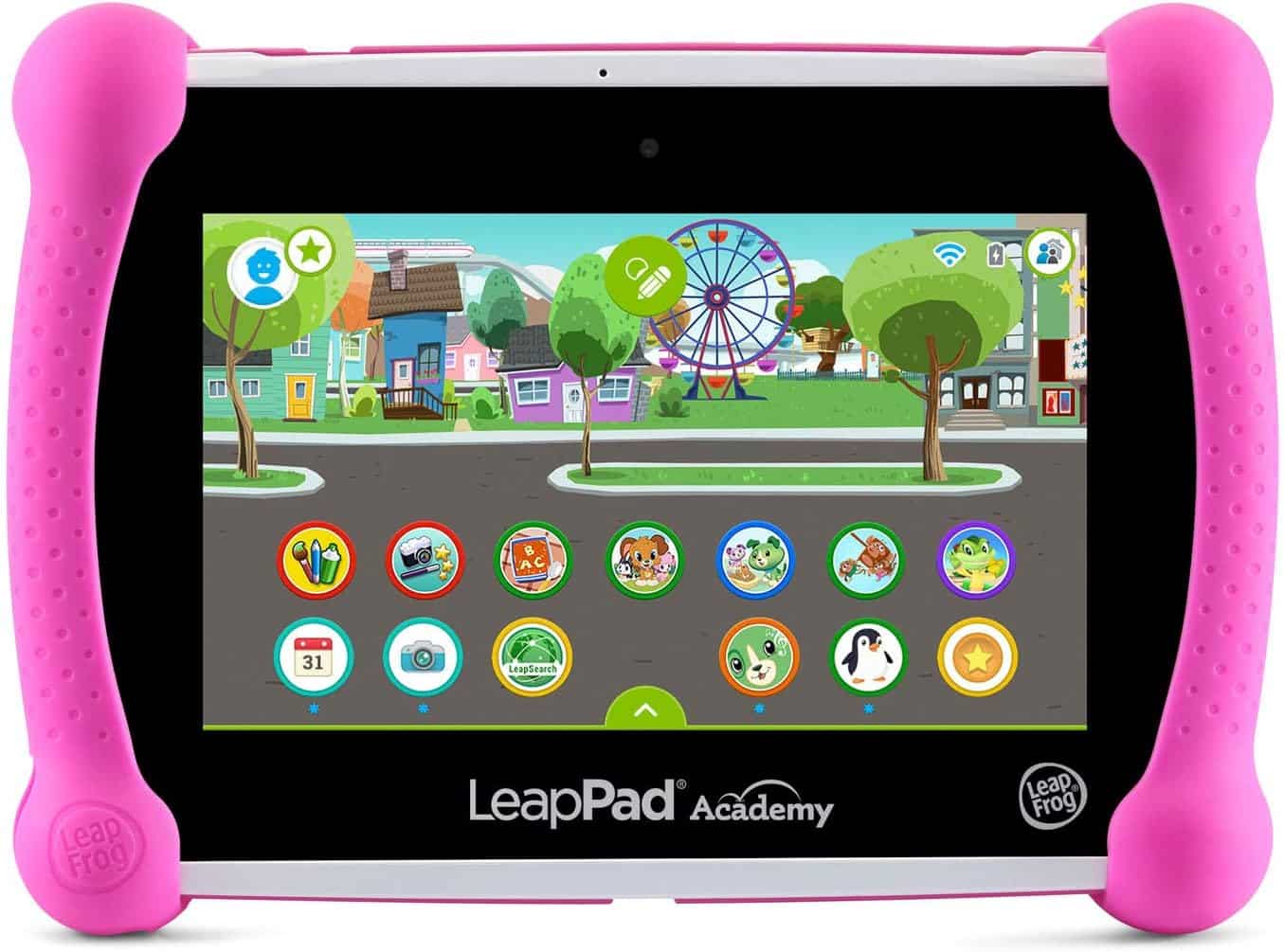
LeapPad Academy

LeapFrog LeapPad Academy Kids’ Learning Tablet Review: A Fun and Educational Device for Young Minds

View at Amazon

Finding the right balance between education and entertainment for children can be challenging. The LeapFrog LeapPad Academy Kids’ Learning Tablet aims to bridge this gap by offering a kid-friendly, educational, and engaging platform. This review will delve into its features, benefits, and why it stands out as a premier choice for young learners.

Product Information

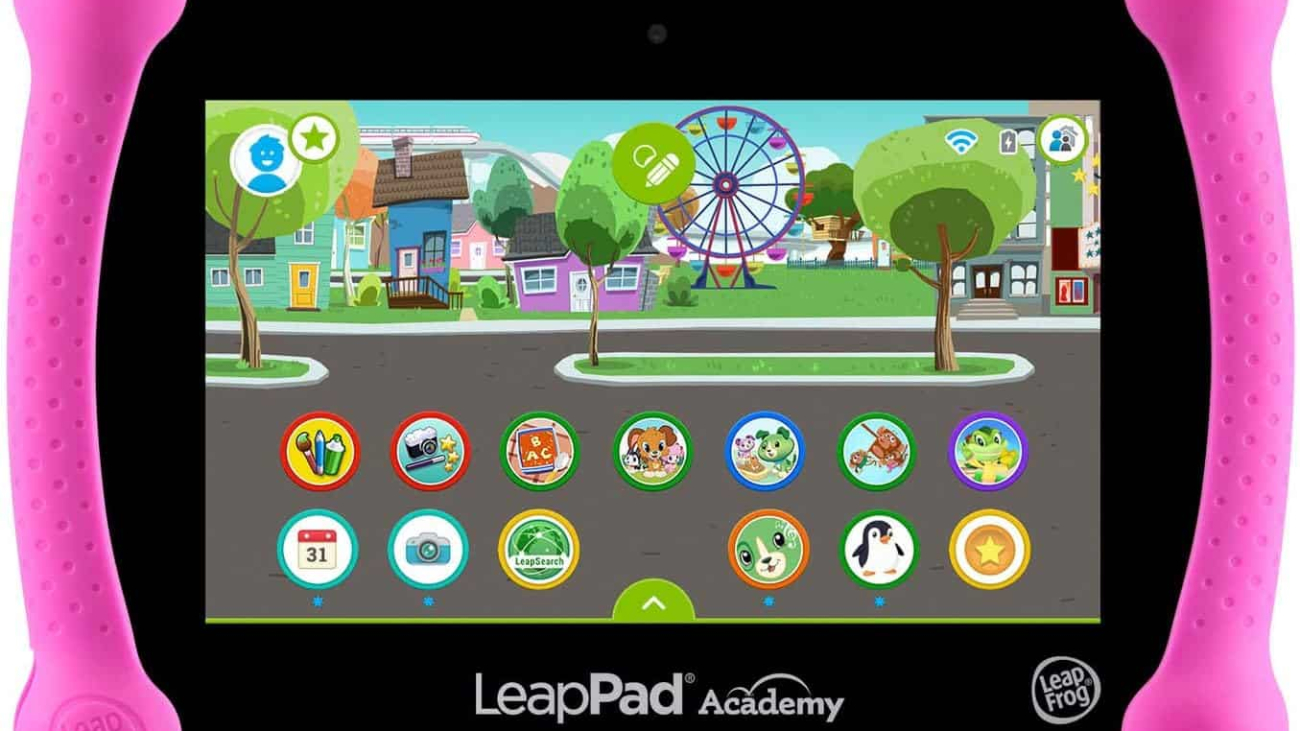
The LeapFrog LeapPad Academy Kids’ Learning Tablet is designed specifically for children aged 3-8. This Android-based tablet comes preloaded with 20 educational apps and creativity tools developed by LeapFrog learning experts. It also features LeapSearch, a kid-friendly web browser that offers access to curated websites and videos. Additionally, the tablet includes a free three-month trial of LeapFrog Academy, an interactive learning program tailored to guide children through various educational adventures.


Why People Prefer This Product

Parents and educators prefer the LeapFrog LeapPad Academy Kids’ Learning Tablet for its comprehensive educational content and child-friendly design. The tablet’s ability to provide a safe browsing environment, coupled with the extensive library of games, apps, and videos, makes it a versatile tool for both learning and entertainment.

Features

  • Preloaded Educational Apps: The tablet comes with 20 apps designed to enhance creativity and learning.
  • Kid-Friendly Web Browser: LeapSearch allows children to explore the internet safely with access to age-appropriate content.
  • LeapFrog Academy Trial: A three-month trial of LeapFrog Academy offers interactive learning experiences.
  • Android-Based System: Allows for the download of additional popular Android apps.
  • Rechargeable Battery: The lithium-ion battery ensures the tablet is always ready for use.

Additional Features

  • Durable Design: Built to withstand the rough and tumble of children’s play.
  • Parental Controls: Parents can manage the content and usage time to ensure a safe and balanced experience.
  • Camera and Video Recorder: Encourages creativity with photo and video features.
  • Multilingual Support: Offers content in multiple languages to cater to diverse learning needs.

Warranty & Service

The LeapFrog LeapPad Academy Kids’ Learning Tablet comes with a one-year limited warranty, covering defects in materials and workmanship. LeapFrog also provides customer support to assist with any issues or inquiries.

Other Users’ Opinions

Many users praise the LeapFrog LeapPad Academy for its robust educational content and durable design. Parents appreciate the peace of mind provided by the parental controls and kid-friendly browser. The interactive learning experiences offered by LeapFrog Academy have also received positive feedback for keeping children engaged and motivated.

Our Verdict

The LeapFrog LeapPad Academy Kids’ Learning Tablet stands out as an excellent educational tool for young children. Its combination of educational apps, safe browsing, and interactive learning programs makes it a valuable investment for parents seeking to enhance their child’s learning journey.

Pros and Cons

Pros:

  • Wide range of preloaded educational apps
  • Safe and child-friendly web browsing
  • Durable design suitable for young children
  • Interactive learning experiences with LeapFrog Academy
  • Rechargeable battery for convenience

Cons:

  • Additional apps and content may require purchase
  • Limited to children aged 3-8


The LeapFrog LeapPad Academy Kids’ Learning Tablet is a top-tier educational device that offers a blend of learning and fun. Its extensive features, coupled with a safe and engaging environment, make it a must-have for young learners. Whether it’s for home use or on-the-go learning, this tablet is designed to cater to the educational needs of children while ensuring their safety online.

See More Information and Buy on Amazon

View at Amazon


REVIEW: Amazon Fire HD 10 Kids Pro Tablet Review: The Ultimate Tablet for Kids Ages 6-12

Read our reviews that will provide insights into the real-world performance and reliability of computers and laptops.


REVIEWS: Gaming

[slick-slider]
Samsung Galaxy Tab A8

Samsung Galaxy Tab A8 10.5″ 32GB Android Tablet Review: A Perfect Blend of Performance and Family-Friendly Features

View at Amazon

Finding a tablet that caters to the needs of every family member is essential. The Samsung Galaxy Tab A8 10.5″ 32GB Android Tablet stands out as a powerful, versatile, and family-friendly option. Released in 2022, this tablet combines performance, storage, and a host of features designed to provide an exceptional user experience for all ages.

Product Information

The Samsung Galaxy Tab A8 10.5″ 32GB Android Tablet boasts a stunning 10.5″ LCD screen, making it perfect for streaming, video chatting, and digital learning. Powered by an upgraded chipset, this tablet offers ample storage with 32GB of internal memory, expandable up to 128GB. With a long-lasting battery and fast-charging capabilities, it ensures uninterrupted usage throughout the day. The tablet is also equipped with Samsung Kids content, making it a safe and fun device for children.


Why People Prefer This Product

Families prefer the Samsung Galaxy Tab A8 for its combination of robust performance, ample storage, and family-friendly features. The 10.5″ LCD screen delivers vibrant visuals, while the upgraded chipset ensures smooth performance for all types of activities. The inclusion of Samsung Kids content provides a safe and engaging digital environment for children, making it a versatile device for both entertainment and education.

Features

  1. 10.5″ LCD Screen: A vibrant display perfect for streaming, gaming, and video chatting.
  2. Upgraded Chipset: Ensures smooth performance and responsiveness.
  3. Expandable Storage: 32GB internal storage, expandable up to 128GB.
  4. Long-Lasting Battery: Provides hours of usage on a single charge.
  5. Fast Charging: Quickly recharge the battery with the USB C port.
  6. Samsung Kids Content: Access to a library of safe and fun games, books, and videos for children.

Additional Features

  • Galaxy Ecosystem: Seamlessly syncs with other Galaxy devices for enhanced productivity and convenience.
  • Smart Switch: Easy data transfer from other devices, regardless of the operating system.
  • Note Syncing: Automatically syncs notes across Galaxy devices, from tablets to phones and watches.

Warranty & Service

Samsung offers a standard 1-year warranty for the Galaxy Tab A8 10.5″, ensuring coverage for any manufacturing defects or issues. Additional warranty options may be available through Samsung or third-party providers.

Other Users’ Opinions

Users consistently praise the Samsung Galaxy Tab A8 for its exceptional display quality, reliable performance, and family-friendly features. Many parents appreciate the Samsung Kids content, which provides a safe and educational experience for their children. The tablet’s long battery life and fast-charging capabilities are also highly valued by users.

Our Verdict

The Samsung Galaxy Tab A8 10.5″ 32GB Android Tablet is a versatile and powerful device that caters to the needs of the entire family. Its impressive display, robust performance, and family-friendly features make it a top choice for anyone looking for a reliable and engaging tablet.

Pros and Cons

Pros:

  • Vibrant 10.5″ LCD screen
  • Robust performance with upgraded chipset
  • Ample and expandable storage
  • Long-lasting battery with fast charging
  • Family-friendly Samsung Kids content

Cons:

  • Limited to 32GB internal storage without expansion
  • May require additional purchases for accessories and expanded storage


The Samsung Galaxy Tab A8 10.5″ 32GB Android Tablet is a standout choice for families seeking a powerful, reliable, and engaging device. With its bright display, ample storage, long battery life, and family-friendly features, it offers a comprehensive digital experience for users of all ages. Whether for entertainment, education, or productivity, this tablet delivers on all fronts.

See More Information and Buy on Amazon

For more details and to purchase the Samsung Galaxy Tab A8 10.5″ 32GB Android Tablet, click here.


REVIEW: Amazon Fire HD 10 Kids Pro Tablet Review: The Ultimate Tablet for Kids Ages 6-12

Read our reviews that will provide insights into the real-world performance and reliability of computers and laptops.


REVIEWS: Gaming

[slick-slider]
Amazon Fire HD 10 Kids

Amazon Fire HD 10 Kids Pro Tablet Review: The Ultimate Tablet for Kids Ages 6-12

View at Amazon

Finding a tablet that balances fun and safety for kids can be a challenge. The Amazon Fire HD 10 Kids Pro Tablet 2023 stands out as a top choice for parents seeking a reliable, engaging, and secure device for their children. Designed specifically for kids ages 6-12, this tablet offers a plethora of features that ensure both entertainment and educational value.

Product Information

The Amazon Fire HD 10 Kids Pro Tablet 2023 is a fully featured tablet, not a toy, crafted with a wide, 10.1″ 1080p Full HD display. It’s tailored for older kids with a slim, protective case and comes ad-free with comprehensive parental controls. With a 13-hour battery life and 32 GB of storage, this tablet is built to keep up with the energetic and curious nature of kids.


Why People Prefer This Product

Parents and kids alike prefer the Amazon Fire HD 10 Kids Pro Tablet 2023 for its combination of safety, performance, and entertainment. The robust parental controls give parents peace of mind, allowing them to manage screen-time limits, approve app store requests, and access educational content remotely. Kids love the bright, high-resolution screen and the access to a plethora of ad-free books, games, videos, and apps through the Amazon Kids+ subscription.

Features

  1. 10.1″ 1080p Full HD Display: Provides a vibrant and clear viewing experience.
  2. Robust Parental Controls: Manage screen time, app downloads, and educational content.
  3. 13-Hour Battery Life: Long-lasting battery keeps up with kids’ activities.
  4. 32 GB Storage: Plenty of space for books, games, and videos.
  5. Amazon Kids+ Subscription: Access to thousands of kid-friendly content from popular brands.

Additional Features

  • Kid-Proof Case: A durable, slim case designed to protect against drops and bumps.
  • Filtered Web Browser: Allows safe browsing with appropriate content filters.
  • Video and Voice Calling: Enables kids to stay in touch with family and friends.
  • Expandable Storage: Up to 1 TB with a microSD card (sold separately).

Warranty & Service

The Amazon Fire HD 10 Kids Pro Tablet 2023 comes with a 2-year worry-free guarantee. If it breaks, simply return it, and Amazon will replace it for free, ensuring parents don’t have to worry about accidental damages.

Other Users’ Opinions

Users rave about the tablet’s ease of use and the peace of mind the parental controls provide. Many parents appreciate the educational content and the durability of the kid-proof case. The long battery life and high-resolution screen are also frequently praised.

Our Verdict

The Amazon Fire HD 10 Kids Pro Tablet 2023 is an excellent investment for parents looking for a secure, durable, and entertaining tablet for their children. Its robust features, coupled with the worry-free guarantee, make it a standout choice in the market.

Pros and Cons

Pros:

  • Robust parental controls
  • High-resolution display
  • Long battery life
  • Durable kid-proof case
  • Comprehensive Amazon Kids+ subscription

Cons:

  • Monthly fee for Amazon Kids+ after the first year
  • Additional cost for expandable storage


The Amazon Fire HD 10 Kids Pro Tablet 2023 is a standout device that combines safety, fun, and education in a single package. With its robust parental controls, bright display, and long battery life, it’s designed to meet the needs of both kids and parents. Whether for learning or entertainment, this tablet is a reliable companion for kids ages 6-12.

See More Information and Buy on Amazon

For more details and to purchase the Amazon Fire HD 10 Kids Pro Tablet 2023, click here.


REVIEW: ASUS ROG Swift PG35VQ Gaming Monitor Review: Ultimate Immersive Experience

Read our reviews that will provide insights into the real-world performance and reliability of computers and laptops.


REVIEWS: Gaming

[slick-slider]