
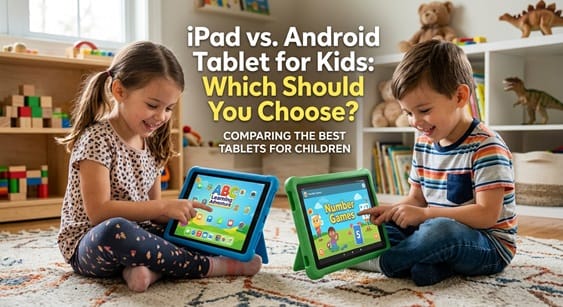
Choosing a tablet for your child is not a small decision. It shapes how they play, learn, and explore technology. Two names dominate this market: Apple’s iPad and the wide range of Android tablets. Each option offers real strengths. However, the right pick depends on your budget, your family’s existing devices, and your child’s age.
This guide breaks down the key differences. As a result, you can make a confident, informed choice.
Build Quality and Durability
Kids drop things. Therefore, durability matters more than almost any other factor.
iPads use premium materials and consistently strong build quality across models. Even the budget iPad performs reliably for years. Screens resist scratches well, and the hardware feels solid in small hands.
Android tablets vary widely. Some brands, like Samsung and Lenovo, build sturdy devices. Others cut corners to hit lower price points. Consequently, research matters a lot here. Look for models with reinforced corners or bundled protective cases designed specifically for children.
Parental Controls and Safety Features
Safety features often decide this debate for many parents.
Apple’s Screen Time tool is deeply integrated into iOS. It lets you set app limits, filter content, and schedule downtime with minimal setup. Additionally, Apple’s ecosystem keeps these settings consistent across every Apple device your family owns.
Android counters with Google’s Family Link. This app also offers strong controls, including app approval, screen time limits, and location tracking. Meanwhile, several Android tablets—especially those from Amazon and Samsung—include dedicated “kids mode” interfaces. These modes wall off adult content automatically. Thus, both platforms handle safety well, though Apple’s system feels slightly more polished.
App Selection and Educational Content
Educational apps drive much of a tablet’s value for young users.
The App Store maintains strict review standards. Therefore, iPad users often find higher-quality, well-designed educational apps. Many top-tier learning platforms launch on iOS first.
Google Play, on the other hand, offers a larger overall app library. However, quality varies more. Fortunately, Google Play’s dedicated “Kids” section curates age-appropriate, teacher-reviewed content. This makes finding safe apps much easier than browsing the full store.
Price and Value for Money
Budget often settles this decision quickly.
iPads sit at a premium price point, even the entry-level models. That said, their long software support lifespan adds value over time. Many iPads receive updates for five years or more.
Android tablets span every price range. Budget options from Amazon or Lenovo cost a fraction of an iPad. Consequently, families can buy a device for younger kids without worrying much about breakage. However, cheaper Android tablets often stop receiving updates sooner, which shortens their useful life.
Ecosystem and Compatibility
Your existing tech setup matters too.
If your family already uses iPhones or MacBooks, an iPad integrates seamlessly. Photos, messages, and files sync automatically through iCloud. Similarly, features like AirDrop and Handoff simplify daily use.
Conversely, if your household relies on Android phones or Chromebooks, an Android tablet fits more naturally. Google Drive, Gmail, and Chrome sync effortlessly across devices. Therefore, matching your child’s tablet to your family’s existing ecosystem saves considerable hassle.
Screen Time Tools for Different Age Groups
Younger children need simpler, more restrictive environments. Older kids need flexibility alongside safety.
For toddlers and early elementary students, Amazon Fire Kids tablets or basic Android kids’ editions work well. These devices launch directly into a locked, colorful interface. Meanwhile, older children benefit from the broader app ecosystems that both iPad and premium Android tablets provide.
Ultimately, matching the device to your child’s developmental stage improves the experience for everyone.
Battery Life and Everyday Usability
Long battery life prevents mid-activity meltdowns.
iPads typically deliver excellent, consistent battery performance across the lineup. Android battery life varies by manufacturer and price tier. Premium Android tablets often match or exceed iPad performance. Budget models, however, may fall short during heavy use.
Final Verdict: Which Should You Choose?
There is no universal answer here. Instead, the right choice depends on your priorities.
Choose an iPad if you want top-tier build quality, polished parental controls, and long-term software support—and you don’t mind paying more upfront.
Choose an Android tablet if you want flexible pricing, a device tailored to your child’s exact age, and easy integration with an existing Android household.
Whichever you choose, pair the device with a solid protective case and clear screen-time rules. That combination matters more than the brand printed on the box.
READ ALSO: Best Tablets for Kids: Safe, Durable, and Fun Devices




Related posts:
 Plimpton 2024 Kids Tablet Review: The Ultimate 10-Inch Android 13 Tablet for Kids
 Amazon Fire HD 10 Kids Pro Tablet Review: The Ultimate Tablet for Kids Ages 6-12
 Kids Tablet Review: A Comprehensive Guide to the Aiprotablet Kids Tablet
 Amazon Fire 7 Kids Tablet Review: The Ultimate Tablet for Young Learners
Leave a Comment
You must be logged in to post a comment