
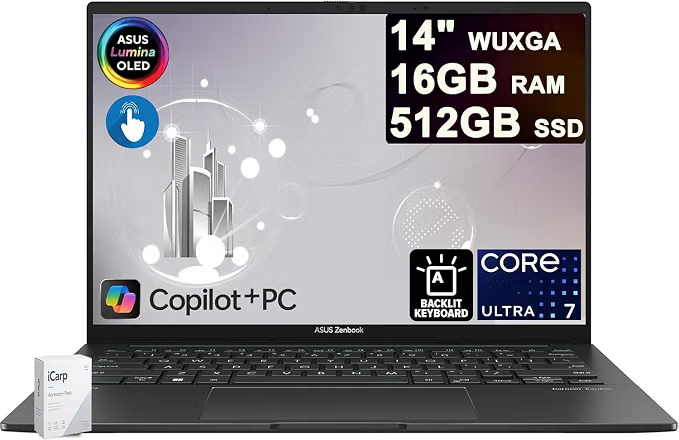
The ASUS Zenbook 14 Laptop 14″ WUXGA OLED Touch is designed for users who want a combination of premium display quality, strong processing performance, portability, and professional productivity. With an Intel Core Ultra 7 255H processor, 16GB RAM, 512GB SSD, and a 14-inch OLED touchscreen, it is particularly appealing to designers, business professionals, content creators, and students who need a capable laptop for demanding everyday workloads.
ASUS Zenbook 14 at a Glance
| Feature | Specification |
|---|---|
| Display | 14-inch WUXGA OLED touchscreen |
| Resolution | 1920 × 1200 |
| Brightness | Up to 500 nits HDR |
| Colour | 100% DCI-P3 |
| Processor | Intel Core Ultra 7 255H, 16-core |
| Memory | 16GB RAM |
| Storage | 512GB SSD |
| Operating System | Windows 11 |
| Best For | Designers, professionals, creators and business users |
1. OLED Touchscreen for Creative Work
One of the biggest attractions of this Zenbook 14 configuration is its 14-inch WUXGA OLED touchscreen. OLED technology can provide deep blacks, excellent contrast, and vibrant colours, making it particularly useful for people working with photographs, graphics, videos, presentations, and other visual content.
The advertised 100% DCI-P3 colour coverage is another major advantage for creative professionals. A wide colour gamut allows the display to reproduce a broader range of colours than conventional displays, which can make visual work more immersive.
The touchscreen also provides an additional way to interact with Windows 11, especially when navigating creative applications, presentations, or other touch-friendly software.
2. Intel Core Ultra 7 255H Processor
The laptop is equipped with Intel’s Core Ultra 7 255H, a modern high-performance mobile processor with 16 cores. This gives the machine substantial processing capability for multitasking and demanding professional applications.
For a business professional, this can mean comfortably running multiple browser tabs, office applications, communication software, spreadsheets, and other programs simultaneously.
For designers and content creators, the processor can also provide the performance needed for tasks such as photo editing, graphic design, coding, and moderate video-production workflows.
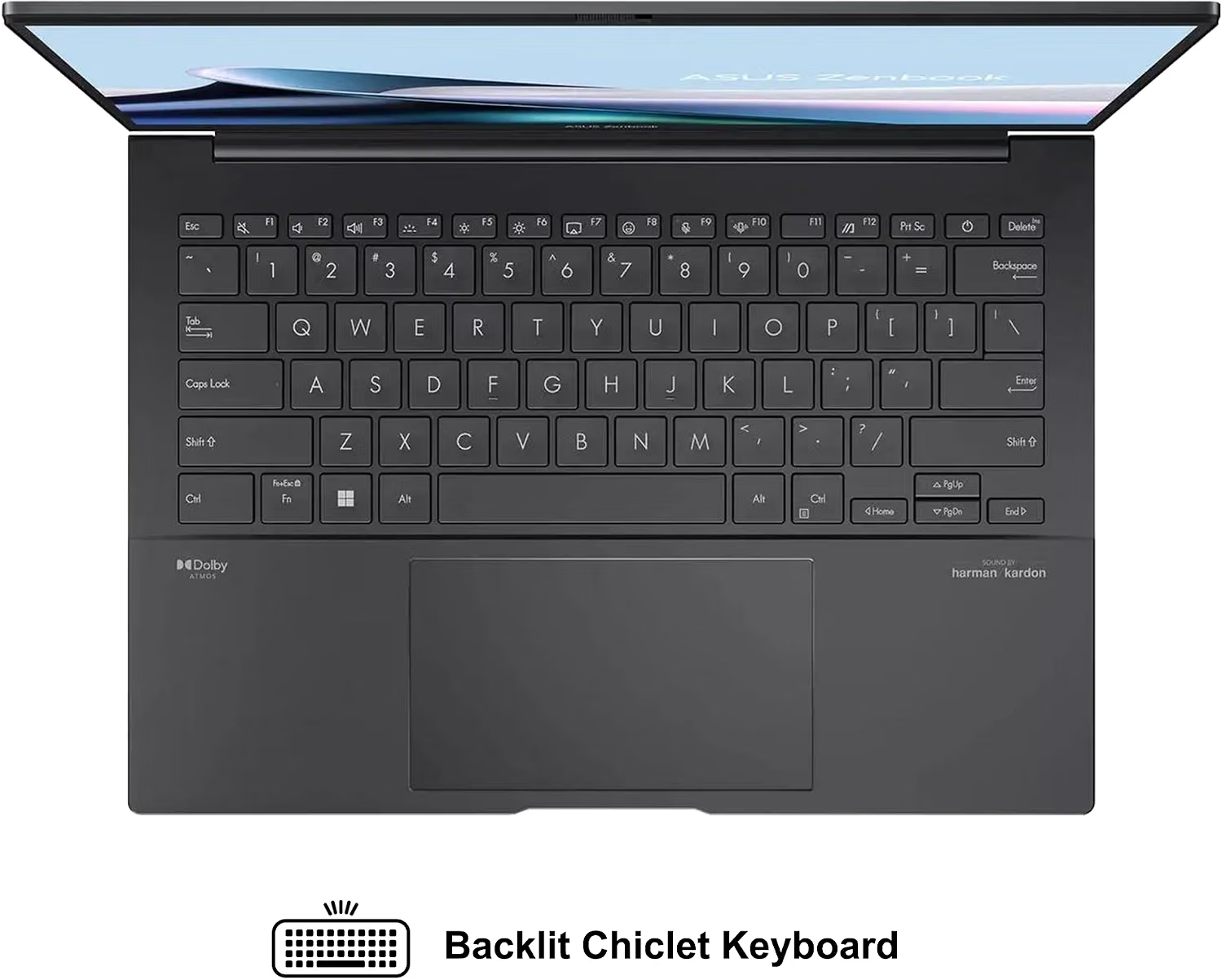
3. 16GB RAM for Multitasking
The included 16GB of RAM provides a useful balance between performance and everyday usability.
You can work with several applications at once without constantly closing programs to free up memory. For example, a designer might have Photoshop, a web browser, email, cloud storage, and a communication application open simultaneously.
However, professionals working with exceptionally large projects, extensive 3D workloads, or very demanding video-production applications may want to consider a configuration with more memory if one is available.
4. 512GB SSD Storage
The 512GB SSD provides considerably faster storage performance than a traditional mechanical hard drive.
This helps with:
- Faster Windows startup
- Quicker application launches
- Faster file access
- More responsive everyday computing
- Convenient storage for documents and creative projects
For business users, 512GB should be sufficient for documents, presentations, applications, and general work. Designers who maintain large libraries of RAW photographs, 4K video files, or other large media collections may eventually need an external SSD or cloud storage.
5. Portable Design for Business Professionals
A 14-inch laptop is a practical size for professionals who frequently move between an office, home, client meetings, cafés, and other work locations.
The Zenbook line is known for focusing on portability and premium design, making this type of configuration attractive to professionals who don’t want to carry a bulky workstation everywhere.
The 14-inch form factor also provides a reasonable compromise between screen size and portability.
6. Windows 11 for Modern Productivity
The laptop comes with Windows 11, giving users access to Microsoft’s current desktop operating system and its ecosystem of productivity applications.
This makes the Zenbook suitable for common professional tasks such as:
- Microsoft Office
- Web browsing
- Video conferencing
- Digital marketing
- SEO
- Content creation
- Graphic design
- Programming
- Business management
ASUS Zenbook 14 Pros and Cons
Pros
- Excellent OLED touchscreen
- 100% DCI-P3 colour coverage
- 500-nit HDR capability
- Powerful Intel Core Ultra 7 255H processor
- 16GB RAM
- Fast 512GB SSD
- Portable 14-inch form factor
- Well suited to business and creative work
- Windows 11 included
Cons
- 512GB may feel limited for large media libraries
- 16GB RAM may not satisfy some advanced professional workloads
- Integrated graphics configurations may not replace a dedicated GPU workstation for demanding 3D work
- OLED panels can consume more power during certain workloads
Who Should Buy the ASUS Zenbook 14?
The ASUS Zenbook 14 is particularly attractive for business professionals, designers, digital marketers, writers, developers, students, and content creators who prioritise display quality and portable performance.
It is especially compelling if you spend significant time looking at images, websites, presentations, videos, or other visual content.
For someone who needs a laptop primarily for browsing, documents, email, meetings, and productivity, this configuration offers more display and processing capability than necessary—but that extra performance can provide useful headroom for future workloads.
Who Should Look Elsewhere?
The Zenbook 14 may not be the ideal choice for users whose primary workloads require a powerful dedicated graphics card.
Professional 3D artists, advanced CAD users, high-end video editors, and serious gamers should compare it with laptops featuring dedicated NVIDIA or AMD graphics.
Likewise, users who need extensive local storage may prefer a model with a 1TB or larger SSD.
Final Verdict
The ASUS Zenbook 14 14-inch WUXGA OLED Touch combines a high-quality OLED display with a powerful Intel Core Ultra 7 255H processor, 16GB RAM, and 512GB SSD. Its combination of colour accuracy, portability, touchscreen functionality, and processing performance makes it an appealing option for designers and business professionals.
If your priorities are a premium display, strong multitasking performance, portability, and a professional Windows 11 experience, this Zenbook configuration deserves serious consideration.
Get an Asus Zenbook 14 on Amazon
READ ALSO: Nigerians Chasing Digital Marketing Jobs in 2026: Here’s the Actual Roadmap




Related posts:
 ASUS Zenbook Pro 16X OLED Gaming Laptop Review: High Performance, 4K Display & RTX 4070 Power
 ASUS Zenbook Duo Review: The Dual-Screen Laptop Experience
 ASUS VivoBook 16 Laptop: Power, Performance, and Elegance Redefined
 HP Flagship 15.6 HD Student Laptop Review: A Budget-Friendly Powerhouse for Students and Professionals
Leave a Comment
You must be logged in to post a comment