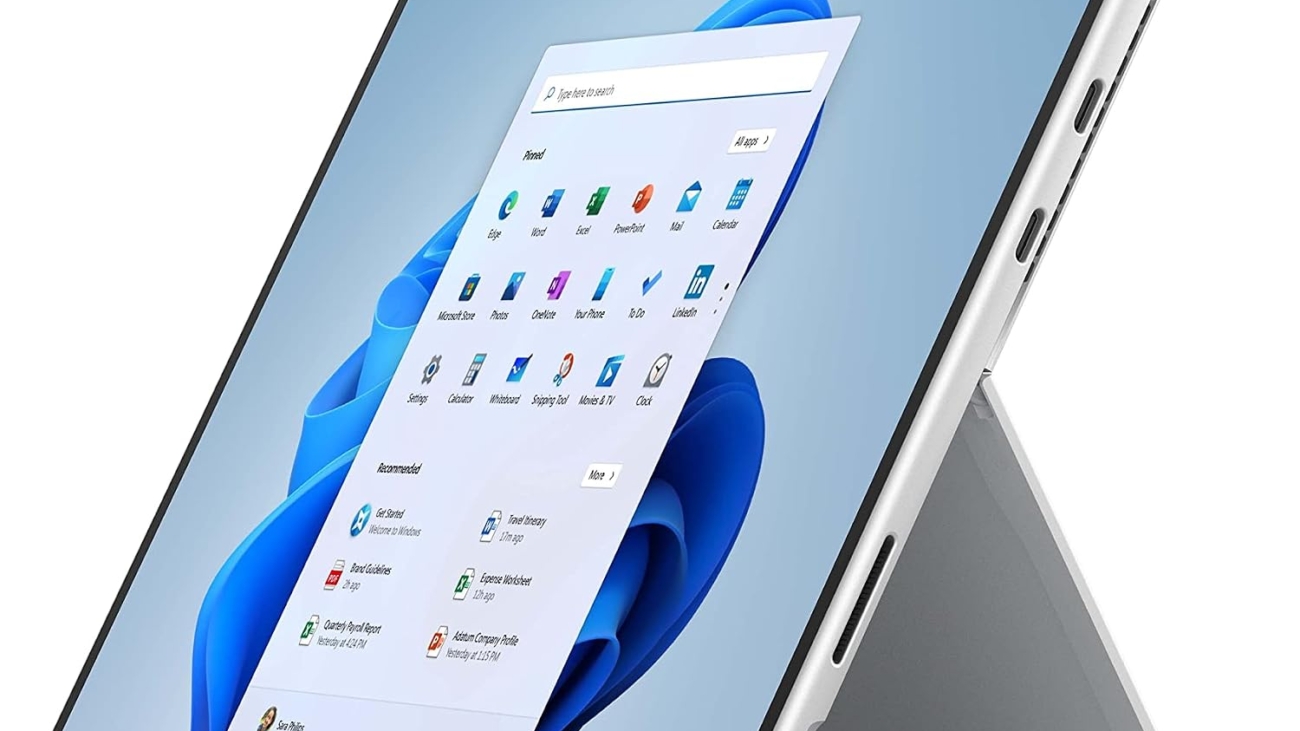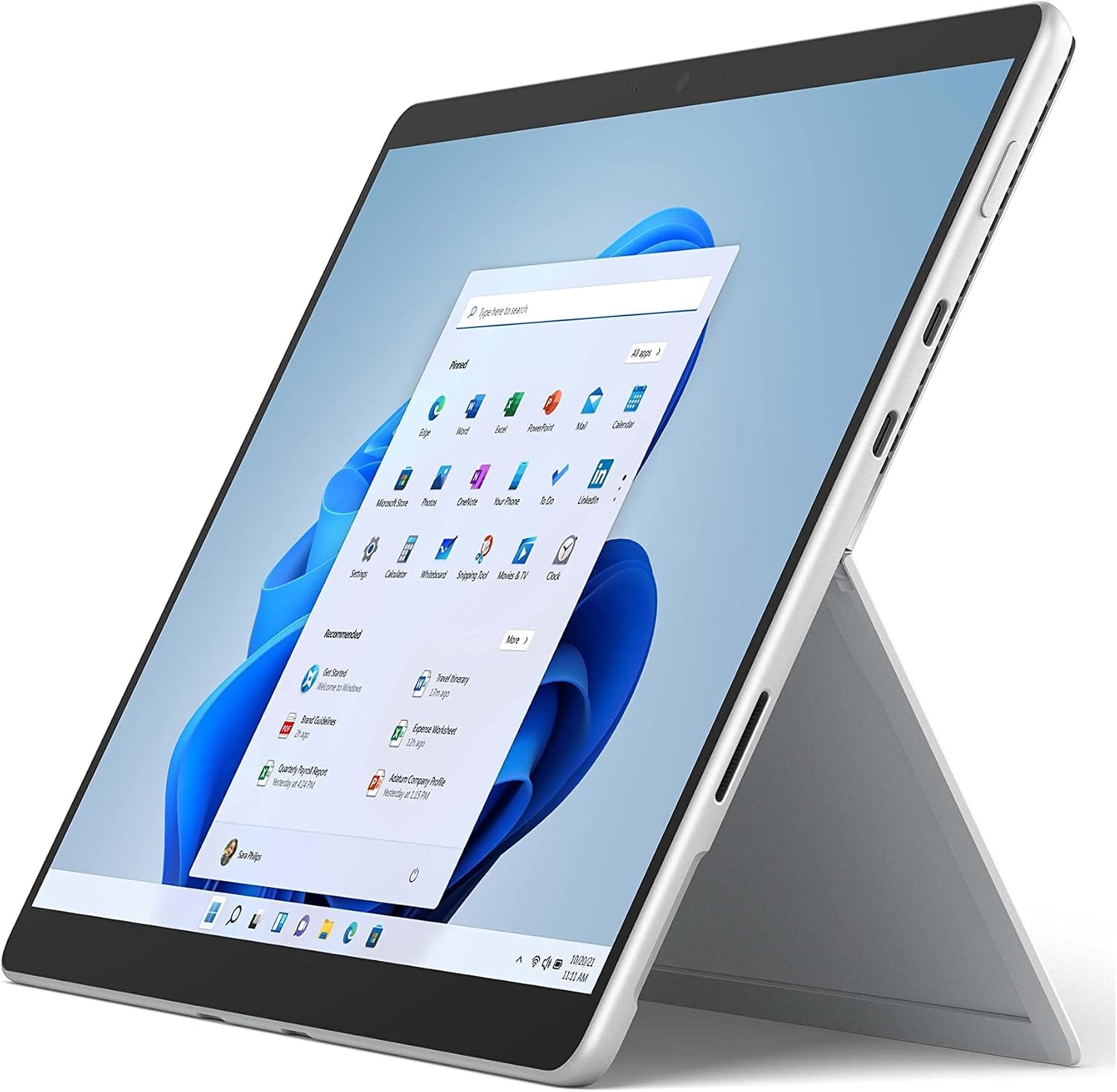
ASUS Zenbook 14

ASUS Zenbook 14 Laptop (2026) Review: OLED Performance for Designers and Professionals

ASUS Zenbook 14

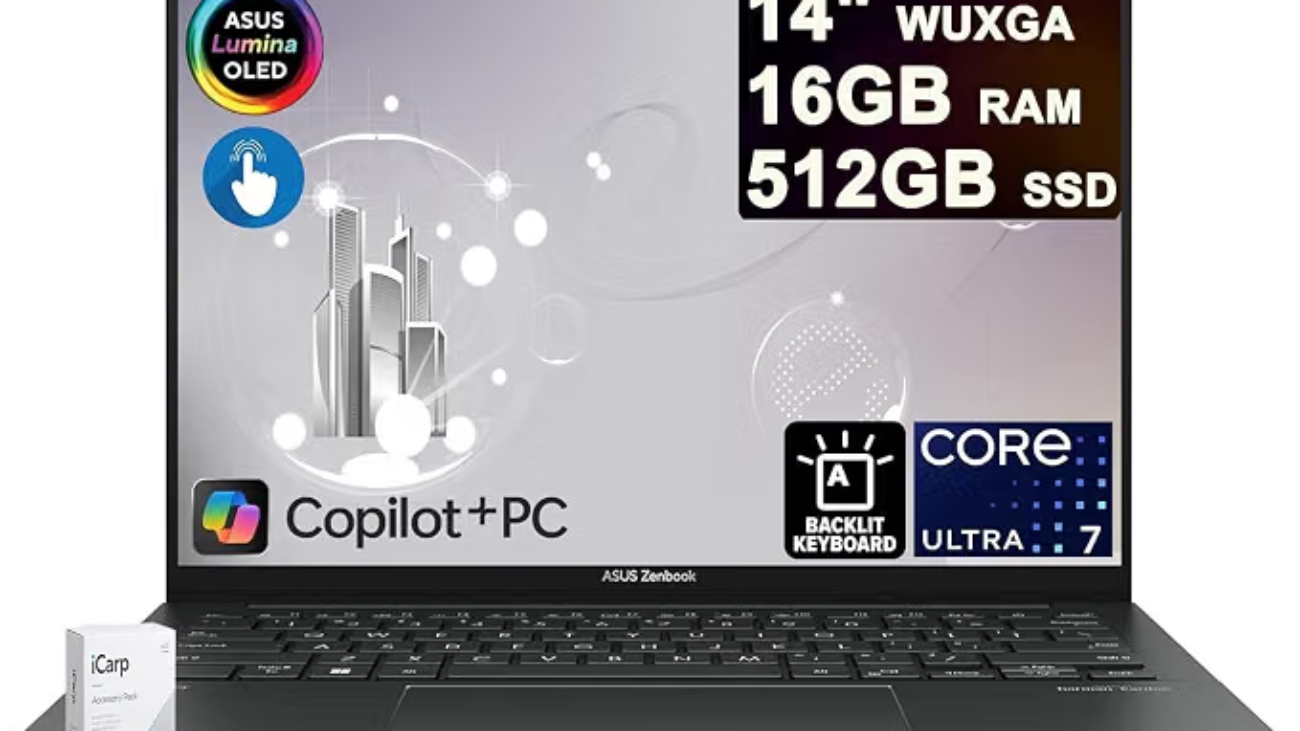
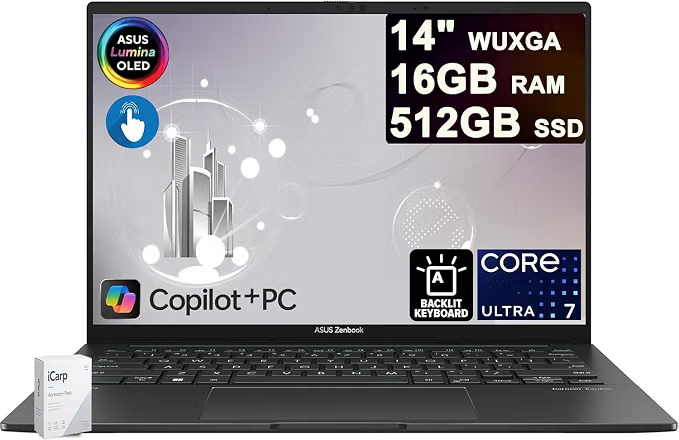
The ASUS Zenbook 14 Laptop 14″ WUXGA OLED Touch is designed for users who want a combination of premium display quality, strong processing performance, portability, and professional productivity. With an Intel Core Ultra 7 255H processor, 16GB RAM, 512GB SSD, and a 14-inch OLED touchscreen, it is particularly appealing to designers, business professionals, content creators, and students who need a capable laptop for demanding everyday workloads.

ASUS Zenbook 14 at a Glance

FeatureSpecification
Display14-inch WUXGA OLED touchscreen
Resolution1920 × 1200
BrightnessUp to 500 nits HDR
Colour100% DCI-P3
ProcessorIntel Core Ultra 7 255H, 16-core
Memory16GB RAM
Storage512GB SSD
Operating SystemWindows 11
Best ForDesigners, professionals, creators and business users

1. OLED Touchscreen for Creative Work

One of the biggest attractions of this Zenbook 14 configuration is its 14-inch WUXGA OLED touchscreen. OLED technology can provide deep blacks, excellent contrast, and vibrant colours, making it particularly useful for people working with photographs, graphics, videos, presentations, and other visual content.

The advertised 100% DCI-P3 colour coverage is another major advantage for creative professionals. A wide colour gamut allows the display to reproduce a broader range of colours than conventional displays, which can make visual work more immersive.

The touchscreen also provides an additional way to interact with Windows 11, especially when navigating creative applications, presentations, or other touch-friendly software.

2. Intel Core Ultra 7 255H Processor

The laptop is equipped with Intel’s Core Ultra 7 255H, a modern high-performance mobile processor with 16 cores. This gives the machine substantial processing capability for multitasking and demanding professional applications.

For a business professional, this can mean comfortably running multiple browser tabs, office applications, communication software, spreadsheets, and other programs simultaneously.

For designers and content creators, the processor can also provide the performance needed for tasks such as photo editing, graphic design, coding, and moderate video-production workflows.
3. 16GB RAM for Multitasking

The included 16GB of RAM provides a useful balance between performance and everyday usability.

You can work with several applications at once without constantly closing programs to free up memory. For example, a designer might have Photoshop, a web browser, email, cloud storage, and a communication application open simultaneously.

However, professionals working with exceptionally large projects, extensive 3D workloads, or very demanding video-production applications may want to consider a configuration with more memory if one is available.

4. 512GB SSD Storage

The 512GB SSD provides considerably faster storage performance than a traditional mechanical hard drive.

This helps with:

  • Faster Windows startup
  • Quicker application launches
  • Faster file access
  • More responsive everyday computing
  • Convenient storage for documents and creative projects

For business users, 512GB should be sufficient for documents, presentations, applications, and general work. Designers who maintain large libraries of RAW photographs, 4K video files, or other large media collections may eventually need an external SSD or cloud storage.

5. Portable Design for Business Professionals

A 14-inch laptop is a practical size for professionals who frequently move between an office, home, client meetings, cafés, and other work locations.

The Zenbook line is known for focusing on portability and premium design, making this type of configuration attractive to professionals who don’t want to carry a bulky workstation everywhere.

The 14-inch form factor also provides a reasonable compromise between screen size and portability.

6. Windows 11 for Modern Productivity

The laptop comes with Windows 11, giving users access to Microsoft’s current desktop operating system and its ecosystem of productivity applications.

This makes the Zenbook suitable for common professional tasks such as:

  • Microsoft Office
  • Web browsing
  • Email
  • Video conferencing
  • Digital marketing
  • SEO
  • Content creation
  • Graphic design
  • Programming
  • Business management

ASUS Zenbook 14 Pros and Cons

Pros

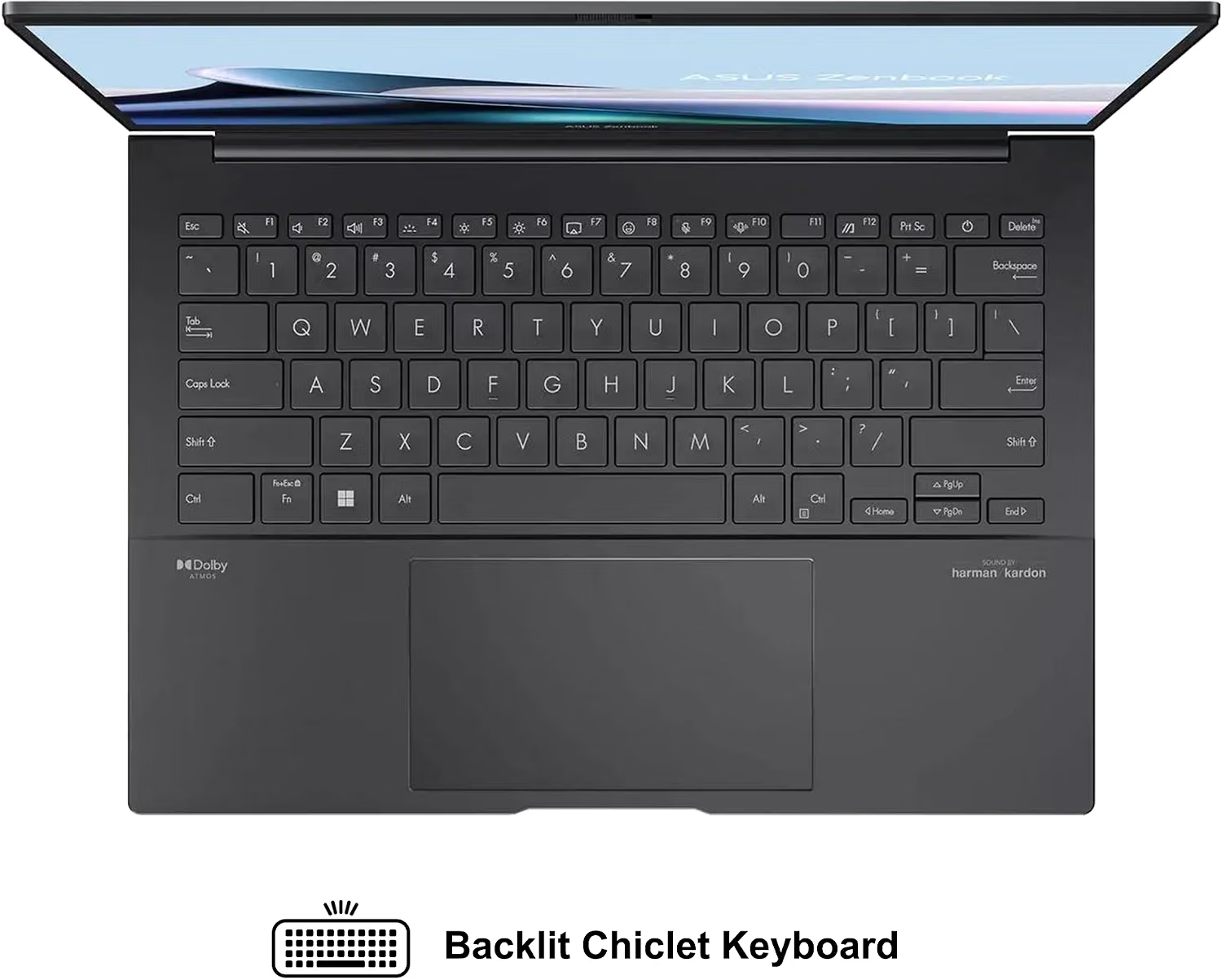
  • Excellent OLED touchscreen
  • 100% DCI-P3 colour coverage
  • 500-nit HDR capability
  • Powerful Intel Core Ultra 7 255H processor
  • 16GB RAM
  • Fast 512GB SSD
  • Portable 14-inch form factor
  • Well suited to business and creative work
  • Windows 11 included

Cons

  • 512GB may feel limited for large media libraries
  • 16GB RAM may not satisfy some advanced professional workloads
  • Integrated graphics configurations may not replace a dedicated GPU workstation for demanding 3D work
  • OLED panels can consume more power during certain workloads

Who Should Buy the ASUS Zenbook 14?

The ASUS Zenbook 14 is particularly attractive for business professionals, designers, digital marketers, writers, developers, students, and content creators who prioritise display quality and portable performance.

It is especially compelling if you spend significant time looking at images, websites, presentations, videos, or other visual content.

For someone who needs a laptop primarily for browsing, documents, email, meetings, and productivity, this configuration offers more display and processing capability than necessary—but that extra performance can provide useful headroom for future workloads.

Who Should Look Elsewhere?

The Zenbook 14 may not be the ideal choice for users whose primary workloads require a powerful dedicated graphics card.

Professional 3D artists, advanced CAD users, high-end video editors, and serious gamers should compare it with laptops featuring dedicated NVIDIA or AMD graphics.

Likewise, users who need extensive local storage may prefer a model with a 1TB or larger SSD.

Final Verdict

The ASUS Zenbook 14 14-inch WUXGA OLED Touch combines a high-quality OLED display with a powerful Intel Core Ultra 7 255H processor, 16GB RAM, and 512GB SSD. Its combination of colour accuracy, portability, touchscreen functionality, and processing performance makes it an appealing option for designers and business professionals.

If your priorities are a premium display, strong multitasking performance, portability, and a professional Windows 11 experience, this Zenbook configuration deserves serious consideration.

Get an Asus Zenbook 14 on Amazon


READ ALSO: Nigerians Chasing Digital Marketing Jobs in 2026: Here’s the Actual Roadmap

[slick-slider]
WinsPad20

How Do I Install Touchscreen Drivers on My Winspad 20?

If your Winspad 20 touchscreen has stopped responding, a driver problem could be responsible. Windows depends on touchscreen drivers to communicate with the device’s touch hardware.

Fortunately, you can troubleshoot many touchscreen problems without professional assistance. This guide explains how to install touchscreen drivers on your Winspad 20.

It also covers touchscreen calibration, Windows updates, Device Manager errors, and common driver problems.

Whether your touchscreen stopped working after a Windows update or never worked correctly, these steps can help.

What Is a Touchscreen Driver?

A touchscreen driver allows Windows to communicate with your device’s touchscreen hardware. It translates touch input into commands that Windows can understand.

Without the appropriate driver, your Winspad 20 may not recognise touch input correctly.

A damaged, outdated, missing, or incompatible driver can also cause touchscreen problems. Therefore, checking the driver should be one of your first troubleshooting steps.

Why Is My Winspad 20 Touchscreen Not Working?

Several issues can cause touchscreen problems on a Winspad 20. Understanding the possible cause makes troubleshooting easier.

Common causes include:

  • Missing touchscreen drivers
  • Outdated device drivers
  • Corrupted driver files
  • Disabled touchscreen hardware
  • Windows update problems
  • Incorrect driver installation
  • Hardware damage
  • Windows system errors
  • Touchscreen calibration problems
  • Incompatible operating system updates

Sometimes, restarting the device fixes temporary software problems. However, persistent problems usually require additional troubleshooting.

How Do I Install Touchscreen Drivers on My Winspad 20?

The safest approach is to identify the correct driver before installing anything. Driver compatibility matters because an incorrect driver can create additional problems.

Follow the steps below carefully.

Step 1: Check Your Winspad 20 Model

First, identify the exact Winspad 20 model and Windows version installed on your device.

Open Settings and select System. Then, choose About.

Check the information displayed under device specifications and Windows specifications.

Record details such as:

  • Device model
  • Processor
  • Windows edition
  • Windows version
  • System type

These details can help you identify compatible drivers.

If your device has a model number printed on its casing, record that information too.

Step 2: Check Device Manager

Device Manager is one of the most useful Windows tools for troubleshooting touchscreen problems.

Press Windows + X on your keyboard. Then, select Device Manager.

Find Human Interface Devices and expand the category.

Look for an entry called HID-compliant touch screen.

You may see more than one HID device. Therefore, avoid changing unrelated devices unless you know what they do.

If the touchscreen appears in Device Manager, Windows recognises the hardware.

However, the driver could still be outdated or damaged.

Step 3: Check Whether the Touchscreen Is Disabled

A disabled touchscreen can appear to be completely broken.

Right-click HID-compliant touch screen in Device Manager.

Look for an option labelled Enable device.

If you see this option, select it.

The touchscreen should become available after Windows enables the device.

If you instead see Disable device, the touchscreen is already enabled.

Restart your Winspad 20 and test the screen again.

Step 4: Update the Touchscreen Driver

You can update the touchscreen driver directly through Device Manager.

Right-click HID-compliant touch screen.

Next, select Update driver.

Windows will provide options for finding the appropriate driver.

If Windows can locate a newer compatible driver, follow the installation instructions.

After installation finishes, restart your Winspad 20.

Then, test the touchscreen by tapping several areas of the display.

Step 5: Install a Downloaded Driver Manually

Sometimes Windows cannot locate the correct driver automatically.

In this situation, you may need to install the driver manually.

First, download the appropriate touchscreen driver from a trusted manufacturer or support source.

Save the driver to an easily accessible folder.

Next, open Device Manager again.

Expand Human Interface Devices and locate the touchscreen device.

Right-click it and choose Update driver.

Select Browse my computer for drivers.

Navigate to the folder containing your downloaded driver.

Select the appropriate folder and continue with the installation.

Once installation finishes, restart the tablet.

Never install drivers from suspicious websites. Untrusted driver packages can contain unwanted software or incompatible files.

Step 6: Use Windows Update

Windows Update can sometimes provide compatible hardware drivers.

Open Settings and select Windows Update.

Click Check for updates.

Allow Windows to download and install available updates.

Also check Advanced options and look for Optional updates.

Some Windows versions list hardware drivers under optional updates.

If a touchscreen-related driver appears, install it.

Restart the Winspad 20 afterward.

Step 7: Uninstall and Reinstall the Touchscreen Driver

A corrupted driver may continue causing problems after a standard update.

You can therefore remove the touchscreen driver and allow Windows to reinstall it.

Open Device Manager.

Expand Human Interface Devices.

Right-click HID-compliant touch screen.

Select Uninstall device.

Confirm the removal when Windows asks for confirmation.

Afterward, restart your Winspad 20.

Windows may automatically detect the touchscreen hardware and reinstall its driver.

Check Device Manager after restarting.

Then, test whether touch input works normally.

Step 8: Restart Your Winspad 20

Restarting Windows sounds simple, but it can resolve many temporary driver problems.

Save your work before restarting.

Then, select Start, choose Power, and select Restart.

Avoid using sleep mode when troubleshooting drivers.

A complete restart gives Windows another opportunity to initialise the touchscreen hardware.

After restarting, test basic touch functions.

Try tapping icons, scrolling through menus, and opening applications.

Step 9: Check for Windows Driver Errors

Device Manager can provide useful clues when a touchscreen does not work.

Open Device Manager and locate the touchscreen device.

Look for warning symbols beside the device.

A yellow warning icon can indicate a driver or hardware problem.

Right-click the device and select Properties.

Check the Device status section.

Windows may display an error code explaining the problem.

Write down the error code before changing anything.

This information can help you find the appropriate troubleshooting solution.

Step 10: Run Windows Troubleshooting Tools

Windows includes several troubleshooting features that can identify system problems.

Open Windows Settings and search for available troubleshooting options.

Depending on your Windows version, available troubleshooters may differ.

You can also use Device Manager to inspect the touchscreen device.

If Windows identifies a driver issue, follow the recommended instructions.

After applying a fix, restart your device.

How to Calibrate the Winspad 20 Touchscreen

Sometimes the touchscreen works but responds inaccurately.

For example, you may tap one location while Windows registers another.

Calibration can help resolve this problem.

Search Windows for Calibrate the screen for pen or touch input.

Open the corresponding Control Panel option.

Select the calibration option and follow the instructions.

Windows will display points that you need to touch.

Tap each point accurately when prompted.

Save the calibration settings when finished.

Test the screen afterward.

If calibration makes the touchscreen less accurate, return to the previous settings when possible.

What to Do If the Winspad 20 Touchscreen Still Does Not Work

If driver installation does not solve the problem, investigate other possible causes.

First, check whether the touchscreen appears in Device Manager.

If it does not appear, Windows may not be detecting the hardware correctly.

Next, restart the device and check again.

You should also install available Windows updates.

If the touchscreen remains missing, the problem could involve firmware or hardware.

Physical damage can also prevent touchscreen functionality.

For example, drops, pressure, liquid exposure, or damaged internal connections can affect touchscreen operation.

In such cases, software troubleshooting may not solve the problem.

Consider contacting qualified technical support if hardware damage is suspected.

Can a Windows Update Break the Winspad 20 Touchscreen?

Yes, Windows updates can sometimes create driver compatibility problems.

A major Windows update may replace existing drivers or introduce compatibility issues.

If your touchscreen stopped working immediately after an update, consider checking Device Manager first.

You can also look for a newer compatible driver.

If the manufacturer provides an updated driver, installing it may resolve the problem.

Avoid randomly installing older drivers from unofficial websites.

How to Prevent Future Winspad 20 Driver Problems

Keeping your system updated can reduce driver-related problems.

However, you should avoid installing unnecessary driver packages.

Download drivers from trustworthy sources whenever possible.

Create a system restore point before making significant driver changes.

Additionally, keep important files backed up.

Before installing major Windows updates, ensure your important data is protected.

These simple precautions can make troubleshooting much easier.

Common Winspad 20 Touchscreen Driver Mistakes

Several mistakes can make touchscreen troubleshooting more difficult.

One common mistake is installing a driver designed for a different model.

Another is downloading drivers from unknown websites.

Some users also uninstall several HID devices without knowing their purpose.

This can create additional hardware problems.

Therefore, change only the device associated with your touchscreen.

Also, restart Windows after installing or removing a driver.

A restart allows Windows to reload the hardware configuration.

Winspad 20 Touchscreen Driver Troubleshooting Checklist

Use this checklist when your touchscreen stops working:

  1. Confirm your Winspad 20 model.
  2. Check your Windows version.
  3. Open Device Manager.
  4. Find HID-compliant touch screen.
  5. Check whether the device is enabled.
  6. Update the touchscreen driver.
  7. Install the correct driver manually if necessary.
  8. Check Windows Update.
  9. Uninstall and reinstall the touchscreen driver.
  10. Restart the Winspad 20.
  11. Check Device Manager for error codes.
  12. Calibrate the touchscreen if necessary.
  13. Inspect the device for possible physical damage.
  14. Contact technical support if software troubleshooting fails.

Frequently Asked Questions About Winspad 20 Touchscreen Drivers

How do I install touchscreen drivers on my Winspad 20?

Open Device Manager and expand Human Interface Devices.

Find HID-compliant touch screen, then select Update driver.

You can also manually install a compatible driver from a trusted source.

Restart the device after installation.

Why is my Winspad 20 touchscreen not responding?

A missing, damaged, outdated, or disabled driver could cause the problem.

Windows updates can also create compatibility issues.

Hardware damage is another possible cause.

Start by checking Device Manager for the touchscreen device.

Where can I find the Winspad 20 touchscreen driver?

Look for the driver through the device manufacturer’s official support resources.

You should identify your exact model before downloading anything.

Avoid websites offering unknown or modified driver packages.

How do I enable my Winspad 20 touchscreen?

Open Device Manager and expand Human Interface Devices.

Find HID-compliant touch screen.

Right-click the device and select Enable device if available.

Can I reinstall the Winspad 20 touchscreen driver?

Yes.

You can uninstall the touchscreen device through Device Manager.

Then restart Windows.

Windows may automatically reinstall the required driver.

Why does my touchscreen work after restarting but stop later?

Temporary driver or Windows processes may be causing the problem.

Check for Windows updates and driver updates.

Also inspect Device Manager for warning messages.

Does touchscreen calibration fix an unresponsive screen?

Calibration primarily addresses inaccurate touch positioning.

It generally does not fix hardware or driver failures.

If the screen does not detect touch at all, troubleshoot the driver first.

What if the touchscreen does not appear in Device Manager?

Restart Windows and check Device Manager again.

Then install available Windows updates.

If the device remains missing, investigate firmware and hardware issues.

Professional technical support may be necessary if Windows cannot detect the hardware.

Adreamer WinsPad

Why Isn’t My Touchscreen Working on My Winspad?

A touchscreen makes your Winspad easier to use and navigate. However, touchscreen problems can happen unexpectedly.

Sometimes, the screen stops responding completely. In other cases, only certain areas respond to touch.

Fortunately, several simple solutions can restore touchscreen functionality. Follow these troubleshooting steps before seeking professional assistance.

Restart Your Winspad

First, restart your Winspad to resolve temporary system problems.

A restart can refresh system processes and restore touchscreen responsiveness. Therefore, save your work before restarting the device.

Press and hold the power button until the device shuts down. Then, wait several seconds before turning it back on.

After restarting, test the touchscreen again. If it works normally, a temporary software issue probably caused the problem.

Clean the Touchscreen

Dirt, dust, moisture, and fingerprints can affect touchscreen sensitivity. Consequently, clean the display before trying more complicated solutions.

Turn off your Winspad first. Then, gently wipe the screen with a clean microfiber cloth.

Avoid using excessive moisture directly on the display. Also, avoid harsh cleaning chemicals that could damage the screen.

Once the screen becomes completely dry, test touch functionality again.

Remove Your Screen Protector

A damaged or poorly installed screen protector can interfere with touch sensitivity.

Therefore, inspect your screen protector carefully for cracks, bubbles, or peeling edges.

If possible, remove the protector temporarily. Then, test the touchscreen without it.

If the touchscreen works again, replace the screen protector with a compatible model.

Check for Software Updates

Outdated software can sometimes cause touchscreen problems. Manufacturers regularly release updates that fix bugs and improve device compatibility.

Open your Winspad’s settings menu and check for available system updates.

Install any recommended updates and restart the device afterward. Then, test the touchscreen again.

Keeping your device updated can also prevent similar problems in the future.

Check Touchscreen Settings

Incorrect settings may also affect touchscreen performance. Therefore, review your device’s touch-related settings.

Look for options controlling touch sensitivity, gestures, or display interaction.

Make sure touchscreen functionality remains enabled. Additionally, disable settings that could interfere with normal touch input.

After making changes, restart your Winspad and test the display.

Disconnect External Accessories

Connected accessories can occasionally interfere with device operation. This issue may involve keyboards, mice, USB devices, or other peripherals.

Disconnect every external accessory from your Winspad. Then, restart the device and test the touchscreen.

If the screen works afterward, reconnect each accessory individually. This approach can help identify the problematic device.

Check for Physical Damage

Physical damage can prevent a touchscreen from responding correctly.

Inspect the display for cracks, deep scratches, unusual marks, or signs of impact. Also, check whether the screen has become separated from the device body.

Water or liquid exposure can create touchscreen problems too. If your Winspad suffered physical or liquid damage, avoid opening it yourself.

Instead, seek assistance from a qualified technician.

Perform a Factory Reset

A factory reset can resolve persistent software-related touchscreen problems. However, use this option only after trying other solutions.

A reset removes personal data, installed applications, and customised settings. Therefore, back up important files before proceeding.

Follow your Winspad’s official reset instructions carefully. Afterward, test the touchscreen before reinstalling applications.

When Should You Contact a Technician?

If none of these solutions works, the touchscreen may have a hardware problem.

A faulty digitiser, damaged display, loose connection, or internal component can cause touch failure.

Professional diagnosis can identify the exact cause. Moreover, qualified technicians can replace damaged components safely.

Avoid forcing the screen or opening the device without proper experience.

Final Thoughts

A non-responsive Winspad touchscreen does not always indicate serious damage.

Start with simple solutions, including restarting the device and cleaning the screen. Next, check accessories, software updates, settings, and physical damage.

If these methods fail, professional repair may provide the best solution.

With proper troubleshooting, you can often restore touchscreen functionality without replacing the entire device.

Surface Pro 8 2 in 1

Microsoft Surface Pro 8 Review: Is It Still Worth Buying in 2026?

Surface Pro 8 2 in 1

The Microsoft Surface Pro 8 remains a popular choice for hybrid device shoppers. However, many buyers still wonder if it holds up today. In this review, we break down its design, performance, and value. As a result, you’ll know exactly what to expect before you buy.

Design and Build Quality

First, let’s talk about the design. The Surface Pro 8 keeps the familiar tablet-laptop hybrid form factor. Meanwhile, Microsoft refined the chassis with slimmer bezels and rounded edges. Consequently, the device feels more modern than its predecessors. The kickstand still offers smooth, reliable adjustment. In addition, the magnesium body feels sturdy without adding bulk. Overall, the build quality reflects premium craftsmanship throughout.

Display Performance

Next, the display deserves close attention. The Surface Pro 8 features a 13-inch PixelSense screen. Furthermore, it supports a 120Hz refresh rate for smoother scrolling. Therefore, everyday tasks like browsing and typing feel noticeably fluid. Colors appear vibrant, and brightness levels handle most lighting conditions well. Additionally, the aspect ratio suits productivity work better than entertainment. As a result, professionals will likely appreciate this screen the most.

Performance and Specifications

Moving on, let’s examine performance. The Surface Pro 8 runs on 11th Gen Intel Core processors. Meanwhile, buyers can choose between i5 and i7 configurations. Consequently, multitasking and everyday productivity feel snappy and responsive. RAM options go up to 32GB, which suits demanding workflows. However, gaming and heavy video editing may still push its limits. Still, for typical office and creative tasks, performance remains solid.

Battery Life

Battery life also plays a major role in daily usability. Microsoft claims up to 16 hours on a single charge. In real-world testing, though, results often land closer to 8-10 hours. Nevertheless, that’s still respectable for a device this thin. Additionally, fast charging helps top up power quickly between meetings. Therefore, most users won’t feel anxious about running out of juice.

Keyboard and Pen Experience

Equally important, the accessories elevate the overall experience. Unfortunately, the Type Cover keyboard isn’t included in the box. Instead, buyers must purchase it separately, which raises the total cost. That said, once attached, the typing experience feels comfortable and precise. Meanwhile, the Slim Pen 2 offers excellent pressure sensitivity for sketching. As a result, creative professionals will find this combination genuinely useful.

Ports and Connectivity

In terms of connectivity, the Surface Pro 8 finally embraces modern standards. Specifically, it includes two Thunderbolt 4 USB-C ports. Consequently, users can connect external displays and fast storage with ease. However, the lack of a full-size USB-A port might frustrate some users. Still, most modern accessories now support USB-C, so this isn’t a dealbreaker.

Who Should Buy the Surface Pro 8?

So, who exactly benefits most from this device? Business professionals who value portability will appreciate it most. Similarly, students juggling notes and assignments will find the pen input useful. On the other hand, gamers and heavy editors should consider other options. Ultimately, the ideal buyer prioritizes flexibility over raw performance.

Final Verdict

In conclusion, the Microsoft Surface Pro 8 delivers a well-rounded hybrid experience. Its display, design, and connectivity all stand out as strengths. Meanwhile, battery life and included accessories fall slightly short of expectations. Nevertheless, for professionals seeking a lightweight, versatile device, it remains a strong contender. Therefore, if portability and productivity matter most, this device deserves serious consideration.


READ ALSO: How to Choose a Local SEO Agency for Your Business

[slick-slider]
Best SEO Tools

Best SEO & AEO Tools for Smarter Rankings Online

Best SEO Tools

Are you tired of watching your competitors climb the search rankings while your website struggles to gain visibility? You’re not alone. In today’s digital battlefield, having the right SEO and AEO tools isn’t just an advantage—it’s absolutely essential for survival.

The world of search engine optimization has evolved dramatically, and with the rise of AI-powered search engines and voice queries, traditional SEO strategies alone won’t cut it anymore. That’s where Answer Engine Optimization (AEO) comes into play, revolutionizing how we approach online visibility.

Understanding SEO and AEO in Today’s Digital Landscape

What is SEO and Why Does it Matter?

Search Engine Optimization remains the backbone of digital marketing success. Think of SEO as your website’s GPS system—it guides search engines to understand, crawl, and rank your content effectively. Without proper SEO, your amazing content might as well be hidden in a digital black hole.

But here’s the thing: SEO isn’t just about stuffing keywords into your content anymore. Modern SEO requires a sophisticated approach that considers user intent, technical performance, and content quality. It’s like preparing a gourmet meal—every ingredient matters, from the freshest keywords to the most engaging user experience.

The Rise of AEO (Answer Engine Optimization)

AEO represents the next evolution in search optimization. While SEO focuses on ranking in traditional search results, AEO targets the growing ecosystem of AI assistants, voice searches, and featured snippets. It’s like the difference between shouting in a crowded room and having a one-on-one conversation.

With more users asking questions directly to their devices, AEO ensures your content provides immediate, accurate answers. This shift means optimizing for natural language queries and structured data becomes crucial for maintaining visibility in search results.

How SEO and AEO Work Together

Rather than competing strategies, SEO and AEO complement each other beautifully. Traditional SEO builds your foundation—ensuring your site is crawlable, fast, and authoritative. AEO then optimizes this foundation for the specific ways modern users search and consume information.

Think of it as building a house: SEO creates the solid structure, while AEO adds the smart home features that make it irresistible to modern buyers.

Essential Features to Look for in SEO Tools

Keyword Research Capabilities

The heart of any successful SEO campaign beats with solid keyword research. Your ideal tool should offer comprehensive keyword data, including search volume, competition levels, and trend analysis. But don’t just look for basic metrics—seek tools that provide keyword difficulty scores and related term suggestions.

Advanced keyword research tools also reveal the questions your audience asks, helping you create content that directly addresses their needs. It’s like having a crystal ball that shows you exactly what your customers want to know.

Technical SEO Analysis

Technical SEO might seem intimidating, but it’s absolutely crucial for your website’s performance. Your tools should identify crawl errors, duplicate content issues, and site speed problems. Look for features that analyze your site structure, internal linking, and mobile responsiveness.

The best technical SEO tools act like a health checkup for your website, diagnosing problems before they become serious issues that hurt your rankings.

Competitor Intelligence

Understanding what your competitors are doing right (and wrong) gives you a massive advantage. Quality SEO tools provide competitor analysis features that reveal their top-performing keywords, backlink profiles, and content strategies.

Backlink Analysis Features

Backlinks remain one of the strongest ranking factors, making backlink analysis essential. Your tools should identify your link profile quality, discover new link opportunities, and monitor your competitors’ link-building strategies. Think of backlinks as votes of confidence—the more quality votes you have, the more search engines trust your content.

Top-Tier SEO Tools for Professional Marketers

Ahrefs – The Comprehensive SEO Suite

Ahrefs stands as the Swiss Army knife of SEO tools, offering an incredibly robust feature set that covers every aspect of search optimization. Its Site Explorer provides unmatched insights into any website’s organic traffic, while the Keywords Explorer database contains over 10 billion keywords across multiple search engines.

What sets Ahrefs apart is its intuitive interface combined with powerful functionality. The tool excels at competitor analysis, allowing you to reverse-engineer successful strategies and identify content gaps in your industry. Its Content Explorer feature helps discover the most shared content in any niche, providing endless inspiration for your content marketing efforts.

SEMrush – All-in-One Marketing Toolkit

SEMrush goes beyond traditional SEO, offering a complete digital marketing suite that includes PPC analysis, social media management, and content marketing tools. This comprehensive approach makes it invaluable for agencies and businesses managing multiple marketing channels.

The platform’s Position Tracking feature provides detailed ranking reports, while its Site Audit tool identifies technical issues that might be hampering your performance. SEMrush’s strength lies in its ability to provide actionable insights rather than just raw data.

Moz Pro – User-Friendly SEO Platform

Moz Pro has built its reputation on providing clean, understandable SEO data that doesn’t overwhelm users. Its Domain Authority metric has become an industry standard for measuring website authority, while the Link Explorer offers comprehensive backlink analysis.

Advanced Reporting Features

Moz Pro’s reporting capabilities shine in client communication scenarios. The customizable reports are perfect for agencies needing to present SEO progress to clients in an easily digestible format. The tool’s keyword difficulty scoring system helps prioritize optimization efforts effectively.

Budget-Friendly SEO Tools That Deliver Results

Ubersuggest – Neil Patel’s Affordable Solution

Ubersuggest democratizes access to powerful SEO insights at a fraction of the cost of premium tools. Despite its affordable pricing, it offers comprehensive keyword research, site auditing, and competitor analysis features that rival more expensive alternatives.

The tool’s strength lies in its simplicity and actionable recommendations. Rather than overwhelming users with data, Ubersuggest presents clear, prioritized suggestions that make it easy to improve your SEO performance step by step.

KWFinder – Focused Keyword Research

Sometimes less is more, and KWFinder proves this philosophy by focusing exclusively on keyword research while doing it exceptionally well. The tool’s clean interface and accurate keyword difficulty scores make it perfect for content creators and small businesses.

KWFinder excels at long-tail keyword discovery, helping you find those valuable, low-competition keywords that can drive targeted traffic to your website. Its SERP analysis feature provides insights into what it takes to rank for specific keywords.

Screaming Frog – Technical SEO Crawler

For technical SEO analysis, few tools match Screaming Frog’s thoroughness and accuracy. This desktop application crawls websites like a search engine would, identifying technical issues that could impact your rankings.

While it requires more technical knowledge than other tools, Screaming Frog provides unmatched detail in its analysis. It’s particularly valuable for large websites where manual technical audits would be impossible.

AEO Tools for Answer Engine Optimization

Understanding Voice Search Optimization

Voice search optimization requires a fundamentally different approach than traditional text-based SEO. Users speak more naturally and ask complete questions, making conversational keyword optimization essential for AEO success.

Tools specialized for voice search help identify question-based keywords and optimize content for featured snippets. They analyze the natural language patterns people use when speaking to their devices, helping you create content that matches these conversational queries.

Featured Snippet Optimization Tools

Featured snippets represent the holy grail of search visibility, appearing above traditional search results and capturing significant click-through rates. Specialized tools help identify snippet opportunities and optimize your content formatting for maximum visibility.

Schema Markup Generators

Schema markup provides search engines with structured data about your content, making it easier for them to understand and display your information in rich snippets. Modern AEO tools include schema generators that simplify this technical process.

FAQ and Q&A Content Tools

FAQ optimization has become crucial for both SEO and AEO success. Tools that help identify common questions in your industry and optimize your content to answer them directly can significantly improve your search visibility.

Free SEO Tools Every Marketer Should Use

Google Analytics and Search Console

No SEO toolkit is complete without Google’s free offerings. Google Analytics provides comprehensive traffic insights, while Search Console offers direct communication from Google about your site’s performance and issues.

These tools work together to provide a complete picture of your SEO performance. Search Console shows how Google sees your site, while Analytics reveals how users interact with your content once they arrive.

Google Keyword Planner

Originally designed for Google Ads, Keyword Planner remains one of the best free keyword research tools available. It provides search volume data directly from Google and helps identify new keyword opportunities.

While primarily focused on paid search, the insights from Keyword Planner are invaluable for organic SEO strategy development. The tool’s forecasting features help estimate the potential impact of targeting specific keywords.

Yoast SEO Plugin

For WordPress users, Yoast SEO provides on-page optimization guidance that makes technical SEO accessible to non-technical users. The plugin offers real-time content analysis and optimization suggestions as you write.

Yoast’s strength lies in its educational approach, teaching users SEO best practices while helping them implement improvements. Its readability analysis ensures your content appeals to both search engines and human readers.

Specialized Tools for Content Optimization

Content Gap Analysis Tools

Understanding what content your competitors have that you don’t can reveal powerful opportunities for growth. Content gap analysis tools compare your site’s content against competitors, identifying topics and keywords you’re missing.

These tools help prioritize content creation efforts by showing which topics could drive the most traffic. They’re particularly valuable for established websites looking to expand their content coverage strategically.

Topic Clustering and Content Planning

Modern SEO success requires strategic content planning that goes beyond individual keywords. Topic clustering tools help organize your content around central themes, improving your site’s topical authority.

AI-Powered Content Suggestions

Artificial intelligence is revolutionizing content creation by providing data-driven suggestions for topics, headlines, and optimization strategies. AI-powered tools analyze successful content in your industry to recommend improvements.

Technical SEO Tools for Website Health

Site Speed Analysis Tools

Page speed directly impacts both user experience and search rankings, making speed optimization tools essential. These tools identify performance bottlenecks and provide specific recommendations for improvement.

Modern speed analysis tools consider Core Web Vitals and provide insights into how real users experience your website’s performance across different devices and connection speeds.

Mobile Optimization Checkers

With mobile-first indexing, ensuring your website performs well on mobile devices is crucial. Mobile optimization tools test your site’s mobile usability and identify potential issues that could hurt your rankings.

Core Web Vitals Monitoring

Google’s Core Web Vitals have become important ranking factors, making continuous monitoring essential. Specialized tools track these metrics over time and alert you to performance issues that could impact your search visibility.

Local SEO Tools for Business Growth

Google My Business Optimization

For local businesses, Google My Business optimization can drive significant foot traffic and local search visibility. Specialized tools help manage your GMB profile, monitor reviews, and track local search performance.

Local Citation Building Tools

Consistent business information across online directories builds local search authority. Citation building tools help identify opportunities for listing your business and ensure consistency across all platforms.

Review Management Platforms

Online reviews significantly impact local search rankings and consumer decisions. Review management tools help monitor, respond to, and encourage positive reviews across multiple platforms.

How to Choose the Right Tools for Your Business

Assessing Your SEO Needs

Before investing in SEO tools, honestly assess your current needs and capabilities. A small business might need different features than a large enterprise or SEO agency. Consider your technical expertise, budget constraints, and primary objectives.

Start by identifying your biggest SEO challenges. Are you struggling with keyword research, technical issues, or content creation? Understanding your pain points helps narrow down which tools will provide the most value.

Budget Considerations

SEO tools range from free to thousands of dollars per month. While premium tools offer more features, success often depends more on how well you use the tools than which ones you choose.

Consider starting with free tools and gradually upgrading as your needs and budget grow. Many successful SEO campaigns have been built using primarily free tools combined with strategic investments in specific premium features.

Integration Capabilities

The best SEO tools integrate seamlessly with your existing workflow and other marketing tools. Look for platforms that offer API access, easy data export, and integrations with popular CMS platforms and analytics tools.

Measuring Success with SEO Analytics

Key Performance Indicators

Success in SEO requires tracking the right metrics. While rankings are important, focus on metrics that directly impact your business goals: organic traffic, conversion rates, and revenue from organic search.

Modern SEO measurement goes beyond vanity metrics to focus on user engagement signals like dwell time, pages per session, and bounce rate. These metrics provide insights into content quality and user satisfaction.

ROI Tracking Methods

Demonstrating SEO ROI requires connecting organic traffic to business outcomes. Use goal tracking in Google Analytics to measure how organic traffic converts into leads, sales, or other valuable actions.

Attribution modeling helps understand the full customer journey and SEO’s role in driving conversions. Many users interact with your brand multiple times before converting, making multi-touch attribution essential for accurate ROI calculation.

Conclusion

The world of SEO and AEO tools offers incredible opportunities for businesses willing to invest in the right resources and strategies. From comprehensive suites like Ahrefs and SEMrush to focused solutions like KWFinder and specialized AEO tools, there’s a perfect combination for every business size and budget.

Remember, the most expensive tools won’t guarantee success—it’s how effectively you use them that matters most. Start with your specific needs, choose tools that align with your goals and budget, and focus on consistent implementation rather than constantly switching between platforms.

The future belongs to businesses that adapt to both traditional search engines and emerging answer engines. By combining powerful SEO tools with AEO strategies, you’re positioning yourself for sustained success in an ever-evolving digital landscape. Your competitors might have a head start, but with the right tools and consistent effort, you can not only catch up but surpass them entirely.


READ ALSO: OpenAI Challenges LinkedIn with Revolutionary AI-Powered Recruitment Platform

[slick-slider]
DStv price cuts Ghana

DStv Ghana Subscribers Win: Government Forces MultiChoice Into Major Price Cuts After Months of Pressure

DStv price cuts Ghana

MultiChoice Ghana Bows to Government Pressure with Significant DStv Price Reductions

After intense negotiations and regulatory pressure, MultiChoice Ghana has agreed to reduce DStv subscription fees following weeks of government intervention. The breakthrough represents a major victory for Ghanaian consumers who have long complained about excessive pricing compared to neighboring countries.

Joint Committee Formation Marks Turning Point in Price Dispute

Ghana’s Ministry of Communications, Digital Technology and Innovation has successfully partnered with MultiChoice Ghana to establish a collaborative approach toward addressing high subscription costs. This joint committee will negotiate reduced fees that benefit viewers nationwide while ensuring sustainable business operations.

Critical Data Submission Breaks Month-Long Deadlock

Minister of Communications Sam George announced the agreement on Friday, September 5, following a tense standoff that threatened MultiChoice’s operating license. The decisive moment came when MultiChoice finally submitted comprehensive pricing data that officials had requested for months.

George emphasized the importance of this transparency: “That data gave us the evidence we needed to push for a fair outcome.” The submitted documentation included detailed bouquet cost breakdowns, tax structures, and pricing comparisons across six African countries.

Government’s 30% Price Cut Ultimatum Creates Urgency

The government had previously issued a stern ultimatum in August, demanding MultiChoice reduce subscription fees by 30% or face operational suspension. This directive included a GHC 10,000 daily penalty for non-compliance, demonstrating the administration’s commitment to consumer protection.

Officials justified this aggressive stance by highlighting significant price disparities between Ghana and other African markets. Despite the Ghanaian cedi being among the world’s strongest-performing currencies in 2024, consumers continued paying premium rates for DStv services.

Shocking Price Disparities Fuel Consumer Advocacy

The pricing analysis revealed striking differences across African markets. DStv Premium subscribers in Ghana pay approximately $83 monthly, while Nigerian customers enjoy identical services for just $29. This massive gap sparked public outcry and government intervention.

MultiChoice initially resisted the directive, proposing alternative solutions including rate freezes and halted profit repatriation. However, George rejected these offers, maintaining that actual price reductions were essential given the cedi’s impressive 40% appreciation against the dollar in 2024.

Accelerated Timeline Puts Pressure on Final Negotiations

The newly formed stakeholder pricing review committee includes representatives from multiple organizations: the ministry, National Communications Authority (NCA), MultiChoice Ghana, and MultiChoice Africa. This diverse composition ensures balanced negotiations protecting both consumer interests and business viability.

While MultiChoice requested 30 days to finalize exact reduction amounts, Minister George insisted on completing the process within two weeks. The September 21 deadline creates urgency for reaching a mutually acceptable agreement.

What This Means for Ghanaian DStv Subscribers

This development signals significant relief for thousands of Ghanaian households struggling with high entertainment costs. The price reductions will make premium television content more accessible to middle-income families while maintaining service quality standards.

The government’s successful intervention also sets a precedent for future utility pricing disputes, demonstrating the administration’s willingness to challenge multinational corporations when consumer interests are at stake.


MultiChoice Ghana’s agreement to reduce DStv subscription prices represents a landmark victory for consumer rights advocacy in Ghana. Through strategic government intervention and data-driven negotiations, officials have successfully challenged pricing disparities that disadvantaged Ghanaian consumers for years. The September 21 deadline ensures swift resolution, promising immediate relief for subscribers who have endured premium pricing despite favorable economic conditions. This case demonstrates how effective regulatory pressure can achieve fair pricing while maintaining business sustainability, setting a valuable precedent for future consumer protection initiatives across Ghana’s telecommunications and entertainment sectors.

[slick-slider]
MTN Nigeria Cloud Accelerator

MTN Nigeria Launches ₦100 Million Cloud Accelerator: 20 Startups Set to Transform Africa’s Digital Future

MTN Nigeria Cloud Accelerator


Revolutionary Cloud Accelerator Programme Empowers Nigerian Innovation

MTN Nigeria announces its groundbreaking Cloud Accelerator Programme, selecting 20 exceptional Nigerian startups for a transformative 12-week journey. This ambitious initiative represents more than just another corporate programme—it marks a pivotal moment in Africa’s digital evolution.

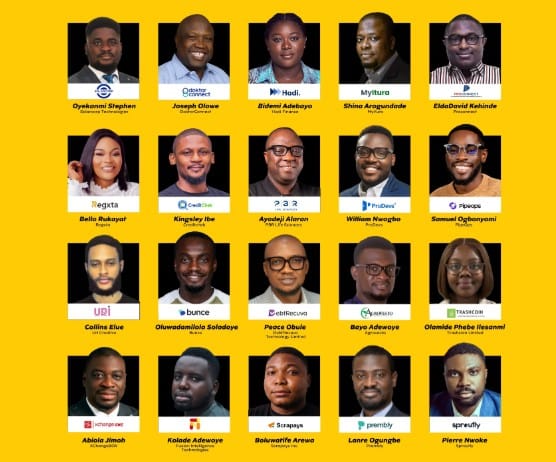
The telecommunications giant revealed its first cohort at its Ikoyi headquarters, Lagos, committing ₦100 million in grants alongside comprehensive support services. These carefully chosen startups span multiple sectors including financial technology, healthcare innovation, agricultural solutions, educational platforms, and clean technology ventures.

Programme Structure Designed for Maximum Impact

Running from September 6 through December 6, 2025, the hybrid programme combines virtual learning with strategic in-person sessions. Participants gather in Lagos for two critical phases: the initial kickoff during Week 1 and the highly anticipated Demo Day scheduled for November 18, 2025.

Demo Day serves as the programme’s crescendo, where startups present their refined solutions to investors, media representatives, and potential strategic partners. This platform provides unprecedented visibility for emerging African technologies.

Comprehensive Support System Fuels Startup Growth

Each participating startup receives substantial resources designed to accelerate their development:

Financial Support: ₦5 million equity-free grants per startup enable focused growth without diluting ownership stakes.

Technical Integration: Full access to MTN’s robust infrastructure including MTN Cloud services, MoMo payment solutions, and Chenosis APIs.

Expert Mentorship: Personalized guidance from seasoned industry professionals helps refine business strategies and operational approaches.

Market Access: Direct sales and marketing support from MTN teams accelerates customer acquisition processes.

Investment Readiness: Professional pitch coaching and strategic introductions to venture capital firms.

Long-term Partnership: Potential commercial partnerships and integration opportunities with MTN’s extensive product ecosystem.

Meet the Game-Changing Startups

Nigerian fintech startups

The selected startups address critical challenges across Africa’s most underserved sectors:

DoktorConnect transforms healthcare delivery through FDA-certified IoT devices, shifting focus from reactive treatment to preventive care models.

MYITURA creates integrated digital health ecosystems specifically designed for underserved African communities.

Regxta leverages artificial intelligence to provide digital banking services for 600 million underserved Africans currently excluded from traditional financial systems.

Creditchek develops sophisticated machine learning algorithms for enhanced credit assessment and fraud prevention.

Trashcoin Limited pioneers eco-fintech solutions by digitizing recycling processes and incentivizing sustainable environmental practices.

Scrapays Inc. builds decentralized recycling infrastructure, already positively impacting over 36,700 households while promoting circular economy principles.

Agrovesto increases farmer incomes by 30-60% through technology-enhanced agricultural productivity solutions, currently serving over 20,000 farmers.

XChangeBOX revolutionizes agro-commodity trading by connecting African farmers directly to global markets.

Strategic Vision Behind the Initiative

Lynda Saint-Nwafor, MTN Nigeria’s Chief Enterprise Business Officer, articulates the programme’s transformative vision: “This initiative represents more than a business investment—it embodies our commitment to repositioning Africa from an ’emerging’ continent to a thriving hub of global innovation.”

The programme builds upon MTN’s substantial infrastructure investments, particularly the launch of MTN Cloud, a world-class data center designed to eliminate traditional barriers facing African startups.

Impact on Africa’s Digital Ecosystem

This accelerator programme addresses a fundamental challenge: African entrepreneurs possess exceptional ideas but often lack adequate infrastructure, partnerships, and scaling tools. By providing comprehensive support through Africa’s largest telecommunications network, MTN creates an environment where local innovations can achieve global competitiveness.

The focus on high-impact sectors—healthcare, finance, agriculture, education, and environmental sustainability—ensures that successful startups will generate meaningful improvements in African communities while building commercially viable businesses.


MTN Nigeria’s Cloud Accelerator Programme represents a watershed moment for African entrepreneurship. By combining substantial financial support with technical infrastructure and strategic partnerships, this initiative creates unprecedented opportunities for startup success. The diverse cohort of 20 startups demonstrates Nigeria’s remarkable innovation capacity across multiple sectors critical to continental development.

This programme establishes a replicable model for corporate-startup collaboration, potentially inspiring similar initiatives across Africa. As these startups progress through their 12-week journey, they carry the potential to reshape industries, create employment opportunities, and demonstrate Africa’s readiness to lead global technological advancement.

The success of this inaugural cohort will likely determine the programme’s expansion and influence on Africa’s broader digital transformation narrative.


[slick-slider]
Anthropic Agrees to Pay $1.5 Billion for Book Training Data

Historic AI Copyright Settlement: Anthropic Agrees to Pay $1.5 Billion for Book Training Data

Anthropic Agrees to Pay $1.5 Billion for Book Training Data

Landmark Deal Marks Turning Point in AI Content Rights Battle

The artificial intelligence company Anthropic has agreed to pay authors $3,000 per book in a landmark settlement over pirated chatbot training material, marking what legal experts call the largest copyright recovery in U.S. history. Anthropic told a San Francisco federal judge on Friday that it has agreed to pay $1.5 billion to settle a class-action lawsuit from a group of authors who accused the artificial intelligence company of using their books to train its AI chatbot Claude without permission.

Breaking Down the Settlement Details

Record-Breaking Compensation Structure

The proposed settlement amounts to a gross recovery of $3,000 per work, covering approximately 500,000 books involved in the legal action. This compensation rate significantly exceeds the minimum statutory damages typically awarded in copyright cases, setting a new precedent for AI-related intellectual property disputes.

The settlement structure addresses several key components:

  • Direct payments to affected authors and publishers
  • Destruction of pirated digital copies
  • Preservation of legally purchased content rights
  • Implementation of new training data protocols

Legal Victory with Mixed Results

The case presented complex legal questions about fair use in the age of artificial intelligence. While courts found that certain aspects of AI training constitute transformative fair use, they drew clear lines regarding the acquisition and storage of copyrighted materials.

The judge’s order asserts that Anthropic pirated more than 7 million copies of books, highlighting the massive scale of content acquisition that fueled this legal challenge. However, Anthropic said in the settlement that the specific digital copies of books covered by the agreement were not used in the training of its commercially released AI models.

Industry Implications and Future Impact

Setting New Standards for AI Development

The settlement marks a turning point in the clash between AI companies and content owners, establishing important precedents for how technology companies approach training data acquisition. This agreement sends clear signals about the financial consequences of unauthorized content use in AI development.

The Authors Guild has positioned this settlement as a warning to the broader technology sector. The deal demonstrates that even the most sophisticated AI companies cannot simply acquire copyrighted materials without facing substantial legal and financial consequences.

Competitive Landscape Shifts

This settlement occurs as Anthropic continues its aggressive expansion in the competitive AI marketplace. The company recently secured significant funding rounds, positioning itself as a major challenger to established players like OpenAI, Google, and Microsoft in the generative AI space.

The financial impact of this settlement, while substantial, represents a fraction of Anthropic’s current valuation and recent funding achievements. However, it establishes important operational constraints that may influence how all AI companies approach content acquisition moving forward.

Broader Legal Trends in AI Copyright

Similar Cases Across the Industry

Anthropic’s settlement comes amid a wave of copyright-related legal challenges facing major technology companies. Apple recently faced similar allegations regarding its Apple Intelligence features, while Meta and other tech giants continue defending their AI training practices in various jurisdictions.

These parallel legal battles suggest that copyright issues in AI training represent a fundamental challenge requiring industry-wide solutions rather than company-specific approaches.

Regulatory and Policy Implications

The settlement arrives as policymakers worldwide grapple with appropriate frameworks for AI development and intellectual property protection. This case provides concrete data points that may influence future legislation and regulatory approaches to AI training data requirements.

Next Steps and Timeline

Judge Alsup granted the motion for a hearing on Monday, September 8th, where the court will consider formal approval of the settlement terms. This judicial review will determine whether the proposed compensation structure adequately addresses the scope of alleged copyright violations.

The settlement requires final court approval before payments begin, with the timeline for distribution still being finalized. Affected authors and publishers will need to demonstrate their eligibility for compensation through the established claims process.

This historic settlement represents a watershed moment in the intersection of artificial intelligence and intellectual property law. By establishing clear financial consequences for unauthorized content use, the agreement creates new standards that will likely influence AI development practices across the technology industry.

The $1.5 billion compensation package demonstrates that content creators can successfully challenge even the most well-funded technology companies when their intellectual property rights are violated. As AI continues evolving rapidly, this case provides crucial guidance for balancing innovation with creator rights in the digital age.

For authors and publishers, this settlement offers both compensation for past violations and hope for stronger protections in future AI development projects. The precedent established here will likely shape negotiations and legal strategies as the AI industry continues its explosive growth.


[slick-slider]
Google EU antitrust fine

Google Slammed with Record-Breaking $3.5 Billion EU Fine for Ad Tech Market Manipulation

Google EU antitrust fine

European Regulators Strike Hard Against Tech Giant’s Anti-Competitive Practices

The European Commission delivered a crushing blow to Google this week, imposing a staggering €2.95 billion fine (approximately $3.5 billion) for violating antitrust regulations. This penalty represents one of the most significant regulatory actions taken against the tech giant in recent years.

The Core Violations That Triggered EU Action

European regulators determined that Google systematically abused its dominant market position by prioritizing its own advertising exchange, AdX, across its publisher ad server and ad-buying platforms. This practice effectively squeezed out competitors and manipulated the digital advertising ecosystem.

The Commission’s investigation revealed that Google created an unfair advantage for itself within the complex advertising technology supply chain. By giving preferential treatment to its own services, the company violated fundamental principles of market competition.

Swift Action Required from Google

EU competition chief Teresa Ribera emphasized the severity of the situation, stating that “Google must now come forward with a serious remedy to address its conflicts of interest, and if it fails to do so, we will not hesitate to impose strong remedies”.

The tech giant has been given a strict 60-day deadline to end these self-preferencing practices. Additionally, Google must implement comprehensive measures to eliminate conflicts of interest throughout the advertising technology supply chain.

Political Tensions Emerge Over EU Decision

The announcement sparked immediate controversy, with President Donald Trump criticizing the European Union’s actions. Trump expressed concerns about what he described as unfair penalties against American technology companies, including Google and Apple.

The president threatened to initiate Section 301 proceedings to counteract these penalties, arguing that such actions harm American innovation and taxpaying companies. This response highlights growing tensions between US and EU regulatory approaches toward big tech.

Google’s Defense Strategy

Google quickly announced plans to appeal the Commission’s decision. Company representatives argue that providing services to both ad buyers and sellers does not constitute anti-competitive behavior. They emphasize that more alternatives to Google’s services exist now than ever before.

The tech giant maintains that its business practices serve the market effectively and that competition remains robust in the advertising technology sector.

Historical Context and Industry Impact

This fine represents the EU’s second-largest antitrust penalty ever, trailing only behind a $5 billion fine imposed on Google in 2018. The decision demonstrates European regulators’ commitment to maintaining competitive digital markets.

Meanwhile, Google achieved a partial victory in US courts this week. Although a federal judge previously ruled that the company illegally maintained a search monopoly, proposed remedies fell significantly short of Justice Department recommendations to force asset sales.

The Broader Digital Market Landscape

European officials stress that digital markets must serve people through principles of trust and fairness. When markets fail to meet these standards, regulatory intervention becomes necessary to prevent dominant players from exploiting their power.

The advertising technology industry continues evolving rapidly, with multiple stakeholders competing for market share. This regulatory action aims to ensure fair competition and protect smaller players from being squeezed out.

The European Commission’s decisive action against Google sends a clear message about regulatory expectations in the digital advertising space. With billions of dollars at stake and fundamental market principles under scrutiny, this case will likely influence future antitrust decisions across both European and American jurisdictions.

Google’s response to these requirements will determine whether additional enforcement measures become necessary. The company’s ability to address conflicts of interest while maintaining competitive services will be closely monitored by regulators worldwide.

This development represents another chapter in the ongoing global conversation about big tech regulation, market competition, and the balance between innovation and fair business practices.


[slick-slider]
MTN's Market Control

Ghana Telecom Battle: New Merger Strategy Targets MTN’s Market Control

MTN's Market Control

Ghana’s Bold Move to Challenge MTN Through Strategic Telecom Merger

Ghana’s telecommunications landscape stands on the brink of transformation as government officials orchestrate an ambitious merger between two underperforming operators. This strategic consolidation aims to reshape market dynamics and provide genuine competition to the dominant player that currently controls nearly four-fifths of the market.

Understanding the Current Market Landscape

MTN Ghana’s overwhelming market presence has created an environment where competition struggles to flourish. With a staggering 78.88% market share recorded in April 2025, the telecom giant maintains an almost monopolistic position that has proven difficult for rivals to challenge effectively.

The government’s intervention comes at a critical juncture when smaller operators face mounting financial pressures. AirtelTigo’s deteriorating performance, marked by losses exceeding $10 million within eight months, exemplifies the challenges facing secondary market players.

The Merger Blueprint and Financial Framework

The proposed union between Telecel and AirtelTigo represents more than a simple corporate restructuring. This strategic alliance would create a combined subscriber base of approximately 3.2 million users from AirtelTigo, adding to Telecel’s existing customer portfolio following its recent Vodafone Ghana acquisition.

Communications Minister Samuel Nartey George emphasizes the merger’s necessity for market stabilization. The government has committed substantial resources to ensure success, proposing a comprehensive $600 million investment package spread across four years. This funding strategy encompasses multiple revenue streams, including spectrum auction proceeds, policy adjustments, and private sector partnerships.

Learning from Past Consolidation Attempts

Ghana’s telecom sector has witnessed previous merger attempts with mixed results. The 2017 Airtel-Tigo combination initially showed promise but ultimately failed to sustain competitive momentum against MTN’s market leadership. AirtelTigo’s market share declined dramatically from 25.82% in 2018 to merely 7.89% by late 2024, highlighting the challenges inherent in telecom consolidation.

This historical context provides valuable lessons for the current merger strategy. The government recognizes that financial support alone cannot guarantee success without proper execution and market positioning.

Technical Implementation and Timeline

The merger process involves comprehensive technical migration and organizational restructuring. Officials have established an ambitious completion target for the end of 2025, requiring careful coordination of network integration and staff realignment.

AirtelTigo’s current B3 credit rating signals significant default risk, making the merger’s success crucial for preserving competition in Ghana’s telecom market. The integration must address both technical infrastructure compatibility and financial stability concerns.

MTN’s Competitive Response Strategy

While competitors struggle with consolidation efforts, MTN continues strengthening its market position through substantial infrastructure investments. The company has announced a $1 billion commitment to upgrade services and expand network capabilities across Ghana.

MTN’s financial performance reinforces its dominant position, with revenue growth of 39.9% during the first half of 2025. This strong financial foundation enables continued investment in network improvements and service enhancements that maintain competitive advantages.


Ghana’s telecom merger strategy represents a calculated attempt to inject meaningful competition into a market dominated by a single operator. Success depends on effective execution, adequate financial support, and the ability to learn from previous consolidation failures. The combined Telecel-AirtelTigo entity must overcome significant challenges, including technical integration, financial stability, and market positioning against an entrenched competitor.

The outcome will determine whether Ghana can achieve genuine telecom competition or if market concentration will persist despite government intervention efforts.


READ ALSO: Lenovo Launches Legion Go 2: Enhanced Gaming Experience with OLED Technology

[slick-slider]