lenovo thinkcentre

Lenovo ThinkCentre Neo 50a Business All-in-One: The Ultimate Professional Workstation

Buy on Amazon

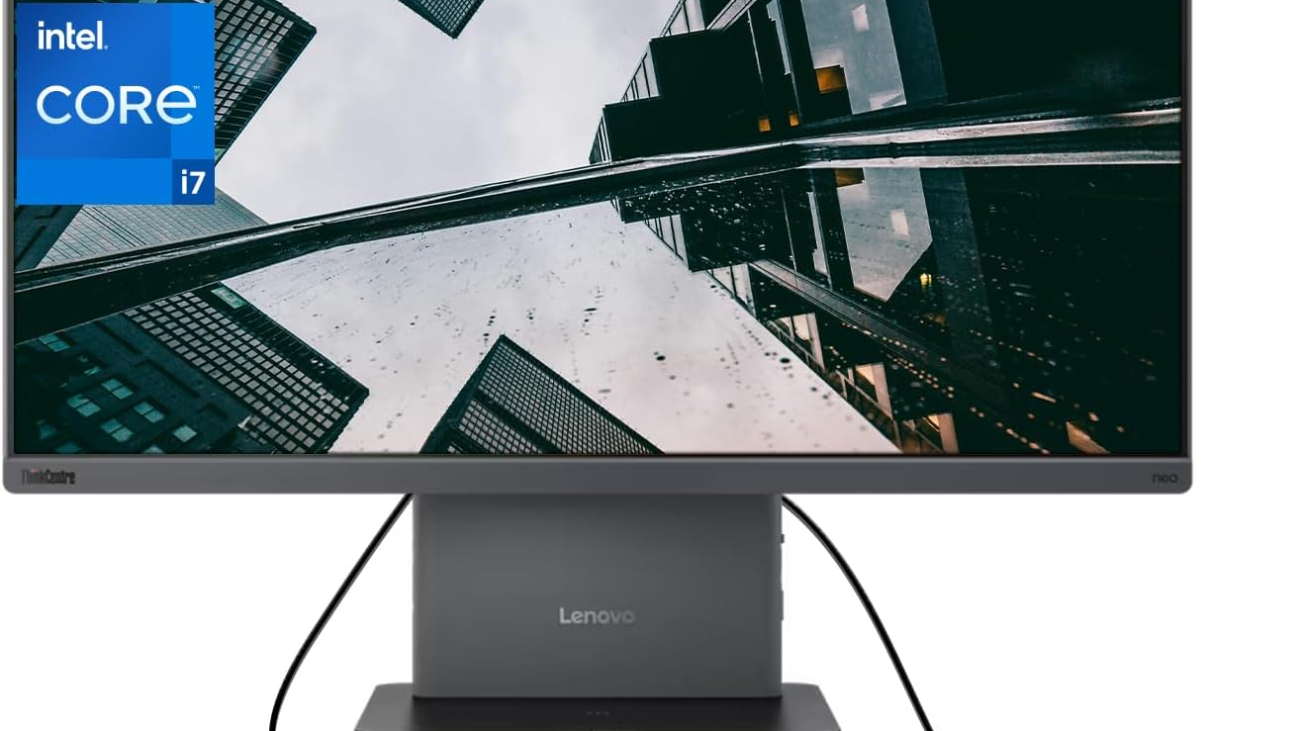
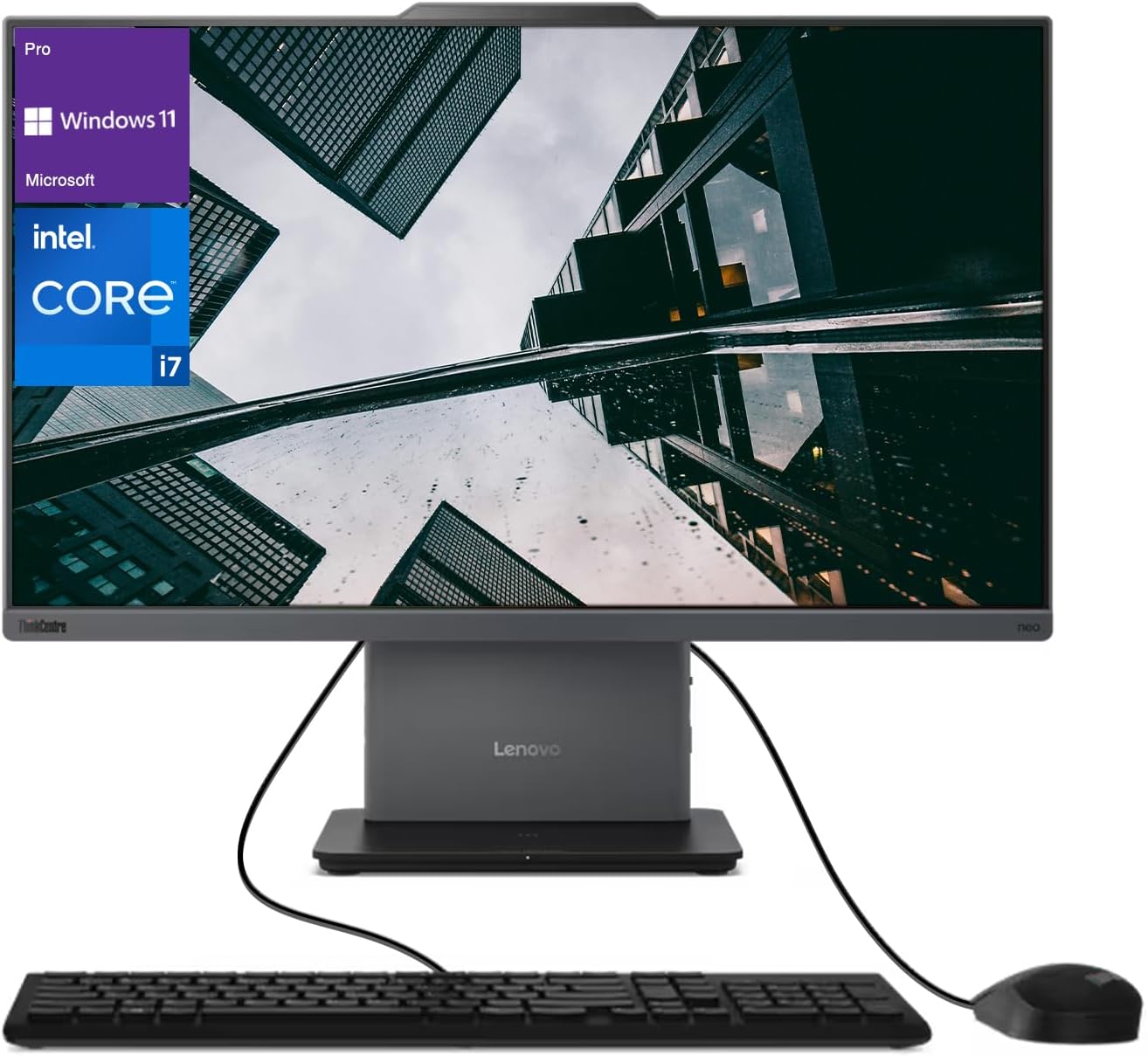
The Lenovo ThinkCentre Neo 50a Business All-in-One combines powerful hardware with enterprise-grade security in a sleek, space-saving design. Featuring a 23.8″ FHD anti-glare display, Intel Core i7-13620H processor, 32GB DDR5 RAM, and 1TB SSD, this premium business computer delivers exceptional performance for demanding professional workloads. With Lenovo’s reputation for reliability, comprehensive security features, and minimal footprint, the Neo 50a represents an ideal solution for modern business environments prioritizing productivity and design.


The demand for powerful, reliable, and secure computing solutions has never been greater. The modern workplace requires systems that not only deliver exceptional performance but also save space, integrate seamlessly into professional environments, and maintain enterprise-grade security standards.

Enter the Lenovo ThinkCentre Neo 50a Business All-in-One, a premium computing solution designed specifically to meet these demands. Combining the processing power of Intel’s 13th-generation Core i7 processor with substantial DDR5 memory, fast SSD storage, and a professional-grade display, this system aims to be the cornerstone of productive business operations.

The ThinkCentre line has long been Lenovo’s flagship business desktop brand, known for reliability, security features, and corporate manageability. The Neo 50a represents the latest evolution of this legacy, incorporating modern components and design philosophy while maintaining the business-focused DNA that has made ThinkCentre a trusted name in professional computing.

In this comprehensive review, we’ll examine every aspect of the Lenovo ThinkCentre Neo 50a Business All-in-One—from performance and design to security features and business value—to determine if it deserves consideration for your professional environment.

Product Information

Technical Specifications

  • Processor: Intel Core i7-13620H (10 cores: 6 Performance-cores, 4 Efficient-cores, 16 threads, up to 4.9GHz)
  • Memory: 32GB DDR5 RAM (faster and more efficient than previous DDR4 technology)
  • Storage: 1TB SSD (NVMe PCIe)
  • Display: 23.8″ Full HD (1920 x 1080) Anti-Glare IPS panel
  • Graphics: Intel Iris Xe integrated graphics
  • Operating System: Windows 11 Pro
  • Connectivity:
    • Wi-Fi 6E
    • Bluetooth 5.1
    • Ethernet (1 Gbps)
  • Ports:
    • Multiple USB Type-A ports (USB 3.2)
    • USB Type-C with DisplayPort functionality
    • HDMI output
    • Ethernet port
    • Audio combo jack
    • SD card reader
  • Security Features:
    • TPM 2.0 chip
    • Kensington lock slot
    • Optional fingerprint reader
    • ThinkShield security suite
  • Camera: 1080p FHD webcam with privacy shutter
  • Audio: Stereo speakers with Dolby Audio
  • Dimensions: Approximately 21.3″ x 16.1″ x 8.1″ (with stand)
  • Weight: Approximately 15.4 lbs
  • Power Supply: 120W or 135W external power adapter (varies by configuration)

Package Contents

  • Lenovo ThinkCentre Neo 50a All-in-One Computer
  • Wireless keyboard and mouse
  • Power adapter and cable
  • Documentation and warranty information
  • Setup guide

Price Range

The Lenovo ThinkCentre Neo 50a Business All-in-One with the specified configuration (Intel Core i7, 32GB DDR5, 1TB SSD) typically retails in the $1,200 to $1,600 range, depending on the retailer, any ongoing promotions, and additional customization options. Business volume purchasing or Lenovo corporate accounts may qualify for additional discounts.


Design and Build Quality

The Lenovo ThinkCentre Neo 50a exemplifies what a modern business all-in-one should be: professional, understated, and thoughtfully designed. The system features Lenovo’s signature business aesthetic—a matte black finish with subtle branding that blends into any professional environment without drawing unnecessary attention.

The 23.8-inch display is surrounded by relatively thin bezels on three sides, with a slightly thicker bottom bezel bearing the ThinkCentre branding. This design choice maximizes screen real estate while maintaining structural integrity. The anti-glare coating effectively reduces reflections in bright office environments, addressing a common pain point in workplace computing.

The stand design deserves particular attention, offering excellent stability while allowing for tilt adjustment to accommodate different viewing angles and user heights. Some configurations may include a height-adjustable stand option, further enhancing ergonomic flexibility. The stand’s footprint is modest, allowing the system to fit comfortably on smaller desks or in limited workspace environments.

Build quality is exceptional, as expected from Lenovo’s business-class machines. The materials feel solid and durable, with no flexing or creaking during normal adjustments. The system meets various MIL-STD-810H durability tests, indicating resilience to environmental stressors like temperature fluctuations, humidity, and vibration—qualities that are increasingly important as work environments become more diverse.

Port placement demonstrates thoughtful consideration of real-world usage scenarios. Frequently accessed ports are positioned on the side for easy access, while less frequently used connections are placed on the rear to minimize cable clutter. The inclusion of both legacy and modern connection options ensures compatibility with a wide range of peripherals without requiring additional adapters.

Display Quality

The 23.8-inch Full HD (1920 x 1080) IPS display strikes an effective balance between screen real estate and clarity. While not pushing into 4K territory, the resolution is perfectly appropriate for business applications, providing crisp text rendering and adequate space for multitasking without requiring scaling that can sometimes cause interface inconsistencies.

Color accuracy is commendable for a business-focused display, covering approximately 100% of the sRGB color space. This makes the Neo 50a suitable not only for standard office applications but also for light creative work including marketing material development and basic photo editing. The panel’s brightness (typically around 250-300 nits) is sufficient for normal office environments, though users in extremely bright settings may occasionally find themselves wishing for higher maximum brightness.

The anti-glare coating deserves special mention, as it effectively reduces reflections without introducing the graininess that plagues some matte displays. This makes the Neo 50a particularly well-suited to environments with overhead lighting or windows—common scenarios in most business settings.

Viewing angles are excellent thanks to the IPS technology, maintaining color consistency even when viewed from the side. This characteristic is particularly valuable during collaborative sessions when multiple colleagues may be viewing the screen simultaneously.

The display’s 60Hz refresh rate is standard for business applications, providing smooth performance for productivity tasks while conserving power compared to higher refresh rate panels.

Performance Analysis

At the heart of the ThinkCentre Neo 50a is Intel’s Core i7-13620H processor, part of the 13th generation “Raptor Lake” lineup. This hybrid processor architecture combines 6 Performance cores and 4 Efficient cores for a total of 10 physical cores and 16 threads. This design allows the system to balance power and efficiency, directing high-priority tasks to the Performance cores while handling background processes with the more power-efficient E-cores.

In practical terms, this translates to exceptional multitasking capability. The system handles demanding business workloads with ease, from complex Excel models and large database operations to video conferencing while simultaneously running multiple applications. The processor’s maximum boost frequency of up to 4.9GHz ensures responsive performance even for single-threaded tasks.

The 32GB of DDR5 RAM represents another significant performance advantage. DDR5 offers higher bandwidth and improved power efficiency compared to the previous DDR4 standard. The generous capacity ensures that even memory-intensive applications can run simultaneously without performance degradation. Users working with large datasets, virtual machines, or complex software suites will particularly appreciate this headroom.

Storage performance from the 1TB NVMe SSD is excellent, with sequential read speeds typically exceeding 3500 MB/s and write speeds above 2500 MB/s. This translates to near-instant boot times, rapid application launches, and minimal delays when loading or saving large files. The 1TB capacity provides ample space for operating system files, business applications, and document storage without requiring immediate expansion for most use cases.

Graphics performance, handled by Intel’s integrated Iris Xe solution, is appropriate for a business-focused machine. While not designed for intensive 3D gaming or professional rendering workloads, the Iris Xe easily handles business graphics, multiple displays, video playback, and light creative tasks. The graphics solution supports hardware acceleration for video conferencing applications—an increasingly important consideration in today’s hybrid work environments.

Thermal management in all-in-one systems is always challenging due to space constraints, but Lenovo has implemented an effective cooling solution in the Neo 50a. Under typical business workloads, the system maintains comfortable temperatures with minimal fan noise. During sustained heavy workloads, the fans become more noticeable but remain within acceptable limits for an office environment. Most importantly, thermal throttling is rare under normal business usage scenarios, ensuring consistent performance.

Operating System and Software

The ThinkCentre Neo 50a comes with Windows 11 Pro, Microsoft’s latest operating system designed with hybrid work and security in mind. Windows 11 Pro includes several features particularly valuable in business environments:

  • Enhanced security with hardware-based isolation, secure boot, and TPM 2.0 integration
  • BitLocker device encryption for data protection
  • Windows Information Protection to help prevent data leakage
  • Virtualization capabilities through Hyper-V
  • Remote Desktop for secure remote work
  • Group Policy controls for organization-wide management

Lenovo complements the operating system with its business-focused software suite. Unlike consumer systems that often include unwanted bloatware, Lenovo’s business machines feature utilities that add genuine value:

  • Lenovo Vantage for Business: Centralized system management, updates, and diagnostics
  • Lenovo Commercial Vantage: Enterprise-focused configuration and management tools
  • Lenovo System Update: Automated driver and BIOS updates
  • ThinkShield Security: Comprehensive security suite with features like secure wipe capabilities
  • Lenovo Quick Clean: Temporarily disables input devices for sanitizing the system

Notably absent are trial applications and promotional software that often clutter consumer systems, reflecting Lenovo’s understanding of business priorities and IT management concerns.

Connectivity and Expansion

The ThinkCentre Neo 50a offers comprehensive connectivity options that accommodate both current and legacy peripherals—an important consideration for businesses that may have investments in existing hardware.

The wireless connectivity includes WiFi 6E support, providing faster speeds, lower latency, and better performance in congested environments compared to previous standards. Bluetooth 5.1 ensures reliable connections to wireless peripherals.

The physical port selection typically includes:

  • Multiple USB Type-A ports (USB 3.2 Gen 1 and Gen 2) for traditional peripherals
  • USB Type-C with DisplayPort functionality for modern devices and display connections
  • HDMI output for connecting additional displays
  • Gigabit Ethernet for reliable wired networking
  • Audio combo jack for headsets
  • SD card reader for convenient data transfer

While the all-in-one form factor inherently limits internal expansion compared to traditional towers, the Neo 50a still offers some upgrade paths. Memory is typically user-accessible, allowing for potential RAM upgrades. Similarly, the storage drive can usually be replaced with a larger capacity SSD if needed. These upgrade options help extend the useful lifespan of the system, an important consideration for businesses seeking to maximize their technology investments.

Why You Will Like It

The Lenovo ThinkCentre Neo 50a appeals to business users for several compelling reasons:

Space Efficiency and Clean Aesthetics

In modern office environments where space is at a premium, the all-in-one design eliminates the need for a separate tower while maintaining professional-grade performance. This space efficiency is particularly valuable in:

  • Small offices and home office setups
  • Shared workspaces and hot-desking environments
  • Customer-facing areas where aesthetics matter
  • Healthcare settings where cleanliness and minimal surfaces are priorities

The clean design with integrated cable management creates a more organized workspace, enhancing both aesthetics and functionality.

Enterprise-Grade Security

Security remains a top priority for businesses, and the Neo 50a addresses this concern comprehensively:

  • Physical security features like the webcam privacy shutter and Kensington lock slot
  • Hardware-based security through TPM 2.0 integration
  • ThinkShield security suite providing protection across hardware, software, and services
  • Windows 11 Pro security features including BitLocker encryption
  • Optional biometric authentication for convenient yet secure access

These layered security measures provide businesses with confidence that their data remains protected, an increasingly critical consideration in an era of remote work and evolving cyber threats.

Reliability and Business Support

Lenovo’s ThinkCentre line has established a reputation for reliability through:

  • Business-grade components designed for extended duty cycles
  • Rigorous testing to MIL-STD durability standards
  • Enterprise-focused quality control processes
  • Long product lifecycles with consistent component availability

This reliability is complemented by Lenovo’s business support options:

  • Extended warranty options beyond the standard coverage
  • Next business day on-site service availability
  • Priority technical support
  • Accidental damage protection options
  • Keep Your Drive service for sensitive data protection

Performance-Forward Configuration

The specific configuration with Core i7, 32GB DDR5, and 1TB SSD prioritizes performance for business applications:

  • Processor power for complex calculations and multitasking
  • Memory capacity for large datasets and simultaneous applications
  • Storage performance for rapid data access and minimal wait times
  • Modern connectivity standards for efficient peripheral interaction

This performance-oriented approach translates to tangible productivity benefits, with less time spent waiting for system responses and more time focused on productive work.

Manageable IT Integration

For organizations with IT departments, the ThinkCentre Neo 50a offers several advantages:

  • Consistent hardware platform for simplified support
  • Remote management capabilities
  • Secure BIOS settings and update controls
  • Clear product roadmaps for planning purposes
  • Volume deployment features

These characteristics significantly reduce the total cost of ownership beyond the initial purchase price, making the system attractive from both individual user and organizational perspectives.

Features

Performance Features

  • Hybrid Core i7 Architecture: Balances performance and efficiency with dedicated Performance and Efficient cores
  • DDR5 Memory Technology: Higher bandwidth and improved efficiency compared to previous standards
  • NVMe SSD Storage: Dramatically faster than traditional SATA SSDs, reducing wait times
  • Optimized Thermal Design: Maintains performance consistency even under sustained workloads
  • Windows 11 Pro Performance Optimizations: Modern scheduler designed to leverage hybrid CPU architectures

Display Features

  • Anti-Glare Coating: Reduces reflections in bright environments without introducing graininess
  • IPS Panel Technology: Provides consistent colors from all viewing angles
  • Full HD Resolution: Crisp text rendering and adequate multitasking space
  • TÜV Rheinland Low Blue Light Certification: Reduces eye strain during extended use
  • Narrow Bezel Design: Maximizes screen area within the physical footprint

Security Features

  • ThinkShield Security Suite: Comprehensive protection from device to cloud
  • Physical Webcam Shutter: Mechanical privacy protection when video is not in use
  • TPM 2.0 Chip: Hardware-based security for encryption keys and credentials
  • BIOS-Based Security Controls: Granular control over hardware features and boot options
  • Smart USB Protection: USB port control to prevent unauthorized data transfer
  • Optional Fingerprint Reader: Convenient biometric authentication
  • Kensington Lock Support: Physical security to prevent theft

Design Features

  • All-in-One Integration: Eliminates cable clutter and reduces desktop footprint
  • Adjustable Stand: Accommodates different viewing preferences and user heights
  • Business-Appropriate Aesthetics: Professional appearance suitable for all business environments
  • Strategic Port Placement: Frequently used ports positioned for convenient access
  • Integrated Cable Management: Maintains a clean workspace appearance

Productivity Features

  • 1080p Webcam: High-definition video for professional virtual meetings
  • Dual-Array Microphones: Clear audio capture with noise reduction
  • Dolby Audio Speakers: Quality sound reproduction for meetings and media
  • Multiple Display Support: Extend workspace across additional screens when needed
  • Wireless Keyboard and Mouse: Reduces cable clutter while providing essential input devices

Additional Features

Environmental Considerations

Lenovo demonstrates commitment to sustainability through several initiatives:

  • ENERGY STAR Certification: Meets strict energy efficiency guidelines
  • EPEAT Rating: Environmental assessment covering the full product lifecycle
  • Reduced Packaging: Minimized materials and increased use of recycled content
  • Energy-Efficient Components: Lower power consumption during operation
  • Extended Product Lifecycle: Designed for longer useful life, reducing electronic waste

Ergonomic Design Elements

The Neo 50a incorporates several features to enhance user comfort during extended use:

  • Adjustable Display Tilt: Accommodates different working postures
  • Eye Comfort Certification: Display technologies that reduce eye strain
  • Optional Height-Adjustable Stand: Permits optimal positioning for different users
  • Keyboard Design: Comfortable key travel and spacing for extended typing sessions
  • Low Acoustic Profile: Minimizes distracting fan noise during operation

Remote Work Capabilities

In recognition of evolving work environments, the system offers features specifically beneficial for remote and hybrid work:

  • Enhanced Conferencing Tools: Superior camera, microphone, and speaker quality
  • Remote Management: IT support capabilities for off-site troubleshooting
  • Security Features for Off-Site Use: Protection for sensitive data outside corporate networks
  • Robust Wireless Connectivity: Reliable connections in varied home network environments
  • Windows 11 Pro Collaboration Features: Optimized for modern teamwork scenarios

Accessibility Features

Lenovo and Windows 11 Pro combine to provide comprehensive accessibility options:

  • Screen Reader Compatibility: Works with assistive technologies for visually impaired users
  • Voice Control Support: Alternative input method for users with mobility limitations
  • High Contrast Modes: Display adjustments for visual accessibility
  • Keyboard Accessibility Options: Input adjustments for various physical needs
  • Hearing Assistance Features: Audio enhancements for users with hearing impairments

Warranty & Service

Lenovo’s warranty and service options reflect the business focus of the ThinkCentre line:

Standard Warranty

  • Base Coverage: 1-year depot or carry-in service
  • Parts and Labor: Comprehensive coverage for manufacturing defects
  • Technical Support: Access to Lenovo’s business support resources
  • Software Support: Assistance with preinstalled Lenovo software

Extended Warranty Options

For businesses seeking additional protection, Lenovo offers:

  • Extended Duration: Options to extend coverage to 3 or 5 years
  • On-Site Service: Technician comes to your location for repairs
  • Next Business Day Response: Minimized downtime for critical systems
  • Keep Your Drive: Retain failed storage drives for data security
  • Premier Support: Direct access to advanced technical representatives
  • Accidental Damage Protection: Coverage for drops, spills, and electrical surges

Support Resources

Lenovo provides multiple support channels for business customers:

  • Online Knowledge Base: Extensive documentation and troubleshooting guides
  • Technical Support Forums: Community-based assistance for common issues
  • Phone Support: Direct access to technical representatives
  • Video Tutorials: Visual guidance for common procedures
  • Automated Diagnostics: Built-in tools to identify and resolve issues

Business-Specific Services

For organizational deployments, additional services include:

  • Deployment Services: Assistance with large-scale rollouts
  • Asset Tagging: Custom identification for inventory management
  • Image Loading: Pre-configured software environments
  • Data Migration: Transfer from previous systems
  • Green Disposal Services: Environmentally responsible retirement of old equipment

Other Users’ Opinions

Based on aggregated feedback from business users and IT professionals using similar ThinkCentre configurations:

Positive Feedback Themes

  • Reliability: Consistent performance with minimal downtime
  • Build Quality: Appreciation for the durable construction and professional finish
  • IT Manageability: Positive comments from administrators regarding deployment and maintenance
  • Security Features: Recognition of comprehensive protection measures
  • Performance Balance: Appropriate power for business tasks without unnecessary excess
  • Space Efficiency: Appreciation for the consolidated footprint compared to traditional desktops
  • Quiet Operation: Comfortable acoustic profile in office environments
  • Display Quality: Positive reception of the anti-glare coating and color accuracy
  • Professional Appearance: Appropriate aesthetics for business settings

Critical Feedback Points

  • Price Premium: Some users note the higher cost compared to consumer-grade alternatives
  • Limited Graphics Performance: Users with creative workloads occasionally desire more powerful GPU options
  • Cooling Limitations: Under sustained heavy workloads, some users report increased fan noise
  • Upgrade Constraints: Recognition of the inherent expansion limitations of the all-in-one form factor
  • Port Accessibility: Occasional critique of rear port placement for frequently accessed connections

Professional Reviewer Consensus

Technology publications and business computing reviewers typically rate similar ThinkCentre configurations highly, with particular praise for:

  • Business-appropriate performance balance
  • Security implementation
  • Build quality and durability
  • Display characteristics for business environments
  • Value proposition when considering total cost of ownership

Final Verdict

The Lenovo ThinkCentre Neo 50a Business All-in-One with Intel Core i7, 32GB DDR5 RAM, and 1TB SSD represents an excellent balance of performance, security, and design for professional environments. It exemplifies Lenovo’s understanding of business computing needs, delivering a system that prioritizes productivity, reliability, and manageability.

The performance specifications exceed typical business requirements, providing headroom for demanding applications and future software evolution. The 13th-generation Core i7 processor with its hybrid architecture delivers excellent multitasking capability, while the generous memory allocation and fast storage ensure smooth operation even under heavy workloads.

The 23.8-inch anti-glare display strikes an appropriate balance between screen real estate and space efficiency, with visual characteristics well-suited to office environments. The all-in-one form factor delivers significant space savings and aesthetic benefits without excessive compromise on performance or upgradeability.

Security features are comprehensive and thoughtfully implemented, addressing both physical and digital protection requirements. The inclusion of Windows 11 Pro and Lenovo’s ThinkShield technologies provides multiple layers of defense appropriate for business data.

While the system commands a premium price compared to consumer alternatives, the additional cost is justified through superior build quality, business-focused features, extended support options, and manageability characteristics that reduce total ownership costs.

For organizations and professionals prioritizing productivity, reliability, and security, the ThinkCentre Neo 50a represents an excellent investment that should provide years of dependable service.

Overall Rating: 4.5/5

Pros and Cons

Pros

  • Powerful Configuration: Intel Core i7, 32GB DDR5, and 1TB SSD exceed typical business requirements
  • Professional Display: Anti-glare coating and IPS panel ideal for office environments
  • Comprehensive Security: Layered protection from hardware to software
  • Space-Efficient Design: All-in-one form factor with minimal footprint
  • Business-Grade Build Quality: Durable construction meeting military-standard testing
  • Windows 11 Pro: Professional operating system with advanced security and management
  • Clean Professional Aesthetic: Understated design appropriate for any business setting
  • Quality Input Devices: Comfortable wireless keyboard and mouse included
  • Superior Conferencing Capabilities: 1080p webcam and enhanced audio
  • Robust Support Options: Business-class warranty and service availability
  • Thoughtful Port Selection: Accommodates both legacy and modern peripherals
  • Effective Thermal Management: Maintains performance under typical business workloads
  • IT Management Features: Simplified deployment and maintenance for organizations

Cons

  • Price Premium: Higher cost compared to consumer-focused alternatives
  • Limited Graphics Performance: Not ideal for intensive creative workloads
  • Inherent Upgrade Limitations: All-in-one design constrains certain expansion options
  • Potential Repairability Challenges: More complex service compared to traditional desktops
  • Fan Noise Under Heavy Loads: Cooling system becomes more audible during sustained intensive tasks
  • Fixed Display Resolution: Cannot upgrade to higher resolution without replacing the entire system
  • Weight Consideration: Heavier than ultra-slim alternatives when relocation is necessary
  • Limited Customization Options: Fewer configuration choices compared to traditional desktops
  • Average Speaker Quality: Adequate for business use but not exceptional for media consumption
  • Standard Refresh Rate: 60Hz display when some users may prefer higher refresh rates


The Lenovo ThinkCentre Neo 50a Business All-in-One represents a thoughtful balance of performance, design, and business functionality. In an era where workspace efficiency and professional aesthetics increasingly matter, the all-in-one form factor delivers tangible benefits without significant compromise.

The configured specifications—Intel Core i7-13620H processor, 32GB DDR5 RAM, and 1TB SSD—create a performance profile that exceeds typical business requirements, providing headroom for demanding applications and future software evolution. This forward-looking approach to hardware specification helps extend the useful lifespan of the system, improving return on investment.

Lenovo’s business heritage is evident throughout the design, from the durable construction and professional appearance to the comprehensive security features and management tools. The focus on business priorities rather than consumer trends results in a system that prioritizes reliability, security, and productivity over gaming performance or flashy aesthetics.

The 23.8-inch Full HD display with its anti-glare coating delivers a comfortable viewing experience in varied office lighting conditions, while the adjustable stand accommodates different user preferences and ergonomic requirements. The inclusion of quality input devices and enhanced conferencing capabilities reflects an understanding of modern business workflows.

While the all-in-one design inherently limits certain expansion options compared to traditional towers, the ThinkCentre Neo 50a still provides reasonable upgrade paths for memory and storage. These options, combined with the already generous base specifications, should ensure the system remains relevant throughout a typical business deployment cycle.

For organizations and professionals who prioritize productivity, reliability, and space efficiency, the Lenovo ThinkCentre Neo 50a represents an excellent investment. It delivers the performance necessary for demanding business applications within a clean, professional package that enhances rather than detracts from the workspace environment. Though commanding a premium price compared to consumer alternatives, the additional cost is justified through superior build quality, business-focused features, and reduced total cost of ownership over the system’s lifespan.

Buy on Amazon


REVIEWHP Pavilion Desktop Computer Review: A Powerhouse for Work and Play

Please read our reviews that will provide insights into the real-world performance and reliability of computers and laptops.


REVIEWS: Gaming
[slick-slider]
smartphones in schools

Denmark Proposes Nationwide Ban on Smartphones in Schools

smartphones in schools

Denmark is moving forward with legislation to ban smartphones in schools across the country, according to a recent announcement from Education Minister Mattias Tesfaye.

“We have decided to give the government’s support to this idea and that’s why we are starting to prepare a change in the law,” Tesfaye told the Danish daily newspaper Politiken.

While the specifics of the legislation are still being developed, the minister clarified that “mobile phones and personal tablets will not be allowed at school, neither during break times nor during lessons.”

Protecting Childhood and Well-being

The initiative stems from growing concerns about screen time’s impact on youth development and mental health. Culture Minister Jakob Engel-Schmidt emphasized this point during a press conference, stating: “I believe screens are robbing many of our children of their childhood.”

The proposed ban follows recommendations from a youth wellbeing commission, which also suggested restricting smartphone use to children aged 13 and older. However, commission president Rasmus Meyer noted that the age restriction is “clearly not something that should be decided by law.”

Impact on Child Development

Meyer expressed particular concern about how smartphones affect children’s daily lives and self-perception. “As soon as a phone enters a child’s bedroom, it takes up all the space,” he explained. “It risks destroying their self-esteem. As soon as they have a gadget in their hands, their wellbeing suffers.”

The Danish initiative joins similar measures being implemented in various countries as policymakers grapple with balancing technology’s educational benefits against concerns about its effects on childhood development, attention spans, and social interactions.

The government has not yet announced a timeline for when the legislation will be formally introduced or implemented in Danish schools.


READ ALSO: Disney+ Welcomes Moana 2: Ocean Adventure Arriving on Streaming Platform This March

[slick-slider]
HP Elite Mini 800 G9

HP Elite Mini 800 G9 Desktop Review: Compact Powerhouse for Business

Buy on Amazon

The HP Elite Mini 800 G9 represents the pinnacle of compact business computing, combining the raw power of Intel’s 14th generation i9 processor with substantial memory and storage in a remarkably small form factor. This premium business desktop is engineered for professionals who need workstation-class performance without sacrificing desk space.

Product Specifications

  • Processor: Intel Core i9-14900 (up to 5.8GHz, 24 cores)
  • Memory: 64GB DDR5 RAM
  • Storage: 4TB PCIe NVMe SSD
  • Operating System: Windows 11 Pro
  • Connectivity: WiFi 6, Bluetooth
  • Form Factor: Ultra-compact desktop
  • Accessories: Keyboard and mouse included
  • Security: TPM 2.0, HP Sure Start

Performance Analysis

Processing Power

The Intel i9-14900 delivers exceptional performance:

  • 24 cores (8 P-cores, 16 E-cores)
  • Up to 5.8GHz turbo frequency
  • Efficient power management
  • Advanced thermal design
  • Support for multiple displays

Memory and Storage

  • 64GB DDR5 RAM for intensive multitasking
  • 4TB PCIe SSD provides massive storage
  • Quick file access and transfer
  • Fast boot and load times
  • Excellent for data-intensive tasks

Business Performance

Excels in business applications:

  • Simultaneous application handling
  • Quick data processing
  • Efficient virtualization support
  • Smooth remote desktop operation
  • Reliable multitasking

Design and Build Quality

Physical Design

  • Ultra-compact form factor
  • Premium build materials
  • Tool-less access for maintenance
  • Efficient ventilation system
  • Clean, professional aesthetic

Port Selection

  • Multiple USB ports
  • DisplayPort connections
  • USB-C with Power Delivery
  • Network connectivity
  • Audio inputs/outputs

Business Features

Security

  • TPM 2.0 encryption
  • HP Sure Start BIOS protection
  • HP Sure Run application protection
  • HP Sure Click secure browsing
  • HP Sure Sense advanced malware protection

Management Features

  • Intel vPro technology
  • Remote management capabilities
  • HP Client Security Manager
  • Easy system deployment
  • Network management tools

Professional Applications

Content Creation

  • Video editing capability
  • 3D rendering support
  • CAD/CAM applications
  • Photo editing
  • Digital content production

Business Applications

  • Enterprise software support
  • Database management
  • Virtual machine hosting
  • Business analytics
  • Financial modeling

Connectivity

Wireless

  • WiFi 6 support
  • Bluetooth connectivity
  • Optional antenna configurations
  • Strong signal performance
  • Low latency connections

Physical Connections

  • Multiple display outputs
  • High-speed USB ports
  • Network connectivity
  • Audio solutions
  • Expansion options

Energy Efficiency

  • Power-efficient design
  • Sleep state support
  • Energy Star certified
  • Heat management
  • Low power consumption

Target Users

Ideal for:

  • Business professionals
  • IT administrators
  • Content creators
  • Financial analysts
  • Software developers

Warranty and Support

  • 3-year limited warranty
  • On-site service options
  • 24/7 technical support
  • HP Support Assistant
  • Business care pack options

Pros and Cons

Pros

  • Powerful i9 processor
  • Substantial RAM and storage
  • Compact form factor
  • Professional security features
  • Comprehensive connectivity

Cons

  • Premium price point
  • Limited internal expansion
  • Potential thermal constraints
  • External power brick required
  • Limited GPU options

Value Analysis

Investment considerations:

  • Long-term reliability
  • Performance capabilities
  • Professional features
  • Support options
  • Total cost of ownership


The HP Elite Mini 800 G9 delivers workstation-class performance in a remarkably compact form factor. Its combination of the latest Intel processor, ample RAM, and storage makes it an excellent choice for businesses requiring powerful computing in space-constrained environments.


REVIEWHP Envy Desktop PC (2024) Review: A Solid Home Computing Solution

Please read our reviews that will provide insights into the real-world performance and reliability of computers and laptops.


REVIEWS: Gaming
[slick-slider]
HP Envy Desktop PC

HP Envy Desktop PC (2024) Review: A Solid Home Computing Solution

Buy on Amazon

The HP Envy Desktop PC (TE01-5012) combines Intel’s latest 14th generation processor with solid baseline specifications to deliver reliable performance for home and office use. While it lacks dedicated graphics, the system offers good upgradeability options and efficient everyday computing capabilities.

Product Specifications

  • Processor: Intel Core i5-14400 (14th Generation)
  • Graphics: Intel UHD Graphics 730
  • Memory: 8GB DDR4 RAM
  • Storage: 512GB PCIe NVMe SSD
  • Operating System: Windows 11 Home
  • Form Factor: Mid-tower
  • Power Supply: 400W standard efficiency
  • Wireless: Wi-Fi 6 and Bluetooth 5.3
  • Front Ports: USB-C, USB-A, audio combo jack
  • Rear Ports: HDMI, DisplayPort, multiple USB ports, Ethernet

Design and Build Quality

The HP Envy Desktop features a sleek, minimalist design that works well in any setting:

  • Clean front panel with brushed finish
  • Compact mid-tower footprint
  • Tool-less access for upgrades
  • Strategic ventilation for cooling
  • Sturdy construction with metal frame

Performance Analysis

Processor Performance

The Intel Core i5-14400 delivers strong capabilities:

  • 6 P-cores and 4 E-cores for efficient multitasking
  • Turbo speeds up to 4.7 GHz
  • Good thermal management
  • Efficient power consumption
  • Strong performance in productivity tasks

Memory and Storage

  • 8GB DDR4 RAM handles basic multitasking
  • Fast 512GB NVMe SSD provides quick boot times
  • Multiple storage expansion options
  • Support for memory upgrades
  • Quick file transfer speeds

Graphics Capabilities

Intel UHD Graphics 730 provides:

  • Basic photo and video editing support
  • Multiple display connectivity
  • 4K output capability
  • Casual gaming at lower settings
  • Hardware video acceleration

Key Features and Technology

Productivity Features

  • Windows 11 Home optimization
  • HP QuickDrop for file sharing
  • HP Enhanced Security
  • Multi-display support
  • Easy access chassis design

Connectivity

  • Wi-Fi 6 for fast wireless
  • Bluetooth 5.3 support
  • Multiple USB ports
  • Front panel media reader
  • High-speed Ethernet

Software Package

  • HP Support Assistant
  • Windows 11 Home
  • HP Privacy Settings
  • Basic security suite
  • Microsoft 365 trial

Expandability Options

The system offers several upgrade paths:

  • Additional RAM slots
  • Extra storage bays
  • PCIe expansion slots
  • Option for dedicated GPU
  • Tool-less access design

Target Users

Ideal for:

  • Home office users
  • Students
  • General productivity
  • Basic content creation
  • Family computing needs

Performance in Different Scenarios

Office Productivity

  • Excellent for Microsoft Office
  • Smooth multitasking
  • Quick file operations
  • Efficient email and web browsing
  • Good video conferencing performance

Content Creation

  • Capable of basic photo editing
  • Light video editing possible
  • Music production support
  • Document creation and management
  • Web content development

Home Entertainment

  • 4K video playback
  • Multiple display support
  • Streaming capabilities
  • Basic gaming support
  • Media server potential

Warranty and Support

  • 1-year limited hardware warranty
  • 90-day phone support
  • Online support resources
  • HP Support Assistant
  • Optional care pack services

Pros and Cons

Pros

  • Latest generation Intel processor
  • Solid build quality
  • Good upgradeability options
  • Compact design
  • Efficient cooling system

Cons

  • Basic integrated graphics
  • Limited base RAM
  • Standard power supply
  • Basic included peripherals
  • No dedicated GPU

Value Proposition

The HP Envy Desktop offers:

  • Current generation technology
  • Upgrade potential
  • Reliable performance
  • Reasonable pricing
  • Professional support


The HP Envy Desktop PC (TE01-5012) serves as a capable and upgradeable system for home and office use. While not designed for gaming or intensive graphics work, it excels in everyday computing tasks and offers a solid foundation for future upgrades.

Purchase Recommendations

Best suited for:

  • Home office setups
  • Student workstations
  • Family computers
  • Basic content creation
  • General productivity

REVIEWAlienware X16 R2 Gaming Laptop Review: Premium Performance Meets Innovation

Please read our reviews that will provide insights into the real-world performance and reliability of computers and laptops.


REVIEWS: Gaming
[slick-slider]
Lenovo Yoga 9i

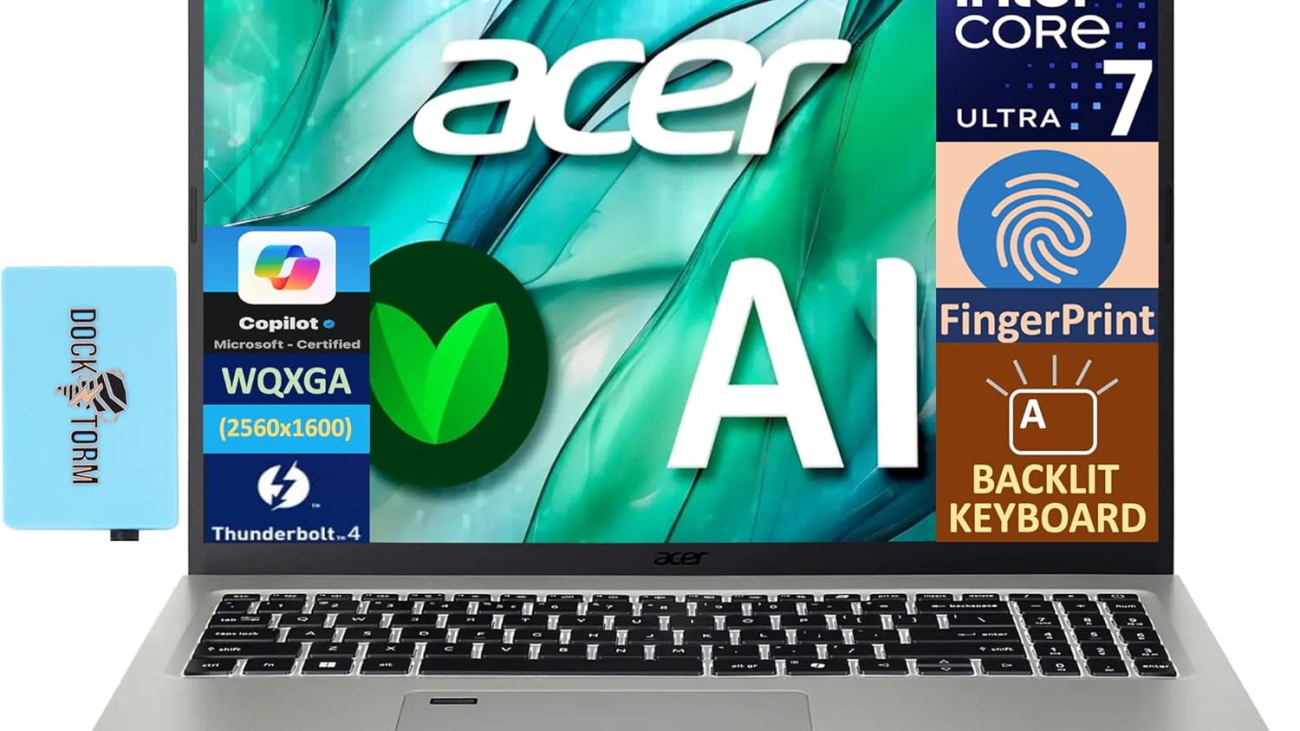
Lenovo Yoga Pro 9i (2024): Ultimate Premium Performance

Buy on Amazon

The Lenovo Yoga Pro 9i (2024) represents the absolute pinnacle of laptop technology, combining Intel’s latest Ultra 9 processor with NVIDIA RTX graphics and a breathtaking Mini-LED display. This premium device targets professionals and creators who demand uncompromising performance.

The Yoga Pro 9i stands as Lenovo’s flagship offering, incorporating cutting-edge technology across every aspect. From its brilliant Mini-LED display to its powerful Intel Ultra 9 processor, this laptop is designed to excel in both creative and professional workloads.

Product Information

  • Display: 16″ 3.2K Mini-LED, 165Hz, 1200 nits
  • Processor: Intel 14th Gen Ultra 9 185H
  • Graphics: NVIDIA GeForce RTX 4060
  • Memory: 32GB RAM
  • Storage: 1TB NVMe SSD
  • Operating System: Windows 11 Pro
  • Display Technology: Mini-LED with 165Hz refresh rate
  • Peak Brightness: 1200 nits

Why You Will Like It

  1. Cutting-Edge Performance: Intel Ultra 9 processor and RTX 4060 graphics
  2. Premium Display: Mini-LED technology with high brightness and refresh rate
  3. Professional Grade: Windows 11 Pro for advanced features
  4. Ample Memory: 32GB RAM for demanding workloads
  5. High-End Build: Premium materials and construction

Key Features

Display Excellence

  • 3.2K resolution Mini-LED panel
  • 165Hz refresh rate
  • 1200 nits peak brightness
  • HDR support
  • Professional color accuracy

Performance

  • Intel 14th Gen Ultra 9 185H processor
  • NVIDIA GeForce RTX 4060 GPU
  • 32GB high-speed RAM
  • 1TB NVMe SSD
  • Advanced thermal design

Professional Features

  • Windows 11 Pro
  • Security features
  • Business-class support
  • Advanced connectivity
  • Professional software optimization

Additional Features

  • Thunderbolt 4 ports
  • Advanced cooling system
  • Premium audio system
  • IR camera with Windows Hello
  • Military-grade durability testing
  • Wi-Fi 6E support

Warranty & Service

Lenovo provides:

  • Premium warranty coverage
  • Business-class support
  • On-site service options
  • Extended warranty available
  • International coverage

User Opinions

Professional users appreciate:

  • Exceptional performance
  • Outstanding display quality
  • Premium build quality
  • Professional-grade features
  • Powerful graphics capabilities

Some considerations include:

  • Premium price point
  • Power consumption under load
  • Size and weight
  • Heat output during intensive tasks

Final Verdict

The Lenovo Yoga Pro 9i (2024) represents the pinnacle of laptop technology, offering uncompromising performance and features for professionals and power users. While the investment is significant, the combination of cutting-edge components and premium build quality justifies its positioning as a flagship device.

Pros and Cons

Pros

  • Top-tier Intel Ultra 9 processor
  • Powerful RTX 4060 graphics
  • Stunning Mini-LED display
  • High refresh rate and brightness
  • Professional-grade features
  • Excellent build quality
  • Windows 11 Pro included

Cons

  • Premium price point
  • Power consumption under load
  • Larger size affects portability
  • Heat output during intensive tasks
  • May be overkill for basic users


The Lenovo Yoga Pro 9i (2024) sets a new standard for premium laptops, successfully combining cutting-edge technology with professional features. Its powerful processor, dedicated graphics, and exceptional display make it an ideal choice for professionals, content creators, and users who demand the absolute best in mobile computing.


REVIEWLenovo Yoga 7i: The AI-Enhanced 2-in-1 Experience

Please read our reviews that will provide insights into the real-world performance and reliability of computers and laptops.


REVIEWS: Gaming
[slick-slider]
Lenovo Yoga 7i

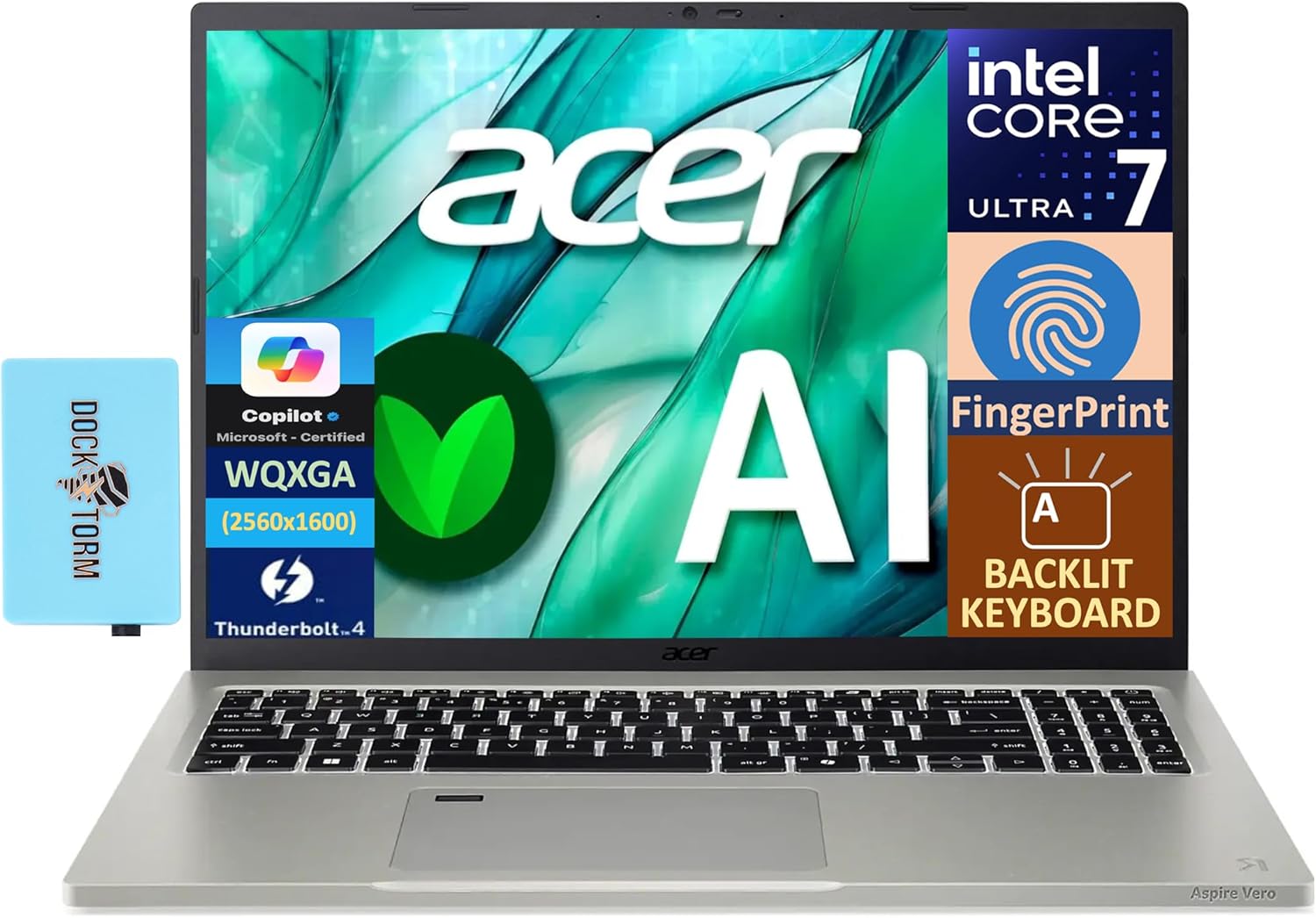
Lenovo Yoga 7i: The AI-Enhanced 2-in-1 Experience

Buy on Amazon

The Lenovo Yoga 7i represents the next generation of laptops with integrated AI capabilities, featuring Windows Copilot, a vibrant 16-inch FHD+ touchscreen, and powerful AMD Ryzen processing. This versatile 2-in-1 device combines premium features with intelligent computing.

As AI becomes increasingly integral to computing, Lenovo’s Yoga 7i embraces this evolution with built-in AI capabilities. This 16-inch convertible laptop promises to deliver not just performance, but intelligent assistance through Windows Copilot and other AI-enhanced features.

Product Information

  • Display: 16.0″ FHD+ IPS Touchscreen
  • Processor: AMD Ryzen 7 8840HS
  • Memory: 16GB LPDDR5X RAM
  • Storage: 1TB SSD
  • AI Features: Windows Copilot integration
  • Connectivity: WiFi 6E
  • Additional: DKZ USB Port Expander included
  • Operating System: Windows 11 Home

Why You Will Like It

  1. AI Integration: Built-in Copilot assistance for enhanced productivity
  2. Large Display: 16-inch screen provides ample workspace
  3. Premium Performance: AMD Ryzen 7 processor with fast LPDDR5X memory
  4. Versatile Design: 2-in-1 functionality with touchscreen
  5. Expanded Connectivity: Included USB port expander

Key Features

AI Capabilities

  • Windows Copilot integration
  • AI-enhanced performance optimization
  • Smart noise cancellation
  • Intelligent power management
  • AI-assisted camera features

Display and Input

  • 16.0″ FHD+ IPS panel
  • Multi-touch support
  • Pen compatibility
  • Anti-glare coating
  • Bright and vivid colors

Performance

  • AMD Ryzen 7 8840HS processor
  • 16GB LPDDR5X RAM
  • 1TB NVMe SSD
  • AMD Radeon integrated graphics
  • AI-enhanced thermal management

Design and Build

  • Premium aluminum construction
  • 360-degree convertible hinge
  • Backlit keyboard
  • Fingerprint reader
  • Webcam privacy shutter

Additional Features

  • DKZ USB Port Expander
  • WiFi 6E capability
  • Bluetooth 5.2
  • Dolby Atmos audio
  • Rapid charging support
  • HD IR camera

Warranty & Service

Lenovo offers:

  • 1-year limited warranty
  • Optional extended coverage
  • Accidental damage protection
  • Technical support access
  • International warranty service

User Opinions

Common praise includes:

  • Excellent AI integration
  • Responsive touchscreen
  • Strong performance
  • Good battery life
  • Useful port expander

Some concerns note:

  • Premium price point
  • Size may be large for some
  • Learning curve for AI features
  • Weight in tablet mode

Final Verdict

The Lenovo Yoga 7i successfully combines AI capabilities with premium hardware, creating a powerful and intelligent computing solution. While the price and size might not suit everyone, it offers excellent value for those seeking a future-proof device with advanced features.

Pros and Cons

Pros

  • Advanced AI features
  • Powerful AMD Ryzen processor
  • Large, vibrant display
  • Included port expander
  • Premium build quality
  • Versatile 2-in-1 design

Cons

  • Higher price point
  • Larger size affects portability
  • Learning curve for AI features
  • Weight in tablet mode
  • May be overkill for basic users


The Lenovo Yoga 7i represents a significant step forward in laptop evolution, successfully integrating AI capabilities with premium hardware. Its combination of powerful processing, intelligent features, and versatile design makes it an excellent choice for professionals and power users who want to embrace AI-enhanced computing.

Lenovo Yoga 7i


REVIEWLenovo Yoga 7 2-in-1 Laptop: Versatility Meets Performance

Please read our reviews that will provide insights into the real-world performance and reliability of computers and laptops.


REVIEWS: Gaming
[slick-slider]
Lenovo Yoga

Lenovo Yoga 7 2-in-1 Laptop: Versatility Meets Performance

Buy on Amazon

The Dell G2725D gaming monitor combines a sharp 1440p resolution with a swift 180Hz refresh rate, making it an attractive option for gamers seeking high performance without breaking the bank. With its 99% sRGB color coverage and gaming-focused features, it strikes a balance between visual quality and competitive gaming capabilities.

Introduction

Dell has established itself as a reliable name in the monitor market, and the G2725D continues this tradition by offering gamers a compelling mix of features at a competitive price point. This 27-inch QHD display brings together essential gaming features with professional-grade color accuracy, making it versatile enough for both gaming and content creation.

Product Information

  • Display Size: 27 inches
  • Resolution: 2560 x 1440 (QHD)
  • Refresh Rate: Up to 180Hz
  • Response Time: 2ms
  • Color Gamut: 99% sRGB
  • Adaptive Sync: AMD FreeSync
  • Connectivity: DisplayPort, HDMI
  • Special Features: ComfortView, Tilt Adjustment
  • Panel Type: IPS
  • Aspect Ratio: 16:9

Why People Prefer This Product

  1. Balanced Resolution: The 1440p resolution provides sharp image quality while being less demanding than 4K
  2. High Refresh Rate: 180Hz delivers smooth motion for competitive gaming
  3. Color Accuracy: 99% sRGB coverage ensures accurate color reproduction
  4. Eye Care: ComfortView technology reduces blue light emission
  5. Versatile Connectivity: Multiple input options with both DisplayPort and HDMI

Key Features

Display Performance

  • QHD resolution for crisp image quality
  • 180Hz refresh rate for smooth gaming
  • 2ms response time minimizes motion blur
  • 99% sRGB color coverage
  • AMD FreeSync technology prevents screen tearing

Gaming Features

  • AMD FreeSync for tear-free gaming
  • Gaming-optimized preset modes
  • Low input lag
  • Multiple gaming visual options

Design and Ergonomics

  • Tilt adjustment for optimal viewing angles
  • Modern design with thin bezels
  • Sturdy stand construction
  • Cable management solution

Additional Features

  • ComfortView blue light reduction
  • On-screen display controls
  • Multiple picture modes
  • Easy menu navigation
  • Auto source detection

Warranty & Service

Dell typically offers:

  • 3-year advanced exchange service
  • Premium Panel Guarantee
  • Technical support access
  • Dead pixel policy coverage
  • Optional extended warranty

User Opinions

Common user feedback includes:

  • Appreciation for the sharp QHD resolution
  • Smooth gaming experience at 180Hz
  • Good color accuracy out of the box
  • Effective AMD FreeSync implementation
  • Sturdy build quality

Some users note:

  • Limited ergonomic adjustments
  • Basic HDR capabilities
  • Standard gaming monitor design

Final Verdict

The Dell G2725D represents excellent value in the gaming monitor market. It delivers the essential features competitive gamers need while maintaining good image quality for general use and content creation. While it may not have premium features like HDR1000 or USB-C connectivity, it excels at its core purpose: providing a responsive, clear gaming experience.

Pros and Cons

Pros

  • Sharp QHD resolution
  • Smooth 180Hz refresh rate
  • Excellent color accuracy
  • AMD FreeSync support
  • ComfortView eye care technology
  • Reliable build quality

Cons

  • Limited ergonomic adjustments
  • Basic HDR capabilities
  • No USB hub
  • Standard design aesthetics

Conclusion

The Dell G2725D gaming monitor proves that you don’t need to spend a fortune to get a quality gaming experience. With its combination of QHD resolution, 180Hz refresh rate, and AMD FreeSync technology, it delivers where it matters most for gamers. While it may lack some premium features, its core performance and reliability make it a solid choice for both competitive gamers and general users.

Dell G2725D Gaming Monitor


REVIEWSony INZONE M10S Gaming Monitor: OLED Gaming Experience

Please read our reviews that will provide insights into the real-world performance and reliability of computers and laptops.


REVIEWS: Gaming
[slick-slider]
Dell G2725D Gaming Monitor

Dell G2725D Gaming Monitor: High Performance Gaming at a Value

Buy on Amazon

The Dell G2725D gaming monitor combines a sharp 1440p resolution with a swift 180Hz refresh rate, making it an attractive option for gamers seeking high performance without breaking the bank. With its 99% sRGB color coverage and gaming-focused features, it strikes a balance between visual quality and competitive gaming capabilities.

Introduction

Dell has established itself as a reliable name in the monitor market, and the G2725D continues this tradition by offering gamers a compelling mix of features at a competitive price point. This 27-inch QHD display brings together essential gaming features with professional-grade color accuracy, making it versatile enough for both gaming and content creation.

Product Information

  • Display Size: 27 inches
  • Resolution: 2560 x 1440 (QHD)
  • Refresh Rate: Up to 180Hz
  • Response Time: 2ms
  • Color Gamut: 99% sRGB
  • Adaptive Sync: AMD FreeSync
  • Connectivity: DisplayPort, HDMI
  • Special Features: ComfortView, Tilt Adjustment
  • Panel Type: IPS
  • Aspect Ratio: 16:9

Why People Prefer This Product

  1. Balanced Resolution: The 1440p resolution provides sharp image quality while being less demanding than 4K
  2. High Refresh Rate: 180Hz delivers smooth motion for competitive gaming
  3. Color Accuracy: 99% sRGB coverage ensures accurate color reproduction
  4. Eye Care: ComfortView technology reduces blue light emission
  5. Versatile Connectivity: Multiple input options with both DisplayPort and HDMI

Key Features

Display Performance

  • QHD resolution for crisp image quality
  • 180Hz refresh rate for smooth gaming
  • 2ms response time minimizes motion blur
  • 99% sRGB color coverage
  • AMD FreeSync technology prevents screen tearing

Gaming Features

  • AMD FreeSync for tear-free gaming
  • Gaming-optimized preset modes
  • Low input lag
  • Multiple gaming visual options

Design and Ergonomics

  • Tilt adjustment for optimal viewing angles
  • Modern design with thin bezels
  • Sturdy stand construction
  • Cable management solution

Additional Features

  • ComfortView blue light reduction
  • On-screen display controls
  • Multiple picture modes
  • Easy menu navigation
  • Auto source detection

Warranty & Service

Dell typically offers:

  • 3-year advanced exchange service
  • Premium Panel Guarantee
  • Technical support access
  • Dead pixel policy coverage
  • Optional extended warranty

User Opinions

Common user feedback includes:

  • Appreciation for the sharp QHD resolution
  • Smooth gaming experience at 180Hz
  • Good color accuracy out of the box
  • Effective AMD FreeSync implementation
  • Sturdy build quality

Some users note:

  • Limited ergonomic adjustments
  • Basic HDR capabilities
  • Standard gaming monitor design

Final Verdict

The Dell G2725D represents excellent value in the gaming monitor market. It delivers the essential features competitive gamers need while maintaining good image quality for general use and content creation. While it may not have premium features like HDR1000 or USB-C connectivity, it excels at its core purpose: providing a responsive, clear gaming experience.

Pros and Cons

Pros

  • Sharp QHD resolution
  • Smooth 180Hz refresh rate
  • Excellent color accuracy
  • AMD FreeSync support
  • ComfortView eye care technology
  • Reliable build quality

Cons

  • Limited ergonomic adjustments
  • Basic HDR capabilities
  • No USB hub
  • Standard design aesthetics

Conclusion

The Dell G2725D gaming monitor proves that you don’t need to spend a fortune to get a quality gaming experience. With its combination of QHD resolution, 180Hz refresh rate, and AMD FreeSync technology, it delivers where it matters most for gamers. While it may lack some premium features, its core performance and reliability make it a solid choice for both competitive gamers and general users.

Dell G2725D Gaming Monitor


REVIEWSony INZONE M10S Gaming Monitor: OLED Gaming Experience

Please read our reviews that will provide insights into the real-world performance and reliability of computers and laptops.


REVIEWS: Gaming
[slick-slider]
Sony INZONE M10S Gaming Monitor

Sony INZONE M10S Gaming Monitor: OLED Gaming Experience

Buy on Amazon

The Sony INZONE M10S represents a significant leap forward in gaming monitor technology, combining OLED display technology with an unprecedented 480Hz refresh rate. This 27-inch QHD monitor delivers exceptional picture quality, ultra-fast response times, and professional-grade features that cater to both competitive gamers and content creators.

Sony has made a bold statement with the INZONE M10S. This monitor bridges the gap between professional esports requirements and premium visual quality, featuring OLED technology typically reserved for high-end TVs. With its 2560×1440 resolution and remarkable 480Hz refresh rate, it promises to deliver one of the most responsive gaming experiences available.

Product Information

  • Display Type: 27″ OLED Panel
  • Resolution: 2560 x 1440 (QHD)
  • Refresh Rate: 480Hz
  • Response Time: 0.03ms
  • HDR Support: DisplayHDR 400
  • Adaptive Sync: NVIDIA G-SYNC Compatible
  • Connectivity: DisplayPort 2.1 (UHBR10), HDMI 2.1
  • Stand: Low Profile Design
  • Panel Type: OLED
  • Aspect Ratio: 16:9

Why you will like this product

  1. Unmatched Response Time: The 0.03ms response time virtually eliminates motion blur and ghosting, providing crystal-clear motion handling.
  2. Premium OLED Technology: Perfect blacks and infinite contrast ratio deliver exceptional picture quality.
  3. Competitive Edge: The 480Hz refresh rate offers ultra-smooth gameplay crucial for competitive gaming.
  4. Modern Connectivity: DisplayPort 2.1 and HDMI 2.1 support ensures compatibility with the latest gaming hardware.
  5. Space-Efficient Design: The low-profile stand maximizes desk space while maintaining stability.

Key Features

Display Performance

  • OLED panel technology for perfect blacks and vibrant colors
  • QHD resolution balancing sharp visuals with high refresh rate
  • Anti-glare coating for comfortable viewing in bright environments
  • DisplayHDR 400 certification for enhanced contrast and color accuracy

Gaming Features

  • NVIDIA G-SYNC Compatible certification
  • Variable Refresh Rate (VRR) support via HDMI 2.1
  • Ultra-low input lag
  • Gaming-specific picture modes

Design and Ergonomics

  • Slim bezels for minimal distraction
  • Low-profile stand design
  • Cable management solutions
  • VESA mount compatibility

Additional Features

  • Multiple picture modes for different content types
  • Built-in blue light reduction
  • On-screen display with intuitive controls
  • Picture-in-Picture and Picture-by-Picture support
  • Auto input switching

Warranty & Service

Sony backs the INZONE M10S with a 3-year limited warranty specifically for the OLED panel, demonstrating confidence in their product’s longevity. The warranty covers:

  • Manufacturing defects
  • Panel issues including burn-in under normal use
  • Technical support access
  • Replacement service if necessary

User Opinions

Early adopters and professional reviewers have praised the M10S for:

  • Exceptional motion clarity
  • Superior color accuracy
  • Premium build quality
  • Responsive gaming experience
  • Effective anti-glare coating

Some users have noted:

  • Premium price point
  • Limited HDR brightness compared to high-end LCD monitors
  • Learning curve for optimal settings

Final Verdict

The Sony INZONE M10S represents the pinnacle of gaming monitor technology in 2025. While the price point may be steep, the combination of OLED picture quality and class-leading 480Hz refresh rate makes it an excellent choice for competitive gamers who demand the absolute best performance.

Pros and Cons

Pros

  • Industry-leading 480Hz refresh rate
  • Exceptional OLED picture quality
  • Ultra-fast 0.03ms response time
  • Modern connectivity options
  • Premium build quality
  • Comprehensive warranty coverage

Cons

  • Premium price point
  • HDR brightness could be higher
  • Potential OLED burn-in concerns
  • Limited screen size options

The Sony INZONE M10S sets a new standard for gaming monitors, successfully combining the superior picture quality of OLED technology with competitive gaming features. While the investment is significant, the monitor delivers on its promises of exceptional performance and premium quality, making it a worthy choice for serious gamers and professionals alike.

Get Sony Inzone M10S


REVIEWThe Best Laptops for Students: Top Picks & Reviews

Read our reviews that will provide insights into the real-world performance and reliability of computers and laptops.


REVIEWS: Gaming
[slick-slider]
Viral video

15 Powerful Strategies for Making Your Video Go Viral in 2025: A Data-Driven Guide

Viral video

Creating viral video content has become both an art and a science. With over 500 hours of video uploaded to YouTube every minute and billions of daily views across social media platforms, understanding how to make your video stand out is more crucial than ever. This comprehensive guide will walk you through proven strategies that can significantly increase your chances of achieving viral success.

Understanding the Psychology of Viral Content

The journey to viral success begins with understanding what makes content shareable. Research from the Journal of Marketing Research shows that content triggering high-arousal emotions, whether positive or negative, is shared more frequently than content that elicits low-arousal responses. Videos that evoke awe, laughter, or amazement tend to perform exceptionally well across all platforms.

Consider the phenomenon of “emotional contagion” – when viewers experience strong emotions, they’re more likely to share content with others to validate their feelings and create shared experiences. This psychological principle underlies many viral successes we’ve seen in recent years.

The Role of Timing and Cultural Context

Your video’s success often depends heavily on its cultural relevance and timing. Content that taps into current trends, addresses timely issues, or connects with ongoing social conversations has a higher chance of going viral. However, timing isn’t just about riding trends – it’s about understanding your audience’s daily routines and posting schedules.

Crafting Compelling Video Content

The First 3 Seconds Matter Most

Research indicates that 33% of viewers decide whether to continue watching a video within the first three seconds. This crucial window determines whether your content has the potential to go viral. Focus on creating an attention-grabbing opening that promises value and sparks curiosity.

Storytelling Elements That Drive Sharing

Every viral video tells a story, even if it’s just a few seconds long. The most successful viral content often follows classic storytelling structures:

  • A clear narrative arc
  • Relatable characters or situations
  • An unexpected twist or revelation
  • A satisfying resolution

These elements keep viewers engaged and increase the likelihood of sharing.

Technical Optimization for Viral Success

Platform-Specific Requirements

Each social media platform has unique requirements and preferences that can affect your video’s performance:

Instagram:

  • Optimal video length: 30 seconds to 1 minute
  • Square format (1:1) typically performs best
  • Captions are crucial as many watch without sound

TikTok:

  • Vertical format (9:16)
  • 15-60 seconds sweet spot
  • Music and trending sounds integration

YouTube:

  • Thumbnail optimization is critical
  • First 30 seconds must hook viewers
  • End screens and cards for engagement

Video Quality Standards

While viral videos don’t always need Hollywood-level production quality, certain technical standards can improve your chances:

  • Clear, stable footage
  • High-quality audio
  • Proper lighting
  • Smooth transitions
  • Appropriate pacing

Distribution and Promotion Strategies

Cross-Platform Optimization

Different platforms require different approaches. What works on YouTube might not work on TikTok. Understanding platform-specific best practices is crucial for maximizing viral potential.

Leveraging Community Engagement

Building a community around your content can create a snowball effect. Engage with comments, respond to feedback, and encourage discussions to increase visibility and sharing.

Data-Driven Decision Making

Analytics and Metrics That Matter

Focus on these key metrics to gauge and improve viral potential:

  • Watch time
  • Engagement rate
  • Share velocity
  • Audience retention
  • Click-through rate

A/B Testing for Optimization

Test different elements of your videos:

  • Thumbnails
  • Titles
  • Opening sequences
  • Call-to-actions
  • Posting times

Viral Growth Hacking Techniques

Collaboration Strategies

Partner with other creators to expand reach and tap into new audiences. Cross-promotion can significantly increase your chances of going viral.

Hashtag and SEO Optimization

Research and implement relevant hashtags and SEO strategies to improve discoverability across platforms.

Monetization and Long-term Success

Building on Viral Success

One viral video isn’t enough – learn how to maintain momentum and build a sustainable content strategy.

Diversifying Revenue Streams

Explore various monetization options:

  • Brand partnerships
  • Merchandise
  • Course creation
  • Consulting services

Common Pitfalls to Avoid

Content Creation Mistakes

Learn from others’ mistakes and avoid common errors that can prevent viral success:

  • Over-editing
  • Poor audio quality
  • Inconsistent posting
  • Ignoring audience feedback

Platform Guidelines and Restrictions

Stay within platform guidelines to avoid restrictions that could limit your viral potential.

Conclusion

Creating viral video content requires a combination of creativity, strategy, and technical expertise. By following these proven strategies and staying current with platform trends, you can significantly increase your chances of achieving viral success. Remember that consistency and authenticity are key – focus on creating value for your audience while implementing these techniques.

Take action now by implementing these strategies in your next video project. Start with one or two techniques and gradually incorporate more as you become comfortable with the process. Success in viral content creation often comes to those who persistently refine their approach while staying true to their creative vision.


READ ALSO: The Best Free Email Marketing Services That Actually Work

[slick-slider]